

User Interface (UI) and User Experience (UX) design play a critical role in the success of any website or mobile app. A well-designed interface makes apps easy to use, visually appealing, and engaging. Today, AI for UI/UX design is transforming how designers create digital experiences by making the design process faster, smarter, and more efficient.
Artificial Intelligence helps designers generate layouts, improve usability, automate repetitive tasks, and create personalised user experiences. Whether you are a beginner, designer, startup, or business owner, AI tools can help you design better products in less time.
This guide explains how AI is used in UI/UX design, the best tools, workflows, benefits, and future trends.
imag
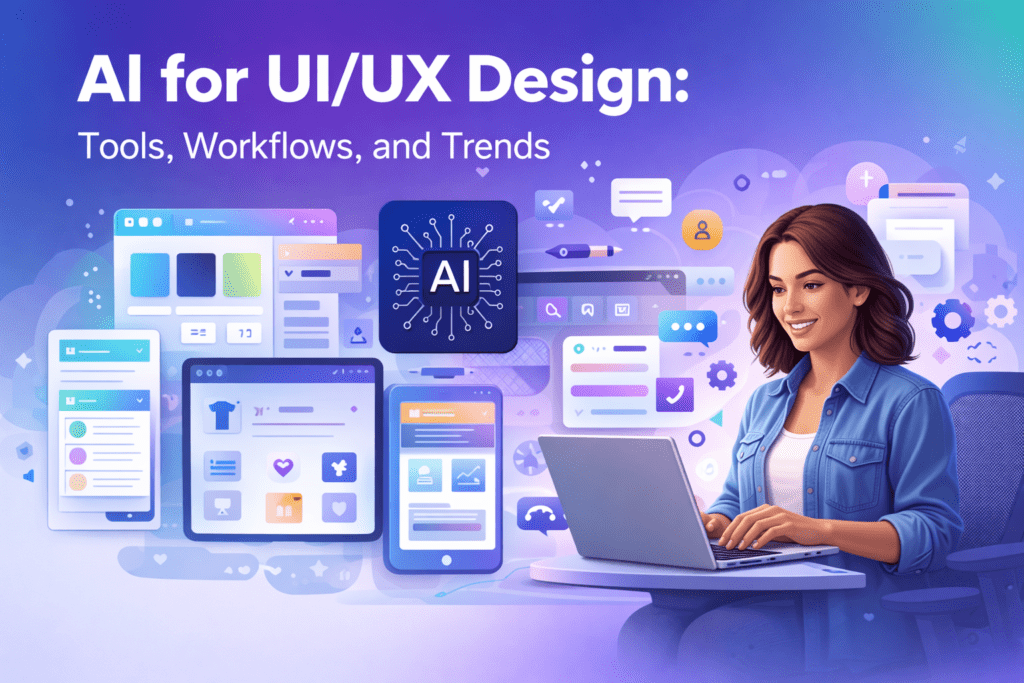
What is AI for UI/UX Design?
AI for UI/UX design refers to using artificial intelligence tools to assist in creating user interfaces and improving user experience.
These tools help with:
- Creating wireframes
- Designing layouts
- Suggesting colour palettes
- Generating icons and visuals
- Improving usability
In simple words, AI helps designers create smarter and more user-friendly designs faster.
Instead of starting from scratch, designers can use AI suggestions and customise them.
Why AI is Important in UI/UX Design Today
Modern users expect fast, smooth, and personalised digital experiences. AI helps designers meet these expectations.
Here’s why AI is important:
1. Faster Design Process
AI generates layouts and design ideas instantly.
2. Better User Experience
AI analyses user behaviour and suggests improvements.
3. Increased Productivity
Designers can complete work faster.
4. Easy for Beginners
Even beginners can create professional designs.
5. Data-Driven Design
AI helps make design decisions based on real user data.
How AI Works in UI/UX Design
AI uses machine learning and design data to assist designers.
Here is a simple workflow:
Step 1: Input Design Requirements
Example:
Design a mobile app homepage for an online store.
Step 2: AI Generates Design Layout
AI creates:
- Wireframes
- Layout options
- UI components
Step 3: Customisation
Designers edit:
- Fonts
- Colours
- Images
- Structure
Step 4: Testing and Improvement
AI helps analyse user interaction and suggests improvements.
This improves usability.
Best AI Tools for UI/UX Design
Many powerful AI tools are available.
1. Figma AI
Figma helps create:
- UI layouts
- Wireframes
- Prototypes
It is widely used by designers.
2. Adobe XD AI Features
Adobe provides AI tools for:
- Design generation
- Image editing
- Prototyping
3. Canva AI
Canva helps create:
- UI visuals
- Graphics
- App screens
4. Uizard
Uizard converts:
- Text ideas into UI designs
- Sketches into digital designs
This is useful for beginners.5. Framer AI
Framer generates:
- Websites
- UI layouts
Automatically.
Real-World Use Cases
AI is already used widely.
Startup founders
Create app prototypes quickly.
Designers
Generate wireframes faster.
Businesses
Improve user experience.
Developers
Create UI layouts easily.
Benefits of AI in UI/UX Design
AI offers many advantages:
Faster Design Creation
Designs are generated quickly.
Improved User Experience
AI suggests usability improvements.
Reduced Workload
Automates repetitive tasks.
Cost-Effective
Reduces design costs.
Beginner Friendly
No advanced skills required.
Challenges and Limitations
AI also has limitations.
Limited Creativity
AI cannot fully replace human creativity.
Generic Designs
Some designs may look similar.
Human Review Needed
Designers must refine AI output.
Learning Curve
Some tools require training.
AI supports designers but does not replace them.
Latest Trends in AI UI/UX Design
Here are important trends:
1. AI-Generated Wireframes
AI creates layouts automatically.
2. Personalised User Experience
Apps adapt to user behaviour.
3. Voice-Based Interfaces
Voice UI is growing.
4. Automated Design Systems
AI creates complete design systems.
5. No-Code Design Tools
Beginners can design without coding.
Future of AI in UI/UX Design
The future is promising.
AI will help:
- Create designs faster
- Improve user experience
- Automate workflows
- Support designers
AI will become an essential design assistant.
Best Practices for Using AI in UI/UX Design
Follow these tips:
Use AI as assistant
Not replacement.
Customise designs
Add originality.
Focus on user needs
Design for users.
Test designs
Ensure usability.
Keep learning
Stay updated.
Conclusion
AI for UI/UX design is transforming how digital products are created. It helps designers work faster, improve user experience, and create better designs. From wireframes to prototypes, AI makes design easier and more efficient. Businesses and designers who use AI tools can build modern, user-friendly digital experiences.
Complete AI Graphic Design Tools List (No Canva) – 2026
FAQs: AI for UI/UX Design
What does AI for UI/UX design actually do?
AI for UI/UX design automates wireframing, user flow prediction, usability testing, and accessibility checks. It helps designers validate ideas faster while reducing manual effort.
Which AI tools are best for UI/UX design beginners?
Figma AI plugins like Magician are ideal for beginners. They allow text-to-design generation while keeping designers inside familiar workflows.
How does AI improve UX testing?
AI runs thousands of simulated user sessions instantly, highlighting drop-offs and usability issues. Designers still validate results with real users for accuracy.
Can AI for UI/UX design handle accessibility?
Yes. Many tools automatically flag contrast issues, font sizes, and ARIA labels, supporting WCAG compliance—though manual audits are still recommended.
Will AI replace UI/UX designers?
No. AI supports designers by speeding up repetitive tasks, but human creativity, empathy, and decision-making remain irreplaceable.
References:
Adobe. Generative AI for Design. https://www.adobe.com/sensei/generative-ai.html
Figma. AI Design Tools. https://www.figma.com/resource-library/ai-design-tools/
Harvard University. AI Prompts. https://huit.harvard.edu/news/ai-prompts
Google. People + AI Guidebook. https://pair.withgoogle.com/guidebook/
IBM. Artificial Intelligence. https://www.ibm.com/artificial-intelligence
Microsoft. AI Tools and UX. https://www.microsoft.com/ai
- Academic Writing
- AI Ethics & Future
- AI in Academic Research
- AI in Business & Marketing
- AI in Content Creation
- AI in Design & Development
- AI in Education/Teaching
- AI in Research
- AI Tools & Review
- Indian Laws
- Motivation
- SEO & Digital Marketing
- Writing & Content Creation
AI For Logo and Branding: Best Tools & Workflows 2026
Building a professional brand identity once required hiring designers, waiting weeks for revisions, and investing…
AI for UI/UX Design: Tools, Workflows, and Trends
User Interface (UI) and User Experience (UX) design play a critical role in the success…
AI in App Development: Tools, Use Cases & Trends (2026)
App development is no longer limited to experienced programmers or large teams. Today, AI in…
AI in Design & Development: Tools, Workflows, and Best Practices 2026
Artificial Intelligence is no longer a future concept.AI in Design & Development is already shaping…
AI in Graphic Design: Best Tools, Trends & Tips for 2026
Still designing everything manually in 2026?While you’re adjusting fonts and layers, AI in graphic design…
AI in Web Development: Tools, Use Cases & Best Practices
Learn how AI in web development improves coding, personalization, and performance. Explore tools, benefits, challenges,…
Best 10 AI Tools in Web Development 2026
Top 10 AI Tools in Web Development You Should Use Today Smart AI Tools Helping…
Best AI App Development Tools for 2026
Discover the best AI app development tools for 2026. Compare Copilot, Lovable, Bubble, and more…
Complete AI Graphic Design Tools List (No Canva) – 2026
Complete AI Graphic Design Tools List (No Canva) – 15 battle-tested AI tools—including Napkin, Ideogram,…

No Code AI Tools: Best Platforms to Build Apps
Have a powerful app idea but no coding skills or budget for developers? No Code…