
Top 10 AI Tools in Web Development You Should Use Today
Smart AI Tools Helping Developers Build Faster, Better Websites
Web development has evolved beyond writing every line of code manually. Today, AI tools in web development help developers design layouts, generate code, debug errors, improve performance, and even personalize user experiences automatically. Whether you’re working with React, Next.js, WordPress, or no-code platforms, AI tools act like smart assistants that reduce workload and speed up delivery.
The top AI tools in web development are not meant to replace developers. Instead, they handle repetitive tasks such as code suggestions, UI generation, testing, and optimization—so developers can focus on logic, creativity, and problem-solving. From solo freelancers to enterprise teams, these tools are now essential for building modern, scalable websites.
Below is a carefully curated list of the Top 10 AI tools in web development, including their best use cases, free options, and why developers trust them for real-world projects.AI tools in web development automate code, design, and optimization, perfect for speeding up React, Next.js, or WordPress projects. These picks blend free tiers with pro features, tested for reliability and integration.
| Tool | Best For | Free Tier | Pricing (Pro) | Official Link |
|---|---|---|---|---|
| GitHub Copilot | Code autocompletion | 12k completions/mo | $10/mo | github.com/features/copilot |
| Cursor AI | Full IDE with AI | Unlimited basics | $20/mo | cursor.sh |
| v0 by Vercel | UI generation | Unlimited previews | $20/mo | v0.dev |
| Figma AI (Make Designs) | Auto-layouts & prototypes | Full free | Team plans | figma.com/ai |
| Replit Ghostwriter | Collaborative coding | 10 chats/day | $20/mo | replit.com/ai |
| Tabnine | Privacy-focused autocomplete | Unlimited local | $12/mo | tabnine.com |
| Codeium | Multi-language code gen | Unlimited | Enterprise | codeium.com |
| Framer AI | Landing page builder | 3 sites/mo | $5/mo | framer.com/ai |
| Uizard | Design-to-code | 3 projects | $12/mo | uizard.io |
| Locofy | Figma to React code | Unlimited exports | $49/mo | locofy.ai |
Quick Tool Breakdowns
GitHub Copilot shines in VS Code for React components—type “user login form” and get production-ready JSX. Integrates with your website workflow seamlessly.
Cursor AI replaces full IDEs, chatting like “refactor this for Next.js 15” while handling Tailwind. Devs report 2x speedups.
v0 by Vercel generates Shadcn UI from prompts, exports clean React/TS—ideal for MVP landing pages.
Figma AI auto-generates variants and icons, bridging design-to-dev gap for non-designers.
Codeium runs locally for privacy, supports JS/TS/Python without cloud data leaks.
Framer AI & Uizard turn sketches to responsive sites, great for quick prototypes.
Best Free Starts for Beginners
- Codeium + VS Code: Zero cost, instant setup.
- Figma AI: Design first, code later.
- GitHub Copilot free trial: Test on small projects.
Complete AI Graphic Design Tools List (No Canva) – 2026
Frequently Asked Questions (FAQs)
What are AI tools in web development?
AI tools in web development use artificial intelligence to assist with coding, design, testing, and optimization. These tools can generate code, suggest UI layouts, fix bugs, and personalize websites, helping developers build faster and more efficient web applications.
Are AI tools in web development safe to use?
Yes, AI tools in web development are generally safe when used correctly. Developers should always review AI-generated code, follow security best practices, and avoid sharing sensitive client data with AI platforms.
How do AI tools help in web development?
AI tools in web development automate repetitive tasks such as code completion, debugging, performance optimization, and design creation. This allows developers to focus more on logic, creativity, and user experience instead of manual work.
Can beginners use AI tools for web development?
Absolutely. Many AI tools in web development are beginner-friendly and require little to no coding experience. Tools like AI website builders, code assistants, and design generators help beginners learn faster while building real projects.
Do AI tools replace web developers?
No. AI tools in web development do not replace developers. They act as smart assistants that enhance productivity. Human judgment, creativity, and problem-solving are still essential for building high-quality websites.
Which are the best free AI tools in web development?
Some of the best free AI tools in web development include Codeium, GitHub Copilot (free trial), Figma AI, and Replit AI. These tools offer powerful features with free plans suitable for learning and small projects.
How do AI tools improve website performance?
AI tools in web development analyze user behavior, loading speed, and SEO factors to suggest improvements. They help optimize images, code structure, and content delivery, resulting in faster and more responsive websites.
Can AI tools be used for WordPress web development?
Yes, many AI tools in web development integrate with WordPress. They help generate content, optimize SEO, create layouts, and improve site performance using AI-powered plugins and builders.
Are AI tools useful for React and Next.js projects?
Yes. AI tools in web development work extremely well with React and Next.js by generating components, refactoring code, fixing errors, and optimizing performance for modern web applications.
How should developers start using AI tools in web development?
Developers should start by using AI tools for small tasks like code suggestions, layout generation, or testing. Gradually, they can integrate AI tools into their workflow while maintaining full control over final decision
- Academic Writing
- AI Ethics & Future
- AI in Academic Research
- AI in Business & Marketing
- AI in Content Creation
- AI in Design & Development
- AI in Education/Teaching
- AI in Research
- AI Tools & Review
- Indian Laws
- Motivation
- SEO & Digital Marketing
- Writing & Content Creation
AI For Logo and Branding: Best Tools & Workflows 2026
Building a professional brand identity once required hiring designers, waiting weeks for revisions, and investing…
AI for UI/UX Design: Tools, Workflows, and Trends
User Interface (UI) and User Experience (UX) design play a critical role in the success…
AI in App Development: Tools, Use Cases & Trends (2026)
App development is no longer limited to experienced programmers or large teams. Today, AI in…
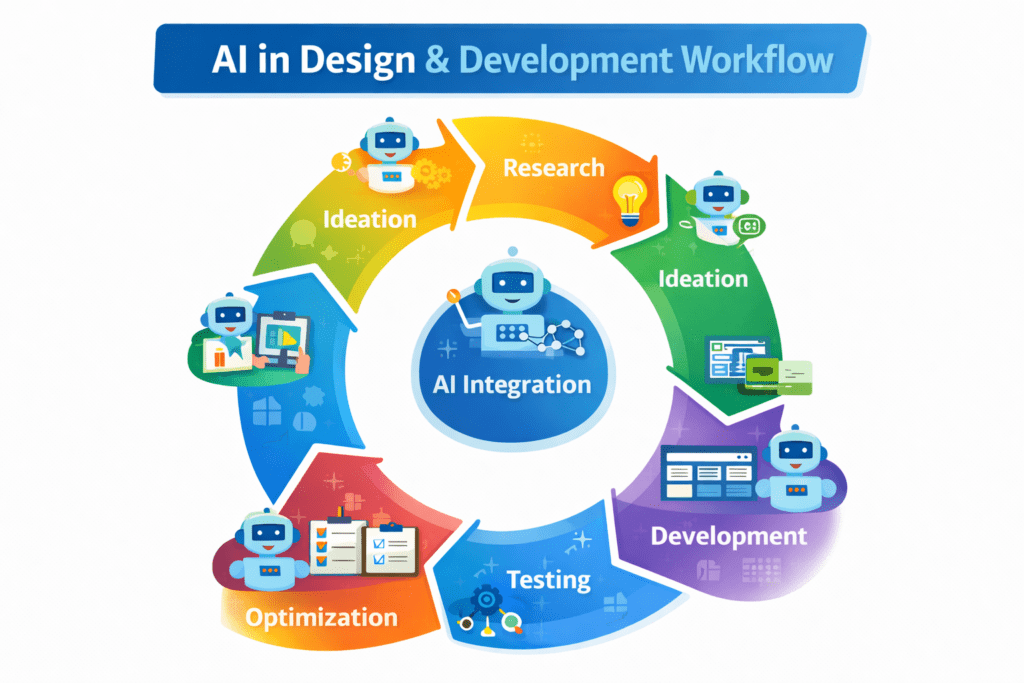
AI in Design & Development: Tools, Workflows, and Best Practices 2026
Artificial Intelligence is no longer a future concept.AI in Design & Development is already shaping…
AI in Graphic Design: Best Tools, Trends & Tips for 2026
Still designing everything manually in 2026?While you’re adjusting fonts and layers, AI in graphic design…
AI in Web Development: Tools, Use Cases & Best Practices
Learn how AI in web development improves coding, personalization, and performance. Explore tools, benefits, challenges,…
Best 10 AI Tools in Web Development 2026
Top 10 AI Tools in Web Development You Should Use Today Smart AI Tools Helping…
Best AI App Development Tools for 2026
Discover the best AI app development tools for 2026. Compare Copilot, Lovable, Bubble, and more…
Complete AI Graphic Design Tools List (No Canva) – 2026
Complete AI Graphic Design Tools List (No Canva) – 15 battle-tested AI tools—including Napkin, Ideogram,…
No Code AI Tools: Best Platforms to Build Apps
Have a powerful app idea but no coding skills or budget for developers? No Code…