
App development is no longer limited to experienced programmers or large teams. Today, AI in app development is making it possible to build mobile and web apps faster, cheaper, and more efficiently—even from simple text descriptions.
You can describe your app idea in plain English, and AI tools generate the frontend design, backend logic, database structure, and even basic tests. This allows developers, startups, and non-technical founders to move from idea to launch much faster than before.
What is AI in App Development?
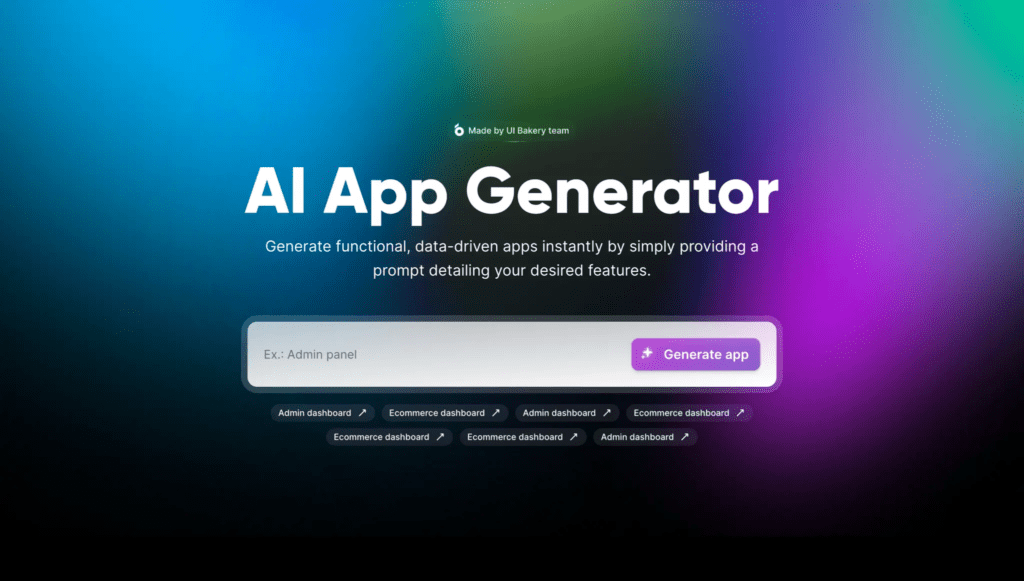
AI in app development refers to using artificial intelligence tools to automatically generate and assist with application creation.
Instead of writing everything manually, developers can use AI to generate:
- Frontend user interface (UI)
- Backend APIs
- Database structure
- App logic and test cases
AI tools can help create:
- React Native apps
- Flutter apps
- Web applications
This makes app development faster and more accessible.
According to Harvard University, modern AI tools use prompt-based instructions, where users describe tasks in natural language and AI generates usable outputs.
Why AI in App Development is Important Today
AI is becoming essential because it dramatically improves development speed and efficiency.
Here’s why it matters:
Faster app creation
Independent developers can build apps up to 4 times faster.
Lower startup costs
Startups can validate ideas without spending ₹30–50 lakhs on development.
Improved productivity
Businesses can reduce development time by up to 50%.
Automation of repetitive coding
By 2026, AI is expected to handle a large portion of repetitive coding tasks.
This allows developers to focus on creativity, business logic, and user experience instead of routine coding.
The IEEE highlights that AI is transforming software development by automating repetitive tasks and improving productivity.
How AI in App Development Works
AI combines large language models with development platforms.
Here is the typical workflow:
1. Prompt Input
You describe your app idea.
Example:
Build a mobile todo app with login and database.
2. Code Generation
AI generates:
- App components
- Database connections
- API integrations
- Navigation structure
3. Testing and Debugging
AI can automatically create:
- Unit tests
- Bug fixes
- Error explanations
This improves code quality.
4. Deployment
Some AI tools support deployment directly to:
- Google Play Store
- Apple App Store
- Web hosting platforms
This simplifies launching apps.
Real-World Use Cases
AI is already helping developers and businesses.
Startup founders
Build MVP apps quickly.
Businesses
Create internal tools like dashboards and CRM systems.
Freelancers
Develop client apps faster.
Solo developers
Launch SaaS products independently.
Platforms like Lovable.dev allow founders to generate full apps using AI.
Benefits of AI in App Development
AI offers several advantages:
Build apps faster
Create MVPs in hours instead of weeks.
Lower development costs
Less manual work required.
Cross-platform development
Apps can run on Android, iOS, and web.
Better productivity
AI automates repetitive tasks.
Accessible to beginners
Even non-technical users can build apps.
According to Cortex, AI tools significantly improve development efficiency and productivity.
Challenges and Limitations
Despite its benefits, AI has limitations.
Complex logic challenges
AI may struggle with advanced business logic.
Security concerns
Generated code must be reviewed carefully.
Cloud costs
Some AI services require paid APIs.
Human review required
Developers must check and improve AI output.
AI supports developers but does not replace them.
Best Practices for Using AI in App Development
Follow these tips for best results:
Write clear prompts
Specific instructions generate better apps.
Review AI-generated code
Ensure quality and security.
Use version control
Manage code using GitHub.
Test apps thoroughly
Check performance and usability.
Secure your application
Protect user data and authentication.
Popular AI Tools for App Development
Some widely used tools include:
- GitHub Copilot
- Lovable.dev
- Bubble AI
- Flutter AI tools
- No-code AI platforms
These tools help developers build apps faster and efficiently.
Future of AI in App Development
AI will continue transforming app development.
Future trends include:
- Fully automated app creation
- Faster deployment
- Smarter testing
- Easier development for beginners
AI will help developers build apps more efficiently.
Conclusion
AI in app development is making software creation faster, cheaper, and more accessible.
Whether you are a startup, business owner, freelancer, or developer, AI tools can help you build and launch apps quickly.
The best approach is to start small, use trusted tools, and combine AI efficiency with human creativity.
AI is not replacing developers—it is empowering them.
FAQs
What is AI in app development?
AI in app development uses tools like GitHub Copilot and Lovable to automatically generate app code. You describe the idea, and AI builds frontend, backend, and tests—ideal for fast app creation.
Best AI tool for beginners?
GitHub Copilot is best for beginners. It works inside VS Code, suggests code in real time, and supports React Native, Flutter, and web apps.
How does AI speed up app launches?
AI handles most boilerplate code, letting developers focus on features. This reduces development time and cost significantly.
Risks of using AI in app development?
AI-generated code may contain security or performance issues. Always audit code, test manually, and secure APIs.
Best no-code AI app builder?
Lovable.dev and Bubble AI are best. They convert text ideas into full apps with databases—great for non-developers.
Complete AI Graphic Design Tools List (No Canva) – 2026
References:
- Cortex: AI Tools for Developers 2026
cortex.io/post/the-engineering-leaders-guide-to-ai-tools-for-developers-in-2026 - Lovable: Top AI App Platforms 2026
lovable.dev/guides/top-ai-platforms-app-development-2026 - IEEE Chicago: AI Software Development Impact
ieeechicago.org/the-impact-of-ai-and-automation-on-software-development-a-deep-dive/ - Harvard: AI Prompt Engineering
huit.harvard.edu/news/ai-prompts
- Academic Writing
- AI Ethics & Future
- AI in Academic Research
- AI in Business & Marketing
- AI in Content Creation
- AI in Design & Development
- AI in Education/Teaching
- AI in Research
- AI Tools & Review
- Indian Laws
- Motivation
- SEO & Digital Marketing
- Writing & Content Creation
AI For Logo and Branding: Best Tools & Workflows 2026
Building a professional brand identity once required hiring designers, waiting weeks for revisions, and investing…
AI for UI/UX Design: Tools, Workflows, and Trends
User Interface (UI) and User Experience (UX) design play a critical role in the success…
AI in App Development: Tools, Use Cases & Trends (2026)
App development is no longer limited to experienced programmers or large teams. Today, AI in…
AI in Design & Development: Tools, Workflows, and Best Practices 2026
Artificial Intelligence is no longer a future concept.AI in Design & Development is already shaping…
AI in Graphic Design: Best Tools, Trends & Tips for 2026
Still designing everything manually in 2026?While you’re adjusting fonts and layers, AI in graphic design…
AI in Web Development: Tools, Use Cases & Best Practices
Learn how AI in web development improves coding, personalization, and performance. Explore tools, benefits, challenges,…
Best 10 AI Tools in Web Development 2026
Top 10 AI Tools in Web Development You Should Use Today Smart AI Tools Helping…
Best AI App Development Tools for 2026
Discover the best AI app development tools for 2026. Compare Copilot, Lovable, Bubble, and more…
Complete AI Graphic Design Tools List (No Canva) – 2026
Complete AI Graphic Design Tools List (No Canva) – 15 battle-tested AI tools—including Napkin, Ideogram,…
No Code AI Tools: Best Platforms to Build Apps
Have a powerful app idea but no coding skills or budget for developers? No Code…