
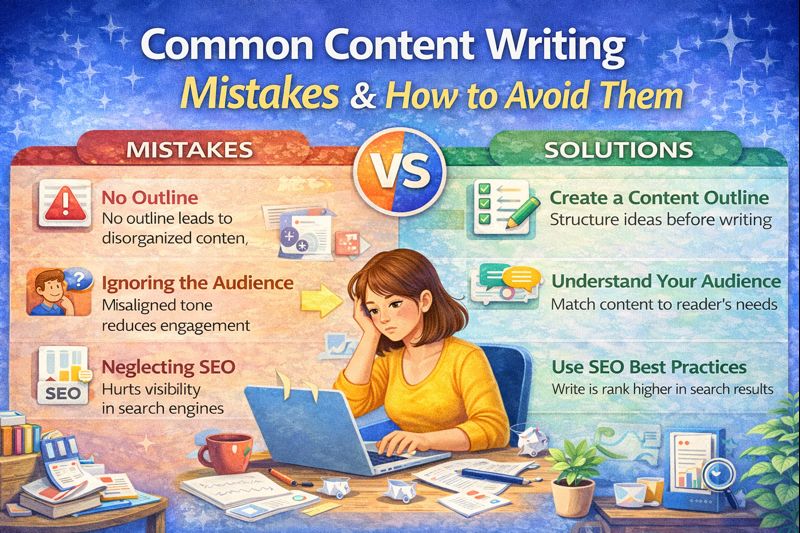
Common Content Writing Mistakes
Why Most Content Fails (And It’s Not What You Think)
Here’s something nobody tells you when you start content writing.
Your article might be informative. It might be well-researched. It might even have decent keywords. But it still gets no traffic, no engagement, and — if you’re applying for AdSense — a polite rejection email.
The problem usually isn’t effort. It’s a handful of very specific, very fixable mistakes that quietly sabotage even genuinely good writing.
When I started writing blog posts, I made most of these mistakes without realising it. I’d spend three hours on an article, hit publish, and watch it disappear into the internet void. No clicks, no comments, no rankings. Just silence.
Once I identified and fixed these patterns one by one, everything changed — articles started ranking, readers started staying longer, and the writing process itself got faster.
Whether you’re a student in Bengaluru building your first portfolio, a freelancer in Delhi juggling multiple clients, or a blogger who just wants that first AdSense approval — this guide is written for you.
Let’s get into it.
Mistake 1 – Writing Without a Clear Purpose
What the mistake is
You open a blank Google Doc, pick a topic, and start writing. No outline, no goal, no clarity on what you want the reader to do after reading.
Why writers make it
It feels faster to just start. Outlining feels like extra work. But this is a trap — writing without a purpose leads to content that wanders, repeats itself, and never quite gets to the point.
Real-life example
Imagine writing an article called “Benefits of Green Tea.” You cover health benefits, then jump to how to brew it, then talk about different brands, then mention sustainability. The reader doesn’t know what the article is actually about — and neither does Google.
How to fix it
Before writing a single word, answer these three questions:
- Who is this article for?
- What one problem does it solve?
- What do I want them to do after reading?
Write those answers at the top of your document. Every paragraph you write should connect back to them.
Pro Tip: I write a one-sentence “article promise” at the top of every draft. Example: “This article helps beginner bloggers understand the 5 benefits of green tea and decide if they should add it to their routine.” If a paragraph doesn’t serve that sentence, it gets cut.
Mistake 2 – Ignoring Your Audience Completely
What the mistake is
Writing content that’s technically accurate but pitched at the wrong level — either too advanced for a beginner audience, or too basic for experts who came looking for depth.
Why writers make it
Writers often default to their own knowledge level. If you know your topic well, it’s easy to assume the reader knows it too. Or conversely, some beginners over-explain basics to people who just want the answer.
Real-life example
A freelance writer writing an article on “How to File ITR Online” for a general audience – but explaining it entirely in CA-level tax jargon. The reader, a salaried employee filing taxes for the first time, closes the tab immediately.
How to fix it
- Decide whether your reader is a beginner, intermediate, or advanced learner
- Use language that matches their level
- Read your article imagining you’re explaining it to a specific person — a friend, a cousin, a college batchmate
How to fix it practically
- Beginners: Define technical terms, use everyday examples
- Intermediates: Skip basics, add actionable depth
- Experts: Use data, cite sources, offer fresh perspective
Pro Tip: I always write with one imaginary reader in mind. I even give them a name. It sounds silly, but it completely changes how you phrase things.
Mistake 3 -Writing a Weak Introduction
What the mistake is
Starting your article with something like: “In today’s digital world, content writing is very important.”
That sentence has ended approximately nine million blog posts. It says nothing, creates no curiosity, and gives the reader zero reason to keep scrolling.
Why writers make it
We’re taught to provide context before getting to the point. But online readers are different — they’ll leave within seconds if the opening doesn’t grab them.
Real-life example
Weak intro: “Content writing is a valuable skill. In this blog, we will discuss some common mistakes.”
Strong intro: “I spent three months writing blog posts that got zero traffic. Not one visit from Google. The problem wasn’t my writing — it was five specific mistakes I kept repeating without realising it. Here’s what they were, and how I fixed them.”
One makes you scroll. The other makes you yawn.
How to fix it
Use one of these proven intro structures:
- Pain point opening — Name a problem the reader is currently facing
- Surprising stat or fact — Lead with something that creates curiosity
- Short story — A 2–3 line personal anecdote that connects to the topic
- Direct promise — Tell them exactly what they’ll get from reading
Weak vs Strong Introduction
| Before (Weak Intro) | After (Strong Rewritten Intro) |
| Writing is an important skill that many people want to improve. In today’s digital world, content writing is useful for bloggers, marketers, and students. There are many techniques that can help you write better content. In this article, we will discuss some tips to improve your writing skills. | What separates content that gets ignored from content that ranks, engages, and converts? It’s not just “good writing”—it’s strategic storytelling. In today’s AI-driven digital landscape, writers who understand structure, psychology, and SEO don’t just create content—they create impact. In this guide, you’ll discover proven techniques to transform your writing from average to compelling, even if you’re just starting out. |
Notice how the rewritten version immediately creates curiosity, clarity, and value—this is exactly what Google and readers reward.
Pro Tip: Write your introduction last. Once you know exactly what your article covers, writing the hook is much easier.
Mistake 4 -Using Long, Complex Sentences
What the mistake is
Packing too much information into one sentence, using complicated vocabulary when simple words would work better, and writing in a way that makes the reader re-read the same line twice to understand it.
Why writers make it
Many writers – especially those from academic backgrounds – associate complex language with intelligence and credibility. In content writing, the opposite is true.
Real-life example
Complex: “The utilization of keyword-rich phrases in strategic positions throughout the textual content of a webpage is considered a fundamental prerequisite for achieving favorable positioning in search engine result pages.”
Simple: “Using keywords in the right places helps your page rank higher on Google.”
Same meaning. Very different experience.
How to fix it
- Aim for sentences under 20 words where possible
- If a sentence has more than two commas, break it into two sentences
- Read every sentence and ask: “Can I say this in fewer words?”
- Use the Hemingway Editor (free at hemingwayapp.com) — it highlights every complex sentence for you
Pro Tip: If your Hemingway grade is above 8, rewrite until it drops. Grade 6–7 is ideal for blog posts targeting broad audiences.
Mistake 5 – Poor Content Structure
What the mistake is
Writing in large, unbroken blocks of text with no headings, subheadings, bullet points, or visual breathing room.
Why writers make it
It looks fine in a Word document. But on a mobile screen — where over 70% of Indian readers consume blog content — a wall of text is nearly unreadable.
How to fix it
- Use H2 for main sections, H3 for sub-points
- Keep paragraphs to 2–3 lines maximum
- Use bullet points for lists of 3 or more items
- Add bold text to highlight key takeaways
- Include at least one visual (image, infographic, table) per 500 words
Think of your article like a staircase. Each heading is a step. The reader should be able to scan the headings alone and understand the full shape of your content.
Pro Tip: Before writing, I structure all my H2 and H3 headings first. If the structure doesn’t make logical sense as a skeleton, the full article won’t either.
Mistake 6 – Grammar and Spelling Errors
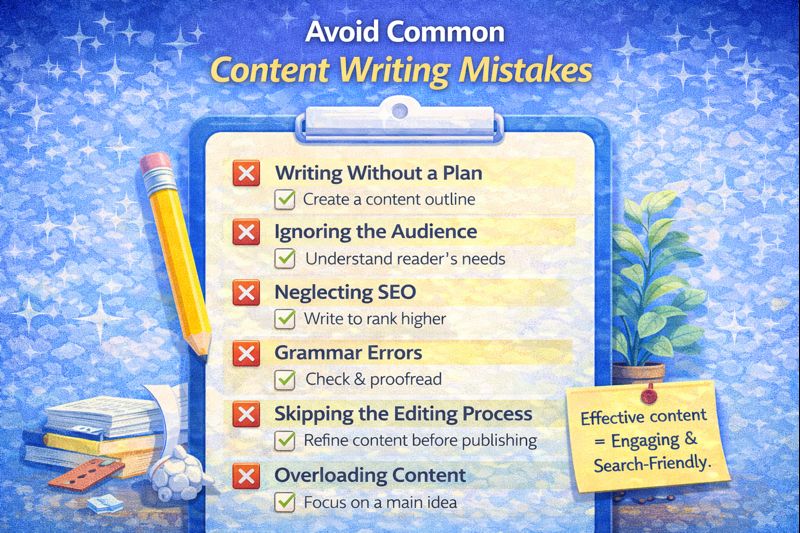
What the mistake is
Publishing articles with spelling mistakes, wrong tenses, missing articles (a/an/the), subject-verb disagreement, or inconsistent punctuation.
Why writers make it
It’s hard to spot your own errors — your brain reads what you intended to write, not what’s actually there. This is especially common for writers whose first language isn’t English.
Real-life example
- “Their are many ways to improve you’re writing” — three errors in one sentence.
- Mixing tenses: “She writes the article and then posted it.”
These errors signal to readers — and to Google’s quality raters — that the content wasn’t carefully produced.
How to fix it
- Run every draft through Grammarly (free version handles most corrections)
- Read your content aloud — your ear catches errors your eyes miss
- Do a final read focused only on spelling (ignore content on this pass)
📸 Screenshot Suggestion: Grammarly sidebar showing grammar corrections and suggestions on a real paragraph. Place after the “How to fix it” list. Purpose: shows readers how easy it is to catch errors with the right tool.
Pro Tip: Don’t over-rely on Grammarly. It sometimes “corrects” stylistic choices that are intentional. Use your judgment.
Mistake 7 – Keyword Stuffing
What the mistake is
Repeating your target keyword so many times that sentences start to sound unnatural — just to try to rank higher on Google.
Why writers make it
There’s an outdated belief that more keyword repetitions = better rankings. This was partly true in 2010. In 2026, it actively hurts your rankings and makes content unpleasant to read.
Real-life example
Stuffed: “Content writing mistakes are mistakes every writer makes. To avoid content writing mistakes, you need to know the top content writing mistakes in content writing.”
Google notices this. Readers definitely notice this. Neither appreciates it.
How to fix it
- Use your focus keyword naturally — once in the title, once in the intro, once in a subheading, and a few times in the body
- Use LSI keywords (semantically related terms) instead of repeating the same phrase. Example: for “content writing mistakes,” related terms include writing errors, SEO mistakes, blogging mistakes, poor writing habits
- Read your article aloud — if a keyword sounds forced, rephrase it
Pro Tip: I aim for a keyword density of around 1–1.5%. In a 1,500-word article, that’s roughly 15–20 natural mentions of the main keyword or its variations.
Mistake 8 -Overuse of Passive Voice
What the mistake is
Writing sentences where the subject receives the action instead of performing it — making writing feel distant, heavy, and bureaucratic.
Why writers make it
Passive voice sounds “formal” and “professional” to many writers, especially those trained in academic writing. But it slows reading pace and reduces clarity.
Real-life example
Passive: “The article was written by the content writer and was published on the blog.” Active: “The content writer wrote the article and published it on the blog.”
The active version is shorter, cleaner, and more direct.
How to fix it
- Aim for less than 10% passive voice (Grammarly flags this)
- Rewrite passive sentences by identifying who is doing the action and putting them first
- Watch for these trigger phrases: “was done,” “is being,” “had been,” “were created” — these are passive signals
Pro Tip: Passive voice isn’t always wrong. Use it when the actor is unknown or irrelevant (“The website was hacked”). Just don’t let it dominate your writing.
Mistake 9 – Skipping the Editing Step
What the mistake is
Writing a first draft and publishing it immediately without a proper editing pass.
Why writers make it
There’s pressure to publish quickly — especially for freelancers on deadlines or bloggers trying to post consistently. But a rushed publish often means a weak article.
How to fix it
Follow a simple three-pass editing process:
Pass 1 — Content Edit: Does the article actually answer what it promises? Is anything missing? Is there anything that doesn’t belong?
Pass 2 — Line Edit: Are sentences clear and concise? Is there passive voice? Are transitions smooth between paragraphs?
Pass 3 — Proofread: Check spelling, grammar, punctuation, and formatting. Read aloud if you can.
Take at least a 15-minute break between writing and editing. Your brain needs to reset.
Pro Tip: One mistake I made early on was editing while writing. These are two completely different mental modes. Keep them separate — write messily, then edit ruthlessly.
Mistake 10 – Writing Without a Call to Action
What the mistake is
Ending your article with nothing — no next step, no invitation, no direction for what the reader should do next.
Why writers make it
Writers focus so much on the content itself that they forget the reader experience doesn’t end at the last sentence. Every piece of content should have a destination.
How to fix it
End every article with a clear, single call to action. It doesn’t have to be sales-y. Options include:
- “Drop your question in the comments below”
- “Read our next article on [related topic]”
- “Try this one fix today and tell us how it went”
- “Share this with a fellow writer who needs to see it”
A CTA increases engagement, reduces bounce rate, and builds a relationship with your reader.
Pro Tip: One CTA per article. Too many CTAs create decision paralysis. Pick the most important action and ask for it clearly.
The Biggest Mistake Beginners Actually Make
Every mistake on this list matters. But if I had to name the single biggest pattern I see in beginner content writing — it’s this:
Trying to sound like a writer instead of just being helpful.
When I started, I used big words to sound credible. I wrote long, formal sentences to seem authoritative. I avoided being direct because I thought it seemed too simple.
The irony? The articles that sounded the most “professional” performed the worst. The articles I wrote conversationally, as if explaining something to a friend — those got traffic, comments, and shares.
Your reader doesn’t care how sophisticated your vocabulary is. They care whether you solved their problem.
Write clearly. Be useful. Trust that simplicity is strength.
Quick Checklist Before Publishing
Before you hit publish on any piece of content, run through this list:
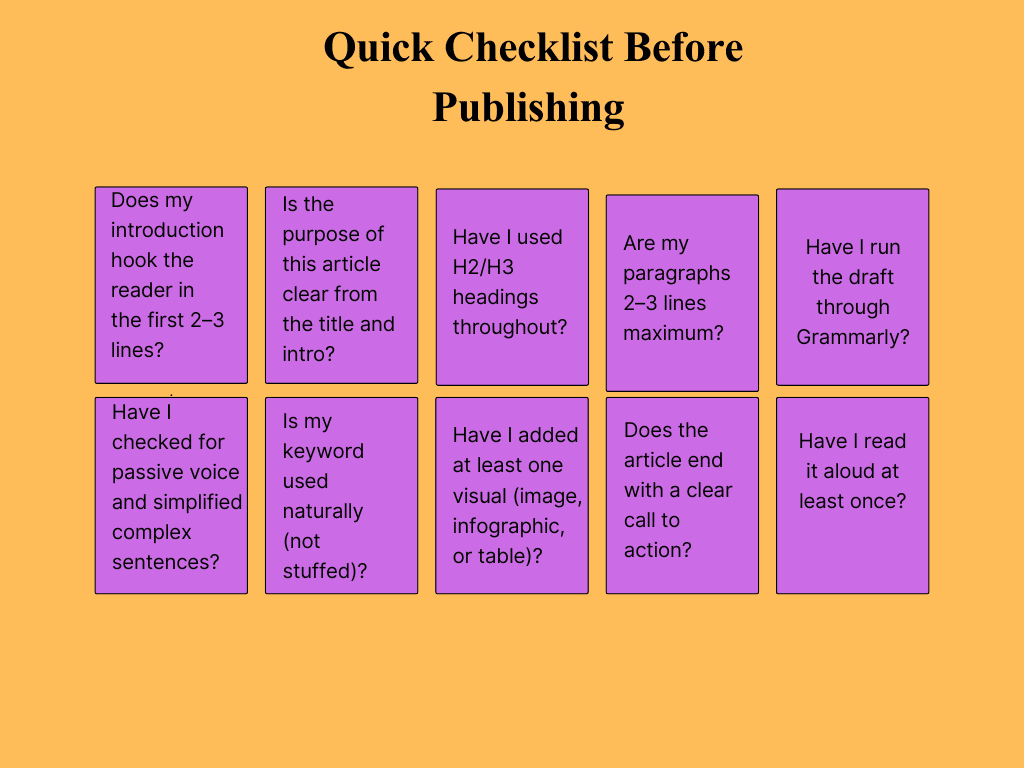
- Does my introduction hook the reader in the first 2–3 lines?
- Is the purpose of this article clear from the title and intro?
- Have I used H2/H3 headings throughout?
- Are my paragraphs 2–3 lines maximum?
- Have I run the draft through Grammarly?
- Have I checked for passive voice and simplified complex sentences?
- Is my keyword used naturally (not stuffed)?
- Have I added at least one visual (image, infographic, or table)?
- Does the article end with a clear call to action?
- Have I read it aloud at least once?
If you can check all ten boxes, you’re ready to publish.
My Personal Writing Process
Here’s exactly how I approach every article — the same process whether it’s 800 words or 2,000:
- Define the purpose — One sentence: who is this for and what does it solve?
- Keyword research — Ubersuggest + AnswerThePublic for questions my audience is asking
- Build the skeleton — All H2/H3 headings first, nothing else
- Write the first draft — Fast, messy, no editing. Just get it out.
- Rest 15–30 minutes — This step is non-negotiable
- Edit: three passes — Content → Line → Proofread
- Run Grammarly + Hemingway — Final polish
- Add visuals — At minimum a featured image (Canva) and one supporting graphic
- Check on-page SEO — Meta title, meta description, alt text, internal links
- Publish + promote — Share on Pinterest, LinkedIn, WhatsApp community
The whole process takes 2–3 hours for a 1,500-word article. When I skip any step, it shows — and the article usually underperforms.
Tools I Use to Avoid These Mistakes
| Mistake | Tool I Use |
|---|---|
| Grammar errors | Grammarly (free) |
| Complex sentences | Hemingway Editor (free web) |
| Keyword stuffing | Ubersuggest (keyword density check) |
| Poor SEO structure | Yoast SEO plugin (WordPress) |
| Weak content ideas | AnswerThePublic |
| Disorganized drafts | Notion (content calendar + outlines) |
| Passive voice | Grammarly Premium |
| Plagiarism | Duplichecker (free) |
Before vs After Writing Example
Here’s the same paragraph — before and after applying the fixes from this guide:
BEFORE (common beginner version):
“Content writing is a very important skill that is needed by all writers who want to create good content for the internet. There are many mistakes that are made by beginners in content writing which should be avoided by them so that their content writing can be improved and their articles can be read by more people.”
Problems: Passive voice, keyword stuffing, vague, long-winded, zero personality.
AFTER (fixed version):
“Most beginner writers make the same handful of mistakes — and they don’t even know it. The good news? Once you spot them, they’re easy to fix. Here are the ten content writing mistakes I see most often, with practical solutions for each one.”
What changed: Active voice, specific promise, conversational tone, clear purpose, shorter sentences, natural keyword placement.
The fixed version takes the same amount of time to write once you practice these habits. And it performs significantly better.
Frequently Asked Questions
Q1. What is the most common content writing mistake beginners make?
The single most common mistake is writing without a clear purpose or structure. Many beginners start typing without an outline, which results in scattered, unfocused content that readers and search engines both struggle to follow.
Q2. Does grammar really affect SEO rankings?
Yes — indirectly but significantly. Poor grammar increases bounce rate (readers leave quickly), which signals to Google that the content didn’t satisfy the search intent. Google’s quality rater guidelines also specifically mention grammar and readability as quality signals.
Q3. How can I improve my content writing skills fast?
The fastest improvement comes from: (1) reading your own work aloud, (2) using Hemingway Editor daily until clear writing becomes instinctive, and (3) studying headlines and introductions from articles that rank 1 on Google for topics you cover.
Q4. Is it okay to use passive voice in content writing?
Occasional passive voice is fine. The problem is over-reliance. If more than 10% of your sentences are passive, your content feels heavy and bureaucratic. Active voice creates energy and clarity — use it as your default.
Q5. How do I avoid keyword stuffing while still writing SEO content?
Focus on writing for the reader first. Use your main keyword naturally in the title, intro, one subheading, and body — then use synonyms and related phrases everywhere else. If you’re reading a sentence and the keyword sounds forced, replace it with a natural variation.
Q6. Should I edit my own content or hire someone?
Both work. Self-editing with tools (Grammarly + Hemingway) is perfectly sufficient for most blog content. For high-stakes content — client deliverables, press releases, AdSense-targeted pages — consider a second pair of eyes or a professional proofreader.
Q7. How long should a blog post be to avoid thin content penalties?
There’s no single magic number, but articles under 600 words often get flagged as “thin content” by Google. For most topics, 1,200–2,000 words gives you enough space to be genuinely helpful without padding for the sake of word count.
Final Thoughts
Content writing mistakes aren’t a sign that you’re a bad writer. They’re just patterns — most of them picked up from academic writing, rushed deadlines, or simply not knowing any better.
The good news: every mistake on this list is fixable. And fixing even three or four of them will noticeably improve your traffic, engagement, and the professional response you get from clients.
Start with the ones that feel most relevant to you right now. Maybe it’s the weak introduction habit. Maybe it’s keyword stuffing. Maybe you’ve never used Hemingway Editor before and you’re curious.
Pick one. Fix it. Then come back for the next one.
That’s how real improvement happens — not all at once, but one clear, deliberate step at a time.
Read our next topic – Internal Linking Strategy For Content Marketing: Boost SEO Rankings
References:
- Google Search Central — Creating Helpful Content: https://developers.google.com/search/docs/fundamentals/creating-helpful-content
- Nielsen Norman Group — How Users Read on the Web: https://www.nngroup.com/articles/how-users-read-on-the-web/
- Hemingway Editor: https://hemingwayapp.com
- Grammarly Blog — Grammar and Writing Resources: https://www.grammarly.com/blog/

What Is Generative SEO and How Content Marketers Can Use It in 2026
The Day Google Stopped Sending Me Traffic the Old Way There was a point in…

Topic Cluster Strategy: How to Build Topical Authority with Content Marketing
Topic Cluster Strategy: Topical Authority Kaise Build Karein (Complete Guide 2026) 🔍 ON-PAGE SEO PACKAGE…
Time Management for Writers: How to Make Your Writing Journey Productive

Sugriva Story for Kids: The Power of True Friendship (Ramayana Story with Moral)
Sugriva Story for Kids 🌟 Ramayana Stories for Kids – Part 4 Introduction This Sugriva…

Step-by-Step Guide to Writing an SEO-Optimised Blog writing That Ranks on Google (2026)
SEO-Optimised Blog That Ranks on Google My First Blog Got Zero Traffic – Here’s What…

Shabari Story for Kids: True Devotion to Lord Rama (Moral Story from Ramayana)
Shabari Story for Kids 🌟 Ramayana Stories for Kids – Part 2 Introduction This Shabari…