

Last Updated: April 11, 2026
SEO-Optimised Blog That Ranks on Google
My First Blog Got Zero Traffic – Here’s What I Was Missing
When I wrote my first blog post, I was genuinely proud of it.
It was well-researched, clearly written, and covered the topic thoroughly. I hit publish, shared it on WhatsApp with a few friends, and waited for Google to notice.
Three months later — zero organic visits. Not even a handful. Just silence.
I thought maybe my writing wasn’t good enough. So I rewrote the article. Still nothing. Then I stumbled onto a basic SEO guide online and realised my actual problem: I had been writing good content in completely the wrong way.
No keyword research. No proper title structure. No internal links. No meta description. The article was invisible to Google — not because it was bad, but because it was unoptimised.
That experience taught me that SEO blog writing isn’t a separate skill from good writing. It’s what good writing becomes once you understand how to help Google find it, read it, and trust it.
This guide covers every step of that process — from the very first search intent check to the final proofread before you hit publish. Whether you’re a student building your first blog, a freelancer writing for clients, or a business owner trying to rank for your services — this is the complete practical guide you need.
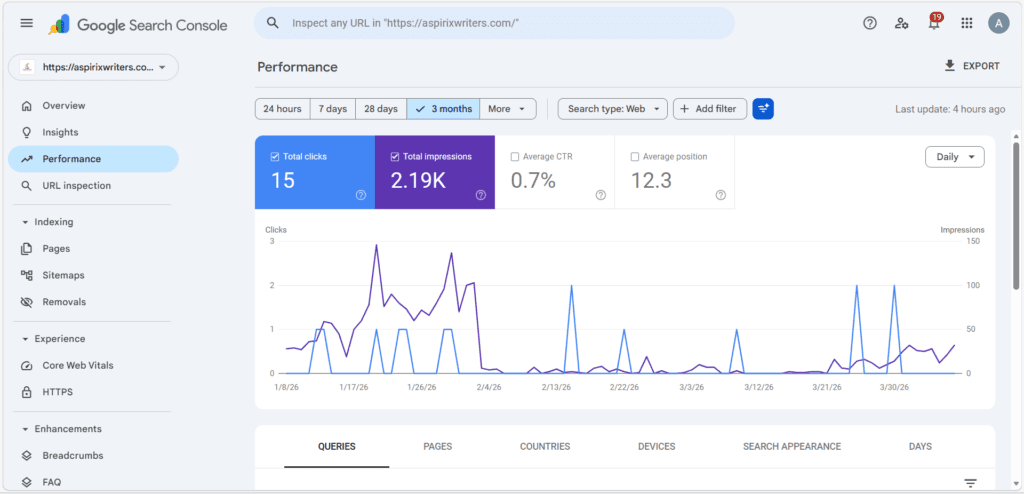
After making SEO
What SEO-Optimised Blog Writing Actually Means
Before the steps, let’s get one thing clear.
SEO-optimised blog writing is not about stuffing keywords into paragraphs, or tricking Google with technical hacks, or writing for robots instead of people.
In 2026, Google’s algorithm rewards content that genuinely helps readers. The Helpful Content guidelines are explicit: write for people first. The SEO layer is about making sure that helpful content is structured in a way Google can understand, index, and rank correctly.
A well-optimised blog post does both at once — it serves the reader completely, and it signals clearly to Google what it’s about, who it’s for, and why it deserves to rank.
That’s the balance every step in this guide is designed to help you strike.
Step 1 — Understand Search Intent Before Everything Else
What it means: Search intent is the why behind a Google search. Before you research keywords or write a single sentence, you need to understand what a person actually wants when they type a query.
There are four types of intent:
- Informational — They want to learn something. (“How to file ITR online”)
- Navigational — They want to find a specific website. (“Grammarly login”)
- Commercial — They’re comparing options. (“Best CA firm for GST registration”)
- Transactional — They’re ready to act. (“Hire SEO content writer India”)
Why it matters: If someone searches “how to write an SEO blog” and you give them a sales page for your writing services — you’ve mismatched intent. Google notices this through bounce rate data and will not rank your page for that query.
Common mistake: Writing a blog post that’s aimed at selling, for a keyword where people want information. The reader leaves in 10 seconds. Google interprets this as a quality signal.
How to check intent: Google your target keyword. Look at the top 5 results. Are they tutorials? Listicles? Product pages? Videos? Whatever they are, that format is what Google has determined matches the intent — and your content should match it too.
If the top results are all listicles (“10 Ways to…”), write a listicle. If they’re all step-by-step guides, write a step-by-step guide. Don’t fight the format — work with it.
Step 2 — Do Keyword Research the Smart Way
What it means: Keyword research means finding the exact phrases your target readers are typing into Google — so you can write content those people will actually find.
Tools to use (free + paid):
- Ubersuggest (free plan) — beginner-friendly, shows volume and difficulty
- Google Search Console — shows what you already rank for
- AnswerThePublic (free, limited) — surfaces real questions people ask
- Google Autocomplete + “People Also Ask” — completely free, real-time data
What to look for:
- Search volume: 100–2,000/month is ideal for growing sites
- Keyword difficulty: Under 30 if your site is new
- Long-tail keywords: 3–5 word phrases convert better and rank faster
Real example: Instead of targeting “SEO writing” (very competitive), target “how to write SEO blog for beginners” (specific, lower competition, clear intent).
Common mistake: Targeting only broad, high-volume keywords like “content writing” and wondering why you never rank. New and mid-sized sites win with long-tail specificity, not broad competition.
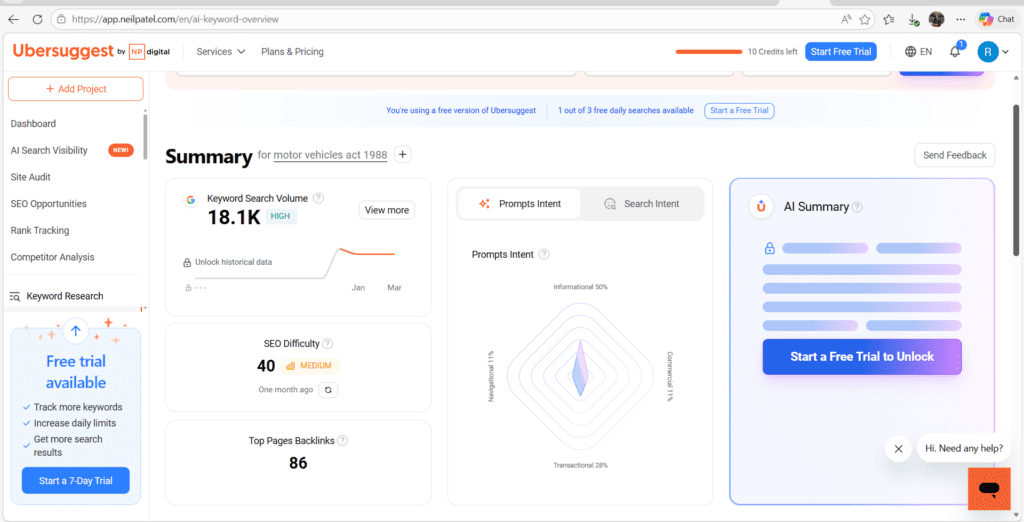
Once you find your primary keyword, use AnswerThePublic to find 5–8 related questions. Use those as your H2 and H3 subheadings. This is one of the fastest ways to structure an article that matches real reader intent.
Step 3 — Write a Title That People Actually Click
What it means: Your title (H1) is the first thing both readers and Google see. It needs to communicate clearly what the article is about, include your focus keyword, and give the reader a reason to click.
The formula that works: [Number or Power Word] + [Focus Keyword] + [Specific Benefit or Year]
Weak title: “Writing SEO Blogs” Strong title: “Step-by-Step Guide to Writing an SEO-Optimised Blog That Ranks on Google (2026)”
The strong version tells the reader exactly what they’ll get, signals freshness with the year, and includes the target keyword naturally.
Common mistake: Writing a creative or “clever” title that doesn’t include the keyword. Your title is not the place to be poetic — it’s the place to be clear and specific.
Write 3–5 title options for every article. Then Google each one and see what the competition looks like. Pick the version that differentiates you from the existing top results.
Step 4 — Write a Hook Introduction That Earns the Scroll
What it means: Your introduction needs to accomplish three things within the first 100–150 words: hook the reader’s attention, acknowledge their problem, and promise a clear outcome.
The structure that works:
- Open with a relatable pain point or short story (2–3 lines)
- Name the specific problem your article solves
- Promise what they’ll get by reading to the end
Common mistake: Starting with “In today’s digital world…” or “Content writing is very important…” These phrases are everywhere, say nothing, and immediately signal low-effort content.
Real example: “If your blog isn’t ranking on Google, the problem probably isn’t your writing — it’s your SEO. In this guide, I’ll walk you through every step of writing an SEO-optimised blog from scratch, using the exact process I follow for every article I publish.”
Write your introduction last. Once the article is fully written, you’ll know exactly what it delivers — which makes writing a compelling intro far easier.
Step 5 — Structure Your Content for Readers AND Google
What it means: Proper content structure means using H1, H2, and H3 headings in a logical hierarchy — so both readers can scan the article and Google can understand the relationship between sections.
The hierarchy:
- H1 — Article title (used once, automatically set as your WordPress/blog title)
- H2 — Main sections (each major topic gets its own H2)
- H3 — Subsections within an H2 (specific points under a main section)
Additional structure rules:
- Keep paragraphs to 2–3 lines maximum (especially for mobile readers)
- Use bullet points for lists of 3 or more items
- Bold the most important takeaways in each section
- Add a table or visual every 400–500 words
Common mistake: Using bold text as a substitute for proper heading tags. Bold text is styling — H2/H3 are structural signals that Google actually reads.
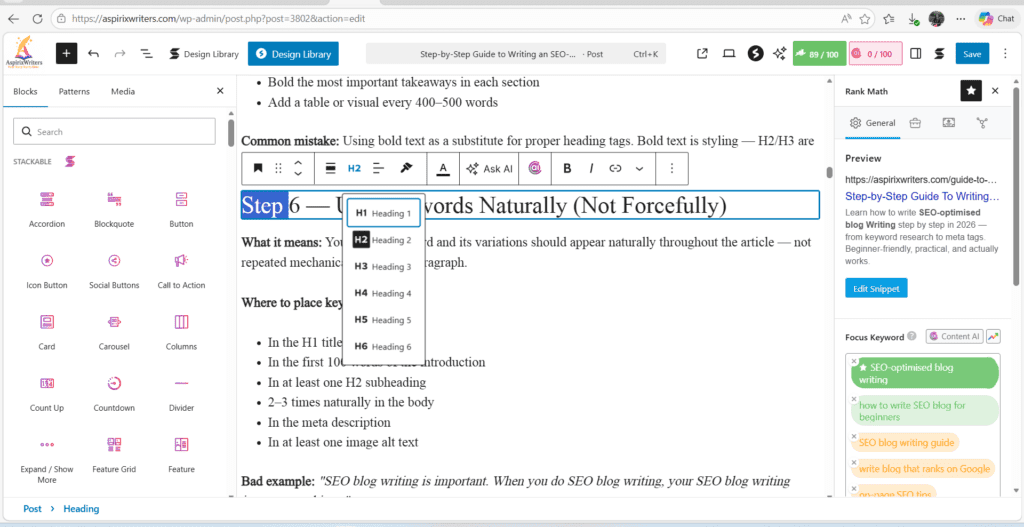
Step 6 — Use Keywords Naturally (Not Forcefully)
What it means: Your focus keyword and its variations should appear naturally throughout the article — not repeated mechanically in every paragraph.
Where to place keywords:
- In the H1 title (essential)
- In the first 100 words of the introduction
- In at least one H2 subheading
- 2–3 times naturally in the body
- In the meta description
- In at least one image alt text
Bad example: “SEO blog writing is important. When you do SEO blog writing, your SEO blog writing improves rankings.”
Good example: “Writing SEO-optimised content means structuring your article in a way Google can read, while still serving the reader first.”
Common mistake: Keyword density obsession. Targeting 2–3% keyword density was an old-school practice. In 2026, focus on using your keyword where it makes natural sense, and fill the rest of the article with semantically related terms (LSI keywords).
After finishing your draft, do one ctrl+F search for your focus keyword. If it appears more than 8–10 times in a 1,500-word article, remove or rephrase the extra mentions.
Step 7 — Add Internal and External Links Strategically
What it means: Internal links point to other pages on your own website. External links point to high-authority third-party sources. Both are important SEO signals.
Internal links:
- Add 2–3 internal links per article
- Link to related articles, not random ones
- Use descriptive anchor text (not “click here”)
- Helps Google crawl your site and passes page authority between articles
External links:
- Link to reliable, authoritative sources (Google, government sites, reputable publications)
- Opens in a new tab (set target=”_blank” in HTML)
- Signals to Google that your content is well-researched
Common mistake: Adding no internal links at all — leaving every article as an island. Google struggles to understand the topical relationships between unlinked pages, which limits your overall site authority.
Every time you publish a new article, go back to 2–3 older related articles and add a link to the new one. This is called “internal link building” and it’s one of the highest-ROI habits in SEO.
Step 8 — Optimise Every Image You Upload
What it means: Every image on your blog needs three things: a descriptive file name, an alt text tag, and a compressed file size.
Why each matters:
- File name: “seo-blog-writing-guide.jpg” tells Google what the image is about. “IMG_20240318.jpg” tells Google nothing.
- Alt text: A short, descriptive phrase that describes the image for Google and for visually impaired readers using screen readers.
- File size: Large images slow your page down. Page speed is a Google ranking factor. Compress every image before uploading using tools like TinyPNG or Squoosh (both free).
Common mistake: Uploading high-resolution screenshots at 3MB each, then wondering why the page loads slowly. Aim for images under 100–150KB wherever possible.
Your alt text should describe the image naturally and include your keyword where relevant — but don’t force it. “Screenshot of Ubersuggest keyword research results for SEO blog writing” is a perfect alt text.
Step 9 — Improve Readability Before Publishing
What it means: Readability is how easy your article is to read — and it directly affects how long people stay on your page, which affects your SEO.
Two tools to use:
- Hemingway Editor (free at hemingwayapp.com) — highlights complex sentences and passive voice. Aim for Grade 6–8.
- Grammarly (free) — catches grammar errors, spelling mistakes, and unclear phrasing.
Readability checklist:
- No sentence over 25 words
- Less than 10% passive voice
- No paragraph over 3 lines
- Transition words between paragraphs (however, for example, in addition)
- Short, punchy sentences mixed with slightly longer ones for rhythm
Common mistake: Publishing a first draft without any readability review. Your writing brain and your editing brain are different — always leave at least 15 minutes between writing and editing.
Step 10 — Write Your SEO Meta Tags
What it means: Your meta title and meta description are the text that appears in Google search results — before anyone clicks on your article. They don’t directly determine ranking, but they directly determine whether people click.
Meta title rules:
- Include your focus keyword
- Keep it under 60 characters
- Make it benefit-driven and specific
- Don’t duplicate your H1 word-for-word — reframe it for the search results context
Meta description rules:
- 150–160 characters maximum
- Include the focus keyword naturally
- State what the reader will get (use action verbs: “learn,” “discover,” “find out”)
- End with a subtle call to action if space allows
Example: Meta title: “How to Write SEO-Optimised Blog Posts That Rank (2026 Guide)” Meta description: “Step-by-step guide to writing SEO blogs that rank on Google in 2026. Covers keyword research, structure, meta tags, and more. Perfect for beginners.”
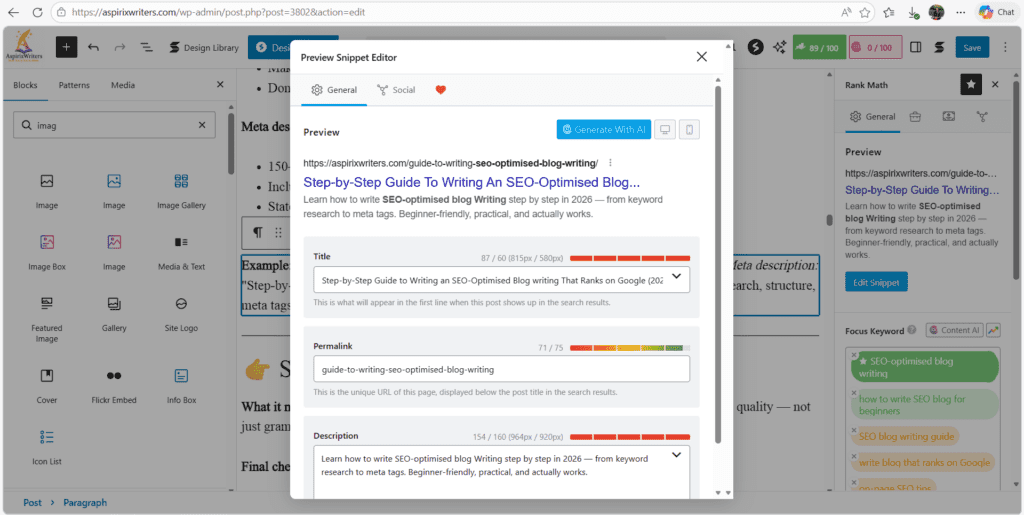
Step 11 — Final Proofread and Quality Check
What it means: Before publishing, run through one final review pass focused specifically on quality — not just grammar.
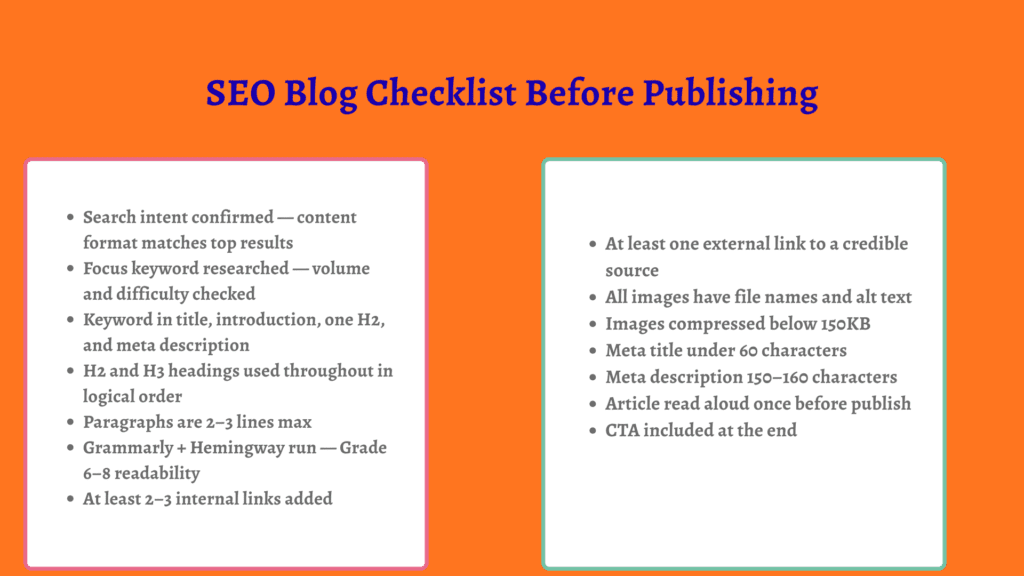
Final checklist:
- Does the title include the focus keyword and give a clear reason to click?
- Does the introduction hook the reader within the first 3 lines?
- Are all H2/H3 headings present and logically ordered?
- Is the keyword used naturally (not stuffed)?
- Are there 2–3 internal links to related articles?
- Is there at least one visual with alt text?
- Is the meta title under 60 characters?
- Is the meta description 150–160 characters?
- Has Grammarly been run?
- Has the article been read aloud at least once?
If all ten are checked, you’re ready to publish.
Beginner Mistakes in SEO Blog Writing
1. Writing without checking search intent first. The most common reason articles never rank — the content format doesn’t match what Google’s algorithm has determined searchers want.
2. Targeting keywords that are too broad or too competitive. “Digital marketing” as a target keyword for a new blog is like entering a Formula 1 race on a bicycle. Long-tail, specific keywords win for growing sites.
3. Publishing and ignoring. SEO is not a one-time action. Articles that rank well get updated regularly, earn internal links from newer posts, and are improved based on Search Console data.
4. Treating H2s as decoration. Every heading tag is a structural signal to Google. Use them to organise your content logically — not just to break up the visual look of the page.
5. Skipping the meta description. When you don’t write a meta description, Google generates one automatically — often poorly. Write your own every time.
Before vs After Blog Example
BEFORE (unoptimised):
Title: “Some Tips for Writing Better Blogs” Opening: “In today’s world, blogging is very popular. Many people write blogs. Here are some tips that can help you.” Structure: No headings, wall-of-text paragraphs, no keyword focus Meta: Not filled in
AFTER (SEO-optimised):
Title: “Step-by-Step Guide to Writing SEO-Optimised Blogs That Rank on Google (2026)” Opening: “When I published my first blog, I got zero traffic for three months — not because the writing was bad, but because I had no SEO strategy. Here’s the exact process I now follow for every article.” Structure: Clear H2/H3 hierarchy, short paragraphs, keyword in first 100 words, internal links, meta tags written Meta: “Learn how to write SEO-optimised blogs step by step in 2026. Covers keyword research, structure, meta tags, and readability.”
Same topic. Completely different outcome.
SEO Blog Checklist Before Publishing
Free vs Paid SEO Tools
| Tool | Free Plan | Paid Plan | Best For |
|---|---|---|---|
| Google Search Console | Full access | — | Tracking rankings + clicks |
| Ubersuggest | 3 searches/day | ~$12/month | Keyword research |
| AnswerThePublic | Limited | ~$9/month | Finding audience questions |
| Grammarly | Core editing | ~₹1,200/month | Grammar + tone |
| Hemingway Editor | Web version | $19.99 one-time | Readability |
| Rank Math (WordPress) | Free plugin | ~$59/year | On-page SEO + meta tags |
| Yoast SEO (WordPress) | Free plugin | ~$99/year | On-page SEO guidance |
| Ahrefs | No free plan | ~$99/month | Advanced keyword + backlinks |
For beginners and growing blogs, the free versions of Google Search Console, Ubersuggest, Grammarly, Hemingway Editor, and Rank Math cover everything you need. Paid tools become worth it at scale.
My Personal Blog Writing Process
Here’s exactly how I approach every SEO blog post — from blank page to published:
- Confirm the topic and goal — who is this for, what problem does it solve?
- Check search intent — Google the keyword, study the top 5 results
- Keyword research — find the primary keyword + 4–6 related long-tail variations
- Build the skeleton — all H2/H3 headings before writing a word
- Write the first draft — fast, focused, no editing while writing
- Rest 15–30 minutes — mandatory reset before editing
- Edit: three passes — content → line → proofread
- Run Grammarly + Hemingway — fix flagged issues
- Add visuals — featured image + at least one supporting graphic or table
- Write meta title + description — in Rank Math or Yoast
- Add internal links — to 2–3 existing related articles
- Final read-aloud — catches anything the tools missed
- Publish + promote — Pinterest, LinkedIn, email list, WhatsApp blog community
Frequently Asked Questions
Q1. How do I write an SEO blog post as a complete beginner?
Start with one keyword you want to rank for. Google it, study the top results, and note their format and structure. Then write an article that covers the same topic more clearly, more helpfully, and more completely. Follow the 11 steps in this guide — they’re specifically designed for beginners building their first SEO-optimised articles.
Q2. How long should an SEO blog post be?
There’s no magic length, but most well-ranking blog posts are between 1,200 and 2,500 words. What matters more than length is completeness — does your article fully answer the reader’s question? A 900-word article that completely solves a specific problem will outrank a 2,000-word article that’s padded with fluff. Write as long as the topic requires. Not longer.
Q3. Is keyword research really necessary for every blog post?
Yes — especially if you want organic traffic from Google. Writing without keyword research means writing without knowing if anyone is searching for your topic. Even 15 minutes of keyword research before writing can be the difference between an article that gets found and one that doesn’t.
Q4. Can I rank on Google without backlinks?
Yes — especially with long-tail keywords on low-competition topics. Many pages rank on page one without a single backlink, purely on the strength of helpful, well-structured content. Backlinks help, but they’re not the only path to ranking. Focus on keyword-specific, high-quality content first. Backlinks often follow naturally from genuinely useful articles.
Q5. What’s the most important on-page SEO element?
If forced to choose one — it’s search intent matching. Getting your keyword right but mismatching the content format means Google won’t rank you for that query, no matter how well-written the article is. After intent: title optimisation, introduction quality, and structured headings.
Q6. How often should I publish SEO blog posts?
Consistency beats frequency. Publishing 2 well-optimised articles per month every month will outperform publishing 8 rushed ones in January and nothing for three months after. Set a pace you can sustain, and maintain it.
Final Thoughts
Writing an SEO-optimised blog post isn’t about pleasing an algorithm. It’s about writing something genuinely useful, and then making sure Google can find it, read it, and understand why it deserves to be shown to the right people.
The 11 steps in this guide cover every part of that process — from confirming search intent before you write a word, to reviewing your meta tags before you hit publish.
You don’t need to get all 11 perfect in your first article. Pick the three or four steps where your current process is weakest and fix those first. Each improvement compounds over time — and so do the results.
Start with Step 1. Check your search intent. Build from there.
References:
- Google Search Central — Creating Helpful Content: https://developers.google.com/search/docs/fundamentals/creating-helpful-content
- Google Search Central — SEO Starter Guide: https://developers.google.com/search/docs/fundamentals/seo-starter-guide
- Hemingway Editor: https://hemingwayapp.com
- Rank Math SEO: https://rankmath.com
- Ubersuggest: https://neilpatel.com/ubersuggest
Writing Services
- Academic Writing
- Editing & Proofreading
- SME Writing Services
- SEO Blogwriting Services
- Creative & Ghostwriting

10 Best Content Writing Tools in 2026 Every Writer must Know
10 Best Content Writing Tools in 2026 Why Every Content Writer Needs the Right Tools…
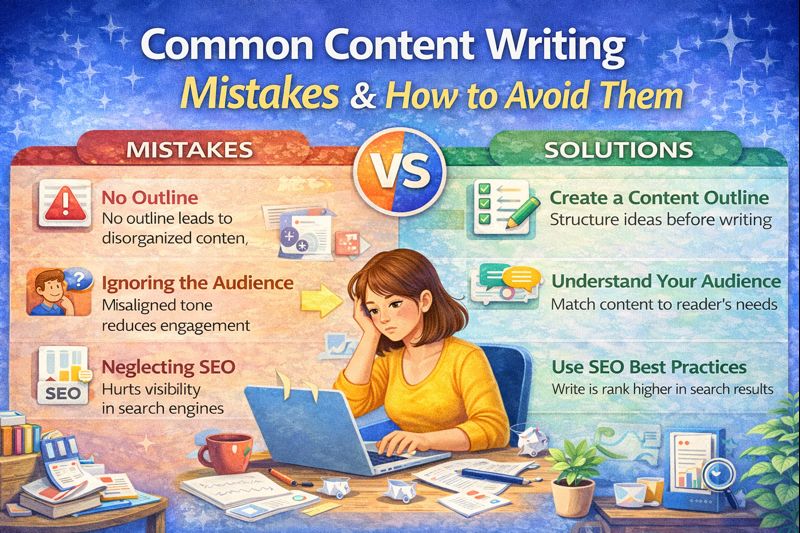
10 Common Content Writing Mistakes You Must Avoid in 2026
Common Content Writing Mistakes Why Most Content Fails (And It’s Not What You Think) Here’s…
Content Writing Tips for Beginners: How to Start Writing Like A Pro

Creative Writing & Storytelling: Complete Guide to Writing Powerful Stories in 2026
Creative Writing & Storytelling Every Writer Starts Here – With a Blank Page and a…
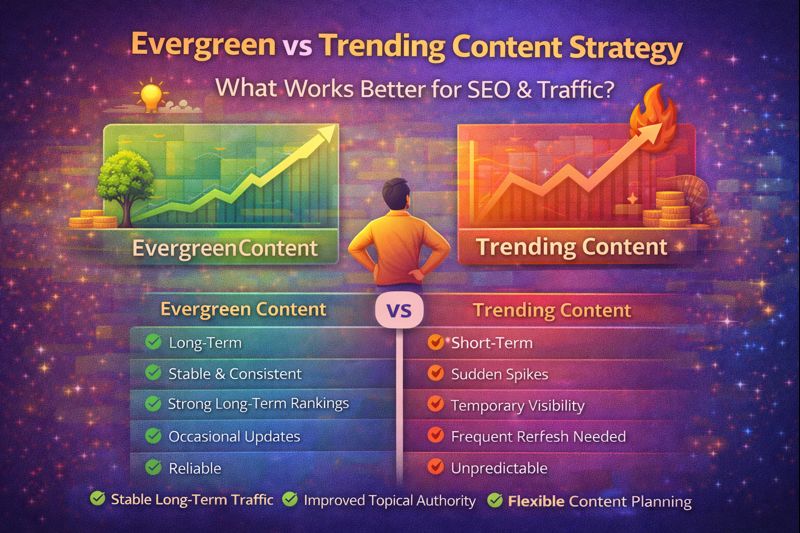
Evergreen vs Trending Content Strategy: What Actually Works Better for SEO?
Evergreen vs Trending Content Strategy The Question Every Blogger Gets Wrong Early On Here’s a…

Hanuman Meets Sita Story for Kids: A Tale of Faith and Hope (Ramayana Story with Moral)
Hanuman Meets Sita Story for Kids 🌟 Ramayana Stories for Kids – Part 5 Introduction…

Hanuman Story for Kids: Journey to Lanka (Moral Story from Ramayana)
Hanuman Story for Kids Ramayana Stories for Kids – Part 1 Introduction This Hanuman story…

How to Create an SEO Content Strategy for Your Website (Step-by-Step Guide)
Why Most Blogs Never Get Traffic (And What’s Actually Missing) Here’s something I’ve noticed about…
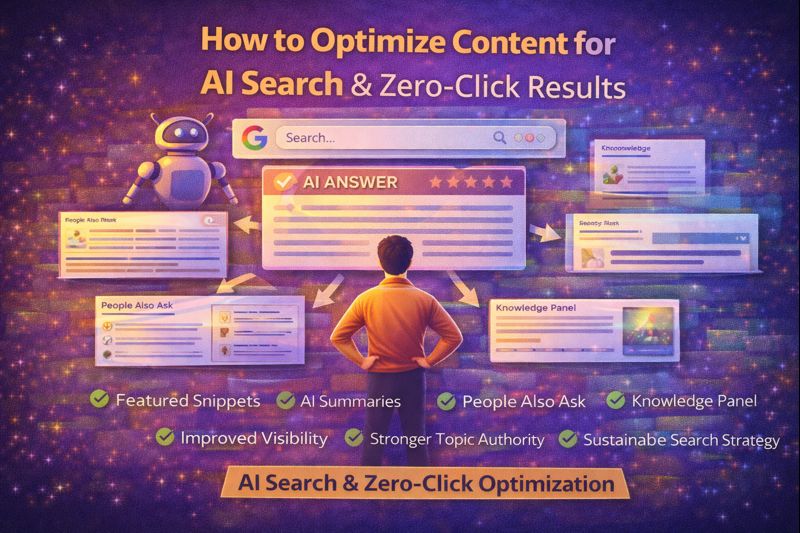
How to Optimize Content for AI Search & Zero-Click Results Smartly
Introduction Search results are no longer limited to blue links. Today, users often find answers…
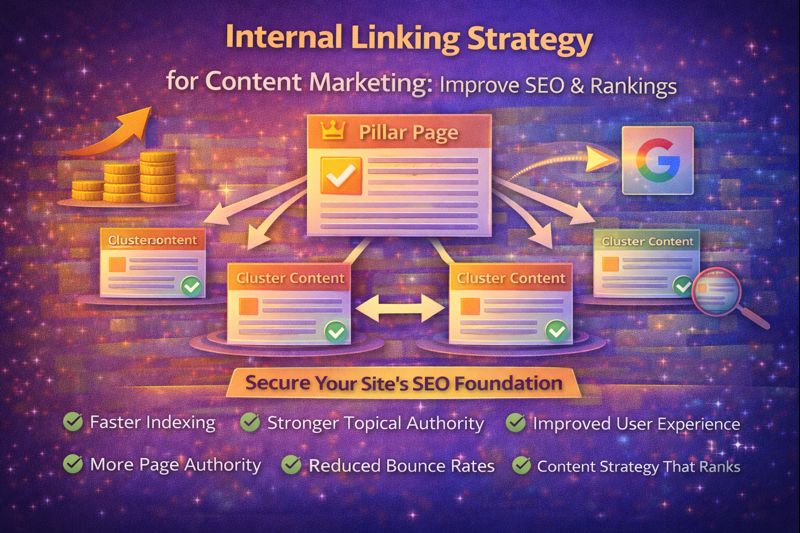
Internal Linking Strategy for Content Marketing: Boost SEO Rankings
Internal Linking Strategy for Content Marketing The Simple Fix That Most Bloggers Completely Ignore A…

Jatayu Story for Kids: The Brave Bird Who Fought for Sita (Moral Story from Ramayana)
Jatayu Story for Kids 🌟 Ramayana Stories for Kids – Part 3 Introduction This Jatayu…

Low-Competition Keyword Research for Content Marketing (Step-by-Step)
low-competition keyword research for content marketing – One of the biggest mistakes content creators make…