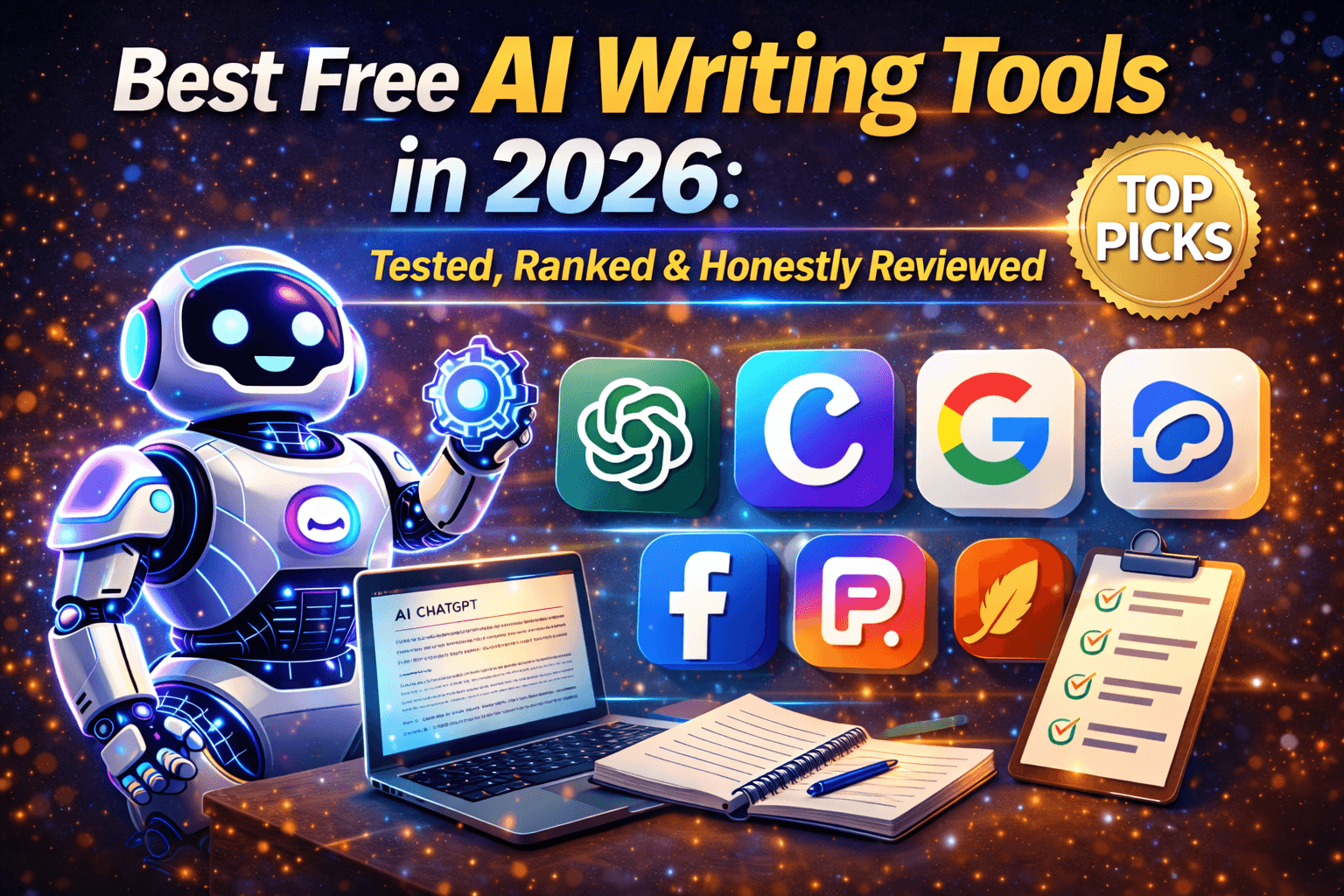
Best Free AI Writing Tools in 2026
Last Tuesday, a student messaged saying she had tried four different AI writing tools, wasted two hours, and still had a blank page. She had picked the wrong tool for the wrong job. That is not her fault — most review articles online simply list features without telling you what actually works in practice.
This post fixes that.
These tools were tested across actual writing tasks — blog posts, email drafts, essay editing, and social media captions. Ninety percent of content marketers now use AI writing tools, but most reviews describe features without explaining what works for specific use cases and real workflows.
Here is the honest guide that bridges that gap.
Why Free AI Writing Tools Matter in 2026
Not every writer has the budget for a premium subscription. And honestly, you should not commit to one until you know which tool fits your working style.
The good news: the AI writing market is mature enough that no single tool dominates every use case. The writers getting the best results are those who pick the right combination and learn to prompt effectively — not those chasing the most expensive subscription.
Here is your guide to finding the right combination.
Quick Comparison Table
| Tool | Best For | Free Plan | Paid Plan |
|---|---|---|---|
| ChatGPT | Research, brainstorming, first drafts | Yes (limited) | $20/month |
| Claude | Long-form writing, natural tone | Yes (limited) | $20/month |
| Gemini | Google Docs users, research | Yes (generous) | $20/month |
| Grammarly | Editing and grammar polish | Yes | $30/month |
| QuillBot | Paraphrasing and rewriting | Yes | $9.95/month |
| Rytr | Quick short-form content | Yes (10K chars/month) | $9/month |
| Copy.ai | Marketing copy and email sequences | Yes | $49/month |
The 7 Best Free AI Writing Tools in 2026 — Reviewed Honestly
1. ChatGPT — Best All-Rounder for Drafts and Research
Real example: A freelance blogger uses ChatGPT’s free tier every morning to generate three topic ideas, build rough outlines, and draft opening paragraphs. He edits everything himself afterward. It saves roughly two hours daily — at zero cost.
ChatGPT remains the most versatile general-purpose writing tool — hard to beat for brainstorming and generating first drafts quickly.
What it handles well:
- Generating ideas when facing a blank page
- Writing structured first drafts fast
- Research summaries and listicle content
- Switching between different content tasks within one conversation
Free plan reality check: ChatGPT Free allows only 10 messages per five hours, which makes it impractical for serious writing sessions. It is enough to explore the tool, but daily professional use will hit that ceiling quickly.
Verdict: Start here. It is the easiest entry point into AI-assisted writing and the broadest in scope.
2. Claude — Best for Natural, Human-Sounding Writing
Real example: A content writer switched from ChatGPT to Claude for her long-form blog posts after noticing her ChatGPT drafts consistently sounded slightly robotic and corporate. Claude’s output felt far closer to her own voice — less formulaic, more considered.
Claude produces less corporate-sounding content, maintains more consistent tone, and has better overall flow. In blind testing, three out of four human readers preferred Claude’s blog article over ChatGPT’s equivalent output.
What it does well:
- Long-form blog posts with natural, readable tone
- Editing existing drafts to match a specific voice or style
- Academic essays and structured research summaries
- Following complex, nuanced tone instructions precisely
Free plan reality: Claude Free provides approximately one-fifth of the usage available on the Pro plan. It works well for occasional writing tasks but regular users will hit usage limits quickly.
Verdict: If writing quality matters more to you than anything else, this is your tool. Even the free tier is worth testing before considering any paid alternative.
3. Gemini — Best Free Tier for Google Workspace Users
Real example: An HR manager drafts all her job descriptions, internal announcements, and meeting summaries directly inside Google Docs using Gemini. She has never paid for an AI writing tool — the free tier completely handles her daily requirements.
What it does well:
- Writing natively inside Google Docs, Gmail, and Sheets
- Real-time web research integrated into every response
- Generous daily usage limits — ideal for students
- Quick summaries, first drafts, and research assistance
Free plan reality: Gemini’s free tier is generous compared to competitors. Writing quality sits between ChatGPT and Claude but does not match either at their respective strengths.
Verdict: The best free tool if your work already lives inside Google’s ecosystem. For everyone else, it functions well as a capable backup option.
4. Grammarly — Best for Polishing What You Have Already Written
Real example: Every piece of writing published on this site goes through Grammarly before it goes live — not to generate content, but to clean it. In one recent article, it caught three awkward sentence structures and flagged unnecessary passive voice constructions in under 30 seconds.
What it does well:
- Grammar, spelling, and punctuation error detection
- Tone analysis across different writing contexts
- Plagiarism checking on the paid plan
- Browser extension that works across Gmail, WordPress, Google Docs, and most web platforms
Free plan reality: The free plan handles grammar and basic clarity improvements reliably. Grammarly’s key advantage is its wide availability through browser extensions that work across virtually every writing platform.
Verdict: Do not publish anything without running it through Grammarly. It is the one tool on this list that belongs in every writer’s workflow regardless of budget.
5. QuillBot — Best for Paraphrasing and Rewriting
Real example: A PhD research student uses QuillBot to rephrase sections of his literature review so they express the original ideas clearly in his own academic voice. It prevents accidental over-reliance on source phrasing and helps him write faster without losing accuracy.
What it does well:
- Paraphrasing sentences and paragraphs without losing meaning
- Rewriting content in different tones — formal, casual, creative, academic
- Summarising long research papers and reports
- Generating citations for academic work
Free plan reality: The free plan limits how many sentences you can paraphrase at once. Free users can access two paraphrasing modes to adjust tone and style, plus basic grammar suggestions to improve writing quality.
Verdict: An essential tool for students and non-native English writers. Use it alongside ChatGPT or Claude rather than as a standalone replacement.
6. Rytr — Best for Quick Short-Form Content
Real example: A small business owner running an online retail brand uses Rytr’s free plan to write product descriptions, Instagram captions, and customer email announcements. Each piece takes less than two minutes to generate and refine.
What it does well:
- Product descriptions and advertising copy
- Social media captions across platforms
- Email subject lines and CTAs
- Short blog introductions and section summaries
Free plan reality: Rytr offers a genuinely free-forever plan with a limit of 10,000 characters per month — approximately 1,500 to 2,000 words. Sufficient for light to moderate short-form content needs.
Verdict: The best option for small business owners and solopreneurs who need fast, short-form content without complexity or cost.
7. Copy.ai — Best for Marketing Copy and Email Sequences
Real example: A digital marketing agency uses Copy.ai’s free plan to generate five advertising copy variations for every new Facebook campaign. What previously took a copywriter a full day now takes approximately 20 minutes — and the team tests more variations than before.
What it does well:
- Facebook, Google, and Instagram advertising copy
- Email drip sequences and newsletter content
- Landing page headlines and subheadings
- Product launch announcement copy
Free plan reality: Copy.ai’s workflow builder allows you to create multi-step content processes, so generating a complete email sequence from a single brief input takes minutes rather than hours. The free tier provides solid access to its core features.
Verdict: If marketing copy is your primary writing need, Copy.ai outperforms ChatGPT for template-driven, conversion-focused output.
Which Tool Should You Start With?
| Your situation | Best starting point |
|---|---|
| Student writing essays or assignments | Claude (free) + QuillBot |
| Blogger wanting natural-sounding posts | Claude (free) |
| Freelance writer drafting for clients | ChatGPT + Grammarly |
| Small business owner, short content | Rytr + Grammarly |
| Google Docs and Gmail user | Gemini (free) |
| Marketing team writing advertising copy | Copy.ai |
| Non-native English speaker | QuillBot + Grammarly |
| Any professional polishing final drafts | Grammarly (always) |
The One Rule Every Writer Needs to Know
No AI tool, regardless of how capable it is, can replace your brand voice, personal expertise, and perspective. Treat every AI output as a high-quality first draft that still needs a human being to review, refine, and add the personal touch that makes content genuinely valuable.
The writers who achieve the best results with AI tools are not those who let the tool do everything. They are the ones who use AI to handle structure and speed — and then layer their own thinking, real experience, and authentic voice on top.
That combination is not a compromise. It is the skill that matters most in 2026.
Frequently Asked Questions
Q1. Which is the best free AI writing tool in 2026 for beginners?
ChatGPT and Gemini are the easiest starting points. ChatGPT is better for drafting and brainstorming. Gemini is better for users already working inside Google Docs or Gmail daily.
Q2. Is Claude genuinely better than ChatGPT for writing?
For tone, flow, and natural-sounding prose — yes. For research-heavy, data-driven content and general versatility — ChatGPT performs better. Most serious writers eventually use both tools for different tasks.
Q3. Can I use these AI tools completely free without entering card details?
Yes. ChatGPT, Claude, Gemini, Grammarly, QuillBot, Rytr, and Copy.ai all offer genuine free plans. No credit card is required to get started with any of them.
Q4. Do these free AI writing tools help with SEO?
Basic tools like ChatGPT and Claude do not include built-in SEO data or SERP analysis. For SEO-optimised content, tools like Surfer SEO or Jasper provide dedicated functionality — both are paid platforms. The free tools listed here are best for drafting; handle keyword optimisation separately.
Q5. Will Google penalise AI-written content?
Google penalises low-quality content — not AI-generated content specifically. If you edit thoroughly, add genuine expertise, real examples, and personal perspective on top of AI drafts, your content is fully compliant with Google’s helpful content guidelines.
Q6. Which AI writing tool is best for students on a zero budget?
Gemini (generous free tier with unlimited daily usage) combined with QuillBot (paraphrasing and citation assistance) is the strongest free combination for students who cannot spend anything at all.
- Jasper AI Review 2026: Is It Really Worth $49/Month? (Honest Verdict)
- Perplexity AI Review 2026: Is It Better Than Google for Research?
- ChatGPT vs Claude vs Gemini: Which AI Tool Is Actually Worth It in 2026?
- AI Tools & Reviews: Complete Guide for Smart Business Decisions (2026)
References
- OpenAI — ChatGPT features and free plan: openai.com
- Anthropic — Claude official: anthropic.com
- Google — Gemini AI: gemini.google.com
- Grammarly — Features and plans: grammarly.com
- QuillBot — Paraphrasing tool: quillbot.com
- Rytr — AI writing assistant: rytr.me
- Copy.ai — Marketing copy platform: copy.ai
About the Author
Dr. Rekha Khandelwal is a certified expert in AI tools and academic content development, with a strong focus on leveraging platforms like ChatGPT, Claude, and Gemini for research and digital writing. With a Ph.D. in Law and specialized training in AI-driven content creation, she helps students, researchers, and professionals create high-quality, SEO-optimized, and impactful content.
Author Profile Dr. Rekha Khandelwal | Academic Writer, Legal Technical Writer, AI Expert & Author | AspirixWriters
- SEO Blogwriting Services
- Motivational, Creative & Ghostwriting
- Legal & Technical Writing Services
- Academic Writing Assistance
- Editing & Proofreading
Best Free AI Writing Tools in 2026: Tested, Ranked & Honestly Reviewed
Best Free AI Writing Tools in 2026 Last Tuesday, a student messaged saying she had…
Notion AI vs ChatGPT 2026: Which Productivity Tool Actually Wins?
Notion AI vs ChatGPT 2026 AI Tools & Reviews: Complete Guide For Smart Business Decisions…
Jasper AI Review 2026: Is It Really Worth $49/Month? (Honest Verdict)
Jasper AI Review 2026 AI Tools & Reviews: Complete Guide For Smart Business Decisions (2026)…

Perplexity AI Review 2026: Is It Better Than Google for Research?
Perplexity AI Review 2026 AI Tools & Reviews: Complete Guide For Smart Business Decisions (2026)…

ChatGPT vs Claude vs Gemini: Which AI Tool Is Actually Worth It in 2026?
ChatGPT vs Claude vs Gemini: Which AI Tool Is Actually Worth It in 2026? You…