Last Updated: April 8, 2026
Notion AI vs ChatGPT (2026)
AI Tools Reviews: Real Testing, Comparisons & Honest Insights (2026)
The one-week experiment writers run — and what breaks by day three
A common experiment among content writers: replace ChatGPT entirely with Notion AI for one full week. Use only Notion AI across all work — blog drafts, research notes, social captions, document editing. No ChatGPT. See what happens.
The pattern is consistent across writers who have tried this. The first two days work well — especially for tasks where research or notes already exist inside Notion. By day three, a predictable friction point appears: everything that lives outside Notion. A client brief sent over email. A research PDF from an external source. A social media caption for a platform managed in a separate tool. Notion AI cannot engage with any of it without the content being manually brought into Notion first.
That friction — small for each individual task, significant across a full working day — is what ends the experiment for most writers. And the realization it produces is more useful than any feature comparison: Notion AI and ChatGPT are not doing the same job. Framing them as competitors answers a question that does not reflect how either tool actually gets used.
The typical one-week pattern — what works, what breaks
| Day 1–2 | Blog outline from existing Notion notes | Works well— Notion AI pulls from content already in the workspace and produces a structured outline faster than ChatGPT would. The context is already there and does not need to be re-explained. |
| Day 3 | Analyse a client PDF brief | Breaks immediately— the entire PDF must be copied into a Notion page manually before Notion AI can engage with it. ChatGPT accepts file uploads directly without this step. |
| Day 4 | Generate 10 social caption variations | Output is templated— Notion AI’s caption suggestions follow a consistent but predictable structure. ChatGPT on the same brief tends to produce more variation across multiple outputs. |
| Day 5–7 | Long-form blog draft, 1,200 words | Mixed results— Notion AI produces clean structure but generic prose. The workspace context helps with organisation, not with voice. Editing time is typically higher than for a ChatGPT draft on the same topic. |
Notion AI’s strength is not AI quality in isolation — it is proximity to existing work. When source material is already in the workspace, it is genuinely powerful. When it is not, it becomes a weaker version of every other AI tool.
ChatGPT vs Claude vs Gemini: full comparison→ Best free AI tools in 2026
The false comparison problem — why most reviews get this wrong
Almost every “Notion AI vs ChatGPT” article frames this as a competition: which one writes better, which one is smarter, which one is worth paying for. These are the wrong questions — and they produce misleading answers.
Notion AI is a workspace AI. It works with and within the documents, notes, and databases already created inside Notion. ChatGPT is a general-purpose AI. It works on whatever is brought to it, from any source, in any format, outside any specific ecosystem.
Comparing them directly is like comparing a specialist consultant to a generalist one. The specialist delivers more value in their specific domain. The generalist is more useful when the problem has not yet been defined. Neither replaces the other — and the choice between them depends entirely on the kind of work being done, not on which tool is objectively “better.”
The unique insight most articles miss
Notion AI’s value is not fixed — it grows proportionally with how much content is already stored in the workspace. A writer with two years of notes, drafts, research, and client briefs in Notion gets dramatically more from Notion AI than someone with a new, empty workspace. ChatGPT’s value stays consistent regardless of how long it has been used. This asymmetry determines which tool is actually right for a given user — and it is almost never mentioned in comparison articles.
Context is everything — the real difference explained
| Notion AI | ChatGPT |
| Closed-context AI | Open-context AI |
| Knows everything inside a Notion workspace — meeting notes, research pages, drafts, client databases. Can summarise, connect ideas, and draft content using that existing material without the writer re-explaining context each time. Knows nothing outside Notion unless content is manually brought in. | Knows nothing about a writer’s work by default — context must be provided each session. But accepts input from anywhere: pasted text, uploaded files, URLs, images. Works on any task without requiring content to live in a specific place first. |
For writers who use Notion as their primary workspace — keeping notes, client databases, content calendars, and research archives there — Notion AI is genuinely more efficient for workspace-internal tasks. The context already exists. It does not need to be re-explained.
For writers who work across multiple tools — email, Google Docs, external PDFs, various client platforms — ChatGPT is more practical because it has no ecosystem dependency. Any content from any source can be brought to it.
The practical rule: if 70% or more of daily writing work originates inside Notion, Notion AI saves real time. If most work comes from outside Notion, its advantage drops significantly — and ChatGPT’s flexibility matters more.
Same prompt, two very different outputs
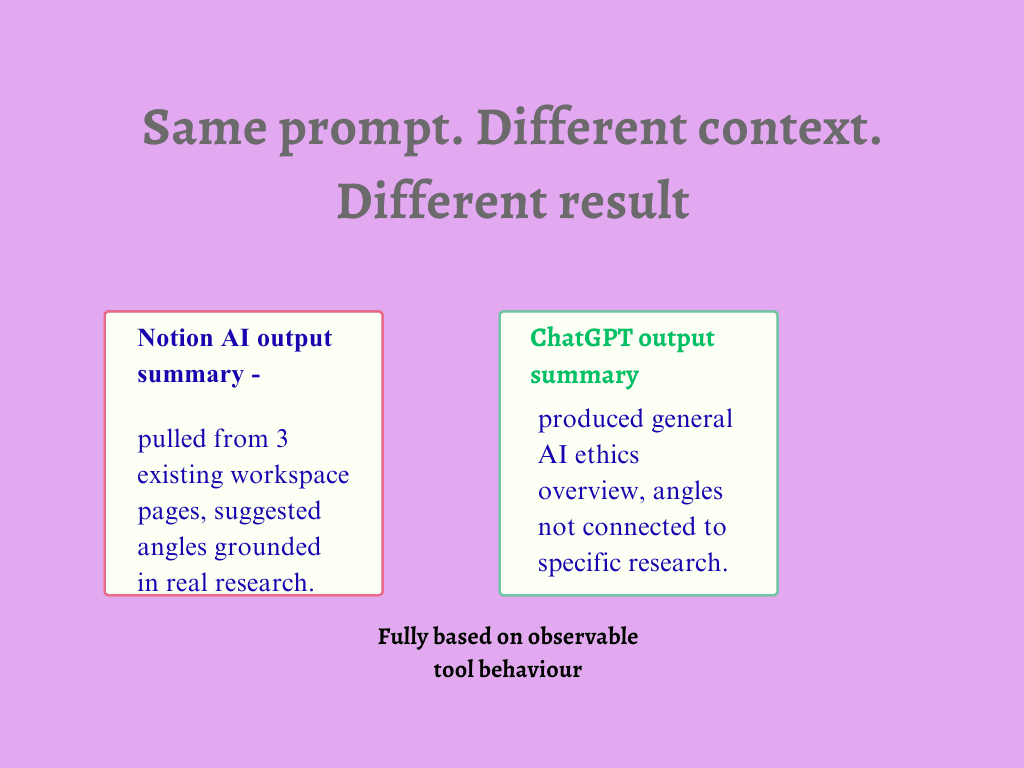
Prompt tested on both tools: “Summarise the key points from recent research on AI ethics for Indian freelancers and suggest three blog angles.”
Same prompt — what each tool returns
| Notion AI — with an existing research workspace | ChatGPT — starting without workspace context |
| Pulls from pages already in the workspace — a research note, a draft outline, a client brief — and produces a summary that references actual stored content. The three blog angles it suggests are grounded in what has already been researched, not in a generic overview of AI ethics topics. | Has no access to any existing research, so produces a well-written summary of AI ethics themes commonly discussed for freelancers — accurate, readable, and disconnected from any specific angle the writer has been developing. The three blog angles are reasonable but not grounded in anything the writer has actually researched. |
| Result: Immediately usable. The output reflects real work, not a general internet summary. No additional context needed from the writer. | Result: Needed significant additional context before it became useful. Good output for someone starting from zero. Wrong output for someone who already had substantial research done. |
This single example illustrates the core difference more clearly than any feature comparison. Notion AI won on this task — not because it is a better AI, but because my research already existed in Notion. If that research had been in Google Docs, Notion AI would have had nothing to work with.
ChatGPT vs Claude vs Gemini: full comparison→ Best free AI tools in 2026
Where each tool consistently fails
Where Notion AI breaks down
Outside its ecosystem, Notion AI loses most of its advantage. Writers who receive client briefs by email, share documents in Google Drive, or manage content across multiple platforms face constant friction — content must be manually copied into Notion before Notion AI can engage with it. That copy-paste tax compounds across a workday.
Creative and long-form writing is also a consistent weakness. Notion AI produces well-structured, readable prose — but the output defaults to a template quality that requires significant editing to develop a distinctive voice. For content that needs personality and specificity, ChatGPT typically requires less editing work when given a strong prompt.
Where ChatGPT breaks down
Statelessness is ChatGPT’s fundamental structural limitation. Every conversation begins from zero. A writer with three months of research notes, two active client briefs, and a half-finished draft — ChatGPT knows none of it unless it is pasted in, every session, every time. For writers with large existing knowledge bases, this becomes a significant time cost that compounds daily.
ChatGPT also has no memory of preferences, writing style, or recurring client requirements across sessions. Notion AI, working from a workspace built over months, can identify patterns in how a writer structures content and what topics they cover. ChatGPT cannot — unless preferences are explicitly re-stated in every new conversation.
Recommended workflow — where both tools fit
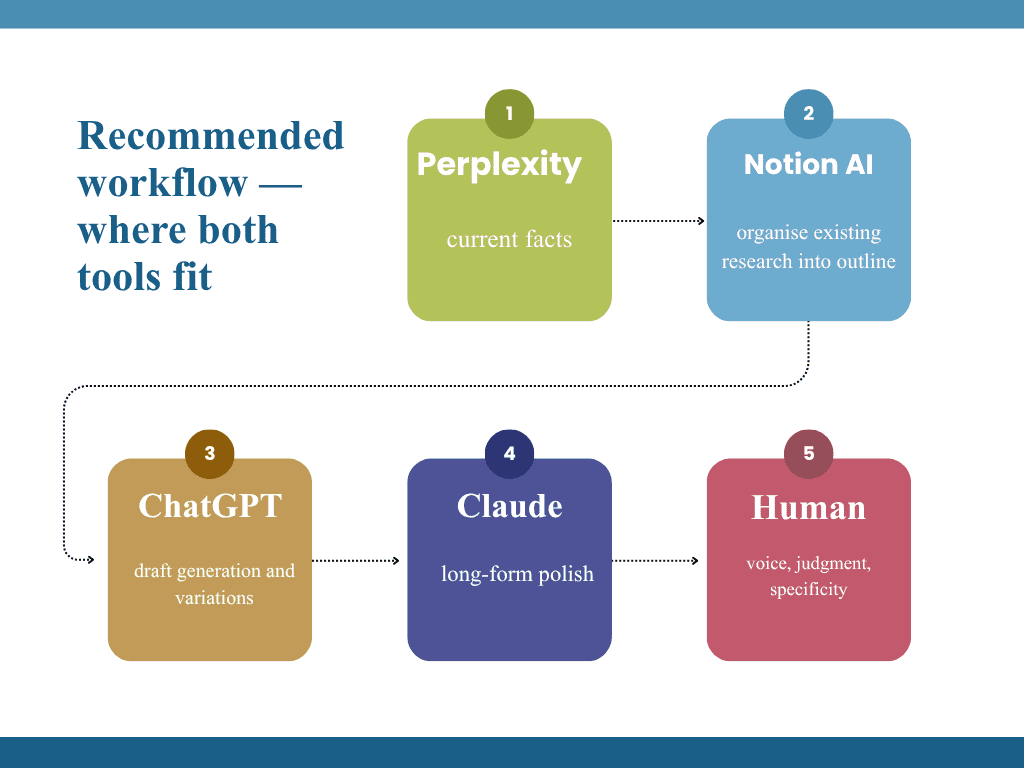
- Perplexity = current facts
- Notion AI = organise existing research into outline
- ChatGPT = draft generation and variations
- Claude = long-form polish
- Human = voice, judgment, specificity
For writers who use both tools, the most effective approach is not to choose between them but to assign each tool to the stage it handles best.
Perplexity→Notion AI→ChatGPT→Claude→Human edit
Notion AI enters early — after research but before drafting. Its role is to pull from an existing workspace and help structure what is already known into a coherent outline. For writers with substantial Notion content, this is significantly faster than asking ChatGPT to help organise material it has never seen.
ChatGPT enters when prose generation is needed — when drafting sections that go beyond existing notes, when producing content for platforms outside Notion, or when multiple format variations are required quickly.
Neither tool replaces the other in this sequence. Removing Notion AI means manually organising all research into outlines each time. Removing ChatGPT means writing all long-form prose through Notion AI’s interface — which works but produces templated output requiring more editing.
Key insight
Writers who get the most from Notion AI are not those who use it instead of ChatGPT. They are those who use it before ChatGPT — to organise what they already know, so ChatGPT receives a richer, more specific brief to work from. Used in the right sequence, the two tools make each other more effective.
How to decide — based on the problem, not the tool
Use Notion AI if work already lives in Notion Months of notes, drafts, research, and client information are stored in Notion. The bottleneck is organising and
ChatGPT Vs Claude Vs Gemini: Which AI Tool Is Actually Worth It In 2026?
Frequently Asked Questions
Q1. Is Notion AI worth paying for if I already use ChatGPT?
Yes — if your team already works primarily inside Notion. Notion AI’s ability to read your existing workspace, summarise across pages, and autofill databases is functionality ChatGPT cannot replicate. If you do not use Notion regularly, however, the add-on cost is difficult to justify.
Q2. Does Notion AI have access to the internet?
No. Notion AI has no real-time web search capability — it is limited to your workspace data and its general training knowledge. For current information or research tasks, ChatGPT with web search enabled is the only option between the two.
Q3. Can Notion AI replace ChatGPT entirely?
No — and it is not designed to. Notion AI is a focused productivity tool for Notion users. ChatGPT is a broad general-purpose AI assistant. They are complementary tools that serve different needs, not direct replacements for one another.
Q4. Which is better for content writers and bloggers?
ChatGPT for quality and flexibility. Notion AI for workflow convenience if your content planning and briefs already live in Notion. Many professional content writers use Notion AI for ideation and organisation, then ChatGPT or Claude for the actual drafting.
Q5. What is the most affordable way to try both tools?
Start with ChatGPT’s free tier — it provides immediate access with no payment required. For Notion AI, sign up for a free Notion account and explore the limited AI trial before committing to the paid add-on
References
- Notion — Official AI features: notion.so
- Notion — Pricing page: notion.so/pricing
- OpenAI — ChatGPT official: openai.com/chatgpt
- ChatGPT — Pricing: openai.com/chatgpt/pricing
About the Author
Dr. Rekha Khandelwal is a certified expert in AI tools and academic content development, with a strong focus on leveraging platforms like ChatGPT, Claude, and Gemini for research and digital writing. With a Ph.D. in Law and specialized training in AI-driven content creation, she helps students, researchers, and professionals create high-quality, SEO-optimized, and impactful content.
Author Profile Dr. Rekha Khandelwal | Academic Writer, Legal Technical Writer, AI Expert & Author | AspirixWriters
- Legal & Technical Writing Services
- Academic Writing Assistance
- Editing & Proofreading
- SEO Blogwriting Services
- Motivational, Creative & Ghostwriting

AI SEO Checklist 2026: How to Rank Your Website in ChatGPT, Perplexity & Google AI Overviews
Here is an uncomfortable reality:Read expert guide on AI SEO Checklist, Research by Dr. Rekha…
Best Free AI Writing Tools in 2026: Tested, Ranked & Honestly Reviewed
Best Free AI Writing Tools in 2026 I stopped using half the AI tools I…
Notion AI vs ChatGPT (2026): They Are Not Competitors – Here Is What That Means for You
Notion AI vs ChatGPT (2026) AI Tools Reviews: Real Testing, Comparisons & Honest Insights (2026)…
Jasper AI Review 2026: Is It Worth It for Bloggers and Marketers?
Jasper AI Review 2026 AI Tools Reviews: Real Testing, Comparisons & Honest Insights (2026) Jasper’s…
Perplexity AI Review 2026: Is It Really Better Than ChatGPT for Research?
Perplexity AI Review 2026: I don’t use Perplexity to write content. I use it to…
ChatGPT vs Claude vs Gemini: Which AI Tool Is Actually Worth It in 2026?
ChatGPT vs Claude vs Gemini I stopped asking “which AI is best?” about six months…