Last Updated: April 7, 2026
Best Free AI Writing Tools in 2026
I stopped using half the AI tools I tested within the first week. Not because they were bad — some of them were genuinely impressive — but because impressive and useful in a real writing workflow are two completely different things.
When I started using AI tools for client projects at AspirixWriters, I made the same mistake most writers make: I searched for “best AI writing tools,” got a list of ten, installed all of them, and spent three days testing features instead of finishing work. By day four I had missed a deadline. The tools were not the problem. The lack of a system was.
What I have now — after testing across academic writing, legal content, SEO blogs, and social media — is a small set of tools that actually fit into a real workflow. This is that set, and more importantly, this is how and why each one earns its place.
→ My complete AI writing workflow→ AI vs Human Writing: what Google rewards
There is no single best AI writing tool. There is a best tool for each stage of writing — and the difference between a working system and a cluttered desktop is knowing which stage each tool actually serves.
Tools I use for drafting — and what separates them
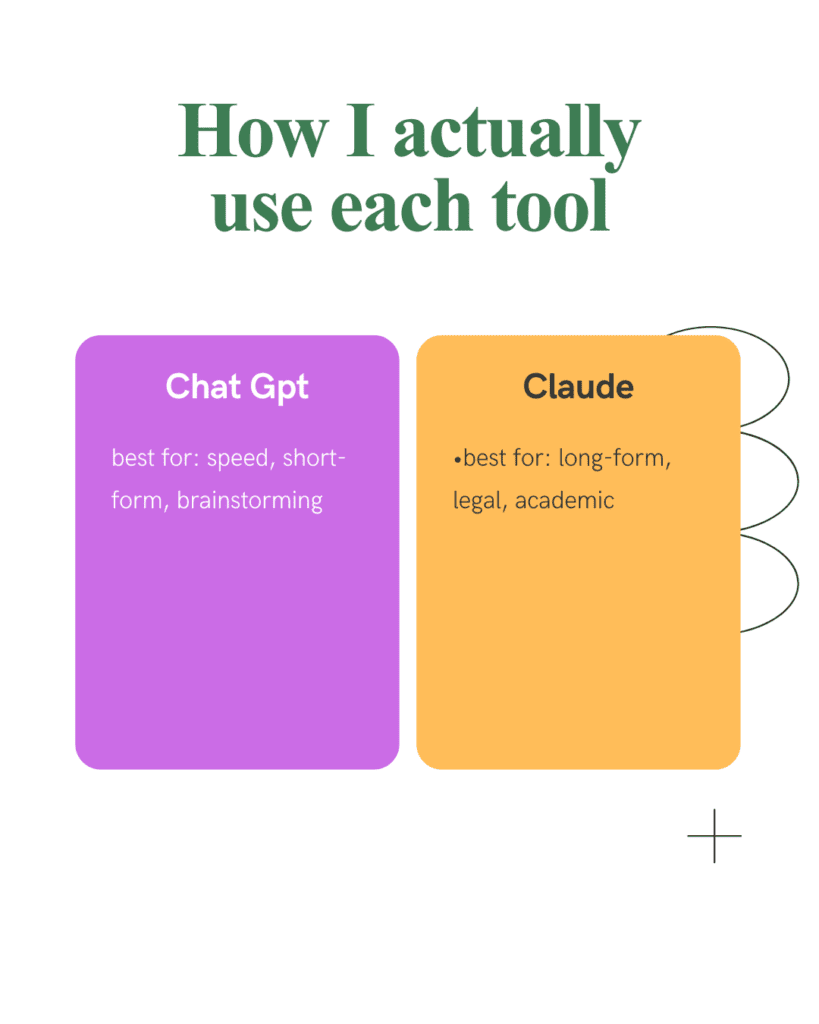
Two tools dominate this stage: ChatGPT and Claude. I use both, but never interchangeably.
ChatGPT (free tier) Free available
| When I use it | What it does poorly |
| First-pass outlines, brainstorming angles, generating multiple caption variations quickly. Best when I need volume and speed over precision. | Long documents where consistency matters. By section four, it starts repeating ideas from section one. For anything over 800 words, I switch to Claude. |
Claude (free tier) Free available
| When I use it | Real difference from ChatGPT |
| Legal content, academic editing, long-form blog sections where nuance matters. Claude follows complex, multi-part instructions better than any other tool I have tested — it holds context longer across a document. | For a UPI payment regulations post, ChatGPT gave me a confident but outdated fee structure. Claude, given the same prompt plus my research notes, produced a structurally sound draft that needed far less correction. |
The one research tool I use before any AI drafting begins
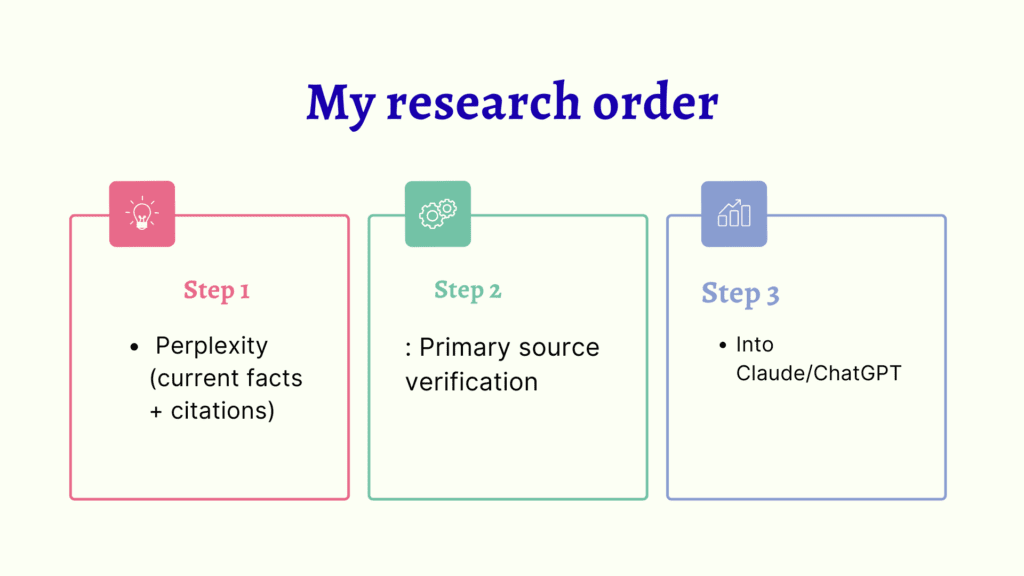
Perplexity is the tool most writing guides mention last. I use it first — before ChatGPT opens, before Claude opens, before any drafting begins.
Perplexity AI (free tier) Free available
| Why it comes first | Real example |
| Perplexity gives cited, current answers — not pattern-matched responses from training data. For legal and finance content where one outdated number can mislead a reader, cited sources are non-negotiable. | For a post on UPI payment regulations, Perplexity surfaced the correct 2025 RBI merchant guidelines with direct source links in under 3 minutes. ChatGPT, asked the same question, cited a circular that had been revised 8 months earlier. |
Perplexity does not replace research — it accelerates it. I still verify critical facts against primary sources. But it cuts the initial research time from 45 minutes to under 15 on most topics.
Editing tools — useful but misunderstood
Grammarly (free tier) Free available
Grammarly and Hemingway are not AI writing tools. They are AI-assisted editing tools — and that distinction matters enormously for how you use them.
| What it actually does | What it cannot do |
| Catches grammar inconsistencies, punctuation errors, and passive voice overuse across long documents. Useful for consistency checks on posts over 1,000 words where small errors accumulate. | It cannot tell you whether your paragraph is interesting, whether your example is specific enough, or whether your argument is sound. Writers who treat Grammarly as a quality check are checking the wrong thing. |
Hemingway App (free) Free
Best Free AI Writing Tools in 2026
| When I use it | One specific use |
| After the human editing pass, before final submission. I target Grade 7–8 readability — short sentences, active voice, no unexplained jargon. For academic content I allow Grade 9–10. | Hemingway is better than Grammarly at flagging sentences that are simply too long — the kind AI generates when explaining a complex idea without breaking it up. One pass catches most of them. |
Tools I stopped using — and why
This is the section no tool review ever includes. Every list adds tools. Nobody removes them. Here is what I removed and what that taught me.
Jasper — dropped for most projects
Jasper’s templates are well-designed and the output is clean. But at the free tier, the word limit runs out before a single blog post is complete. And at the paid tier, the cost is only justified if you are producing marketing copy at volume. For mixed academic, legal, and SEO work, Claude and ChatGPT together do the same job without the subscription.
Jasper — dropped for most projects
Jasper’s templates are well-designed and the output is clean. But at the free tier, the word limit runs out before a single blog post is complete. And at the paid tier, the cost is only justified if you are producing marketing copy at volume. For mixed academic, legal, and SEO work, Claude and ChatGPT together do the same job without the subscription.
Rytr — dropped for quality reasons
Rytr is affordable and fast. The output quality on long-form content is noticeably lower than Claude or ChatGPT — more repetition, more generic phrasing, more hedging. For a client post that needs to rank, the editing time required to fix Rytr output was longer than the time I saved by using it.
Dropping tools is not failure — it is how a workflow becomes efficient. Every tool you remove is time you stop spending on something that was not working.
My actual workflow — four tools, specific order
After testing everything above, this is what stayed. The sequence is as important as the tools themselves.
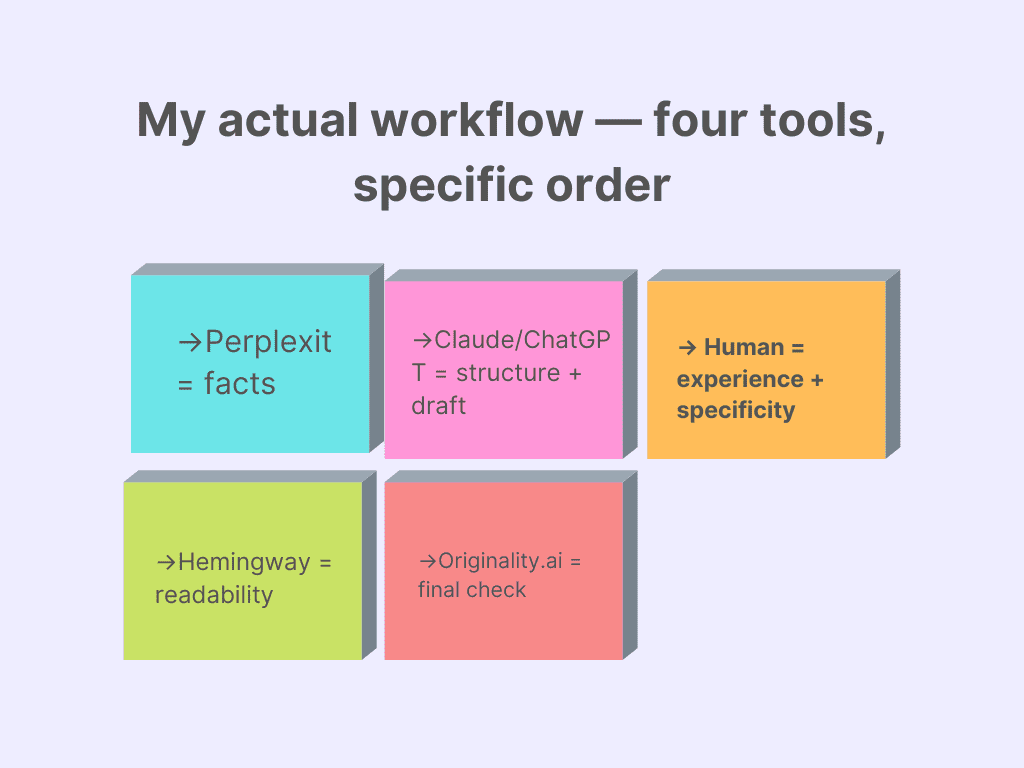
- Perplexity = facts
- Claude/ChatGPT = structure + draft
- Human = experience + specificity
- Hemingway = readability
- Originality.ai = final check
Perplexity→ Claude or ChatGPT→ Human editing →Hemingway →Originality.ai
Grammarly sits between human editing and Hemingway for longer documents — not as a quality gate, but as a consistency check. For posts under 1,000 words I skip it entirely.
The total tool count is five. I have tried working with eight, ten, twelve tools active. More tools means more switching, more decision fatigue, and paradoxically worse output because no single tool is being used well. Five tools used intentionally outperform twelve tools used randomly.
Expert insight
The best AI tool setup is not the one with the most features. It is the one where you know exactly which tool opens at which stage — without having to think about it. That automaticity is what saves time, not the tools themselves.
Free vs paid — the honest reality check
| Free tiers are genuinely useful for | Free tiers break down when |
| Learning which tools fit your workflow | You hit word or query limits mid-project |
| Short-form content under 500 words | You need long-form consistency across 1,500+ words |
| Research and outline stages | You are producing more than 10 posts per month |
| Editing passes on your own drafts | Speed matters more than occasional manual workarounds |
| Freelancers with low monthly volume | Client quality standards require zero rough edges |
My honest position: I ran AspirixWriters on free tiers for the first six months. ChatGPT free, Perplexity free, Grammarly free, Hemingway free. The workflow was slower and I hit limits at inconvenient moments, but the output quality was the same as it is now. Free tiers are not inferior — they are limited. Those are different problems with different solutions.
Do not pay for a tool until you have used its free tier enough to know exactly what limitation you are paying to remove. Most writers upgrade too early — before they know which limit is actually slowing them down.
FAQs
Q. Which AI tool is best for beginners?
Start with ChatGPT free tier for drafting and Perplexity free for research. These two cover 80% of what a new writer needs. Add Hemingway App for readability — it is free with no account required. Do not install more than three tools until you have used these consistently for a month.
Q. Can free tools replace paid ones?
For most freelancers producing under 15 posts a month — yes, with patience. The limitations are real but workable. Where free tools consistently fall short: word limits mid-project, slower response times during peak hours, and lack of memory across sessions. If any of these are actively costing you time, that is when upgrading makes economic sense.
Q. Which tool is best for SEO writing?
No single tool handles SEO writing end-to-end. Perplexity for topic research, Claude for long-form drafts where search intent needs to be satisfied precisely, Hemingway for readability (which correlates with dwell time), and Originality.ai to check before submission. SEO performance comes from the combination, not from any individual tool.
Q. Is AI-generated content safe for AdSense?
Yes — when it meets Google’s Helpful Content standard. AdSense does not penalise AI origin. It penalises thin, experience-free, unhelpful content — which unedited AI reliably produces. Edited AI content with genuine expertise signals passes AdSense review. The editing is not optional.
Q. Do I need all five tools in the workflow?
No. Start with Perplexity plus one drafting tool (Claude or ChatGPT) plus Hemingway. That three-tool setup handles most writing projects. Add Grammarly when your document length regularly exceeds 1,200 words. Add Originality.ai when you are submitting to clients or publications with AI detection requirements.
- Jasper AI Review 2026: Is It Really Worth $49/Month? (Honest Verdict)
- Perplexity AI Review 2026: Is It Better Than Google for Research?
- ChatGPT vs Claude vs Gemini: Which AI Tool Is Actually Worth It in 2026?
- AI Tools & Reviews: Complete Guide for Smart Business Decisions (2026)
References
- OpenAI — ChatGPT features and free plan: openai.com
- Anthropic — Claude official: anthropic.com
- Grammarly — Features and plans: grammarly.com
- Rytr — AI writing assistant: rytr.me
- Copy.ai — Marketing copy platform: copy.ai
About the Author
Dr. Rekha Khandelwal is a certified expert in AI tools and academic content development, with a strong focus on leveraging platforms like ChatGPT, Claude, and Gemini for research and digital writing. With a Ph.D. in Law and specialized training in AI-driven content creation, she helps students, researchers, and professionals create high-quality, SEO-optimized, and impactful content.
Author Profile Dr. Rekha Khandelwal | Academic Writer, Legal Technical Writer, AI Expert & Author | AspirixWriters
- SEO Blogwriting Services
- Motivational, Creative & Ghostwriting
- Legal & Technical Writing Services
- Academic Writing Assistance
- Editing & Proofreading

AI SEO Checklist 2026: How to Rank Your Website in ChatGPT, Perplexity & Google AI Overviews
Here is an uncomfortable reality:Read expert guide on AI SEO Checklist, Research by Dr. Rekha…
Best Free AI Writing Tools in 2026: Tested, Ranked & Honestly Reviewed
Best Free AI Writing Tools in 2026 I stopped using half the AI tools I…

Notion AI vs ChatGPT (2026): They Are Not Competitors – Here Is What That Means for You
Notion AI vs ChatGPT (2026) AI Tools Reviews: Real Testing, Comparisons & Honest Insights (2026)…
Jasper AI Review 2026: Is It Worth It for Bloggers and Marketers?
Jasper AI Review 2026 AI Tools Reviews: Real Testing, Comparisons & Honest Insights (2026) Jasper’s…
Perplexity AI Review 2026: Is It Really Better Than ChatGPT for Research?
Perplexity AI Review 2026: I don’t use Perplexity to write content. I use it to…
ChatGPT vs Claude vs Gemini: Which AI Tool Is Actually Worth It in 2026?
ChatGPT vs Claude vs Gemini I stopped asking “which AI is best?” about six months…