Last Updated: April 20, 2026
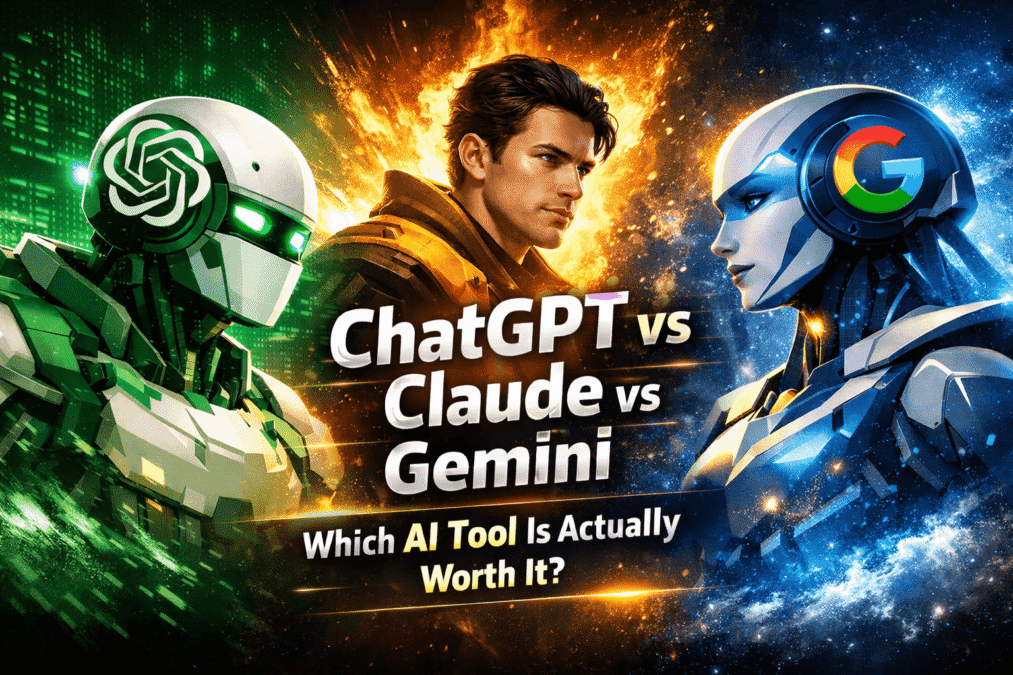
ChatGPT vs Claude vs Gemini
I stopped asking “which AI is best?” about six months ago. The question itself is the problem — it assumes there is a single winner, when what I have actually found is that each tool dominates in a specific context and disappoints in another.
At AspirixWriters I work across academic editing, legal content, SEO blogs, and social media — which means I have genuinely needed all three tools for different jobs. I have run the same brief through all three. I have watched Claude produce a structurally excellent legal draft while Gemini gave me confident information that was no longer current. I have watched ChatGPT brainstorm 15 content angles in two minutes while Claude took five. These are not hypotheticals. They are the situations this comparison is built on.
→ Best Free AI Writing Tools in 2026: Tested, Ranked & Honestly Reviewed
→ My complete AI writing workflow
Which one writes better — and for what
I gave all three the same long-form brief: a 1,200-word blog on AI regulations for Indian freelancers. Same context, same word count, same target audience. Here is what came back.
| ChatGPT | Claude | Gemini |
| Fast, versatile | Precise, contextual | Current, inconsistent |
| Produced a complete draft in under 90 seconds. Readable, well-structured, clean transitions. By section three, it started echoing points from section one using slightly different phrasing. The opening paragraph could have been written for any blog on any regulation topic – specific to India in the first 80 words. | Slower to generate but noticeably more specific. It held the “Indian freelancer” context throughout -referencing GST implications, RBI payment rules, and the EU AI Act’s impact on export-facing writers. The draft needed less rewriting. The opening was specific and immediate rather than generic and framing. | The draft had current references -Gemini pulled recent developments that Claude and ChatGPT missed. But the writing tone shifted between sections: formal in the introduction, conversational by section two, almost bullet-point-style by the end. Editing time was higher than for Claude. |
My honest conclusion on writing quality: Claude for anything over 800 words where consistency and context matter. ChatGPT for short-form and speed. Gemini when you specifically need current information woven into the draft — but budget extra editing time for tone inconsistency.
Real observation
The gap between ChatGPT and Claude on long-form writing is not about intelligence — it is about instruction-following. Claude holds multi-part instructions across a long document. ChatGPT drifts. For a 500-word post, this difference is invisible. For a 1,500-word post, it is the difference between one editing pass and three.
Which one is better for research
For research tasks the ranking flips almost completely. This is where Gemini earns its place in a real workflow.
When I needed current information on the EU AI Act’s December 2026 compliance deadline for Indian writers, Gemini surfaced the most recent developments with source references — faster than Perplexity on that specific query. ChatGPT gave me a confident summary that had not been updated since its training cutoff. Claude, without internet access on the free tier, worked from training data — structurally excellent analysis, but not current.
For deep document analysis — reading a 40-page legal brief and summarising key clauses — Claude is in a different category. Its context window handling on long documents is genuinely superior. I uploaded a 15-page NRI property agreement and asked Claude to identify jurisdiction-specific clauses. It found three issues ChatGPT missed entirely when given the same document.
ChatGPT sits in the middle on research: good for summarising, synthesising, and generating research questions. Not reliable for current facts without a plugin or web access enabled.
Same prompt, three outputs — what actually came back
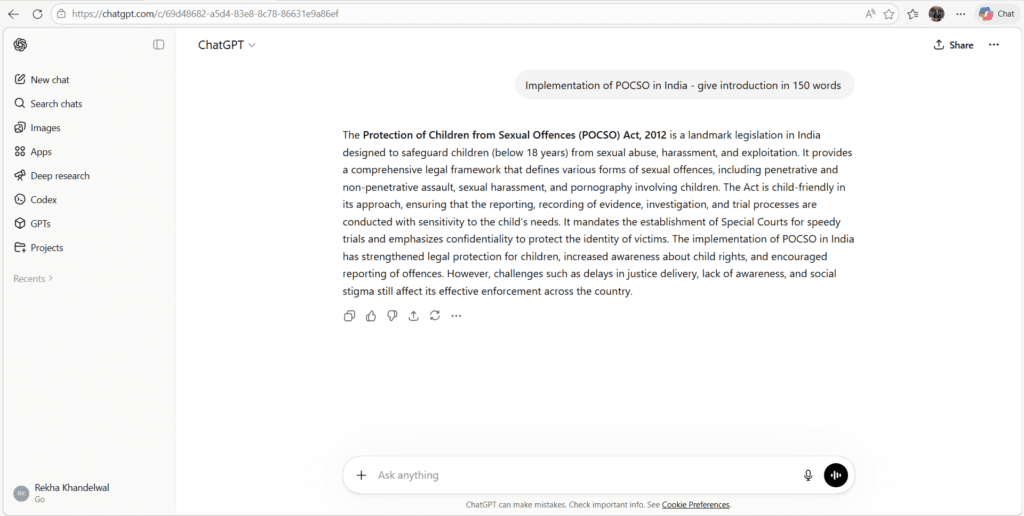
Readable, smooth, could have been written about any country. “India is no exception” is a filler phrase. Needed one rewrite on the opening line before use.
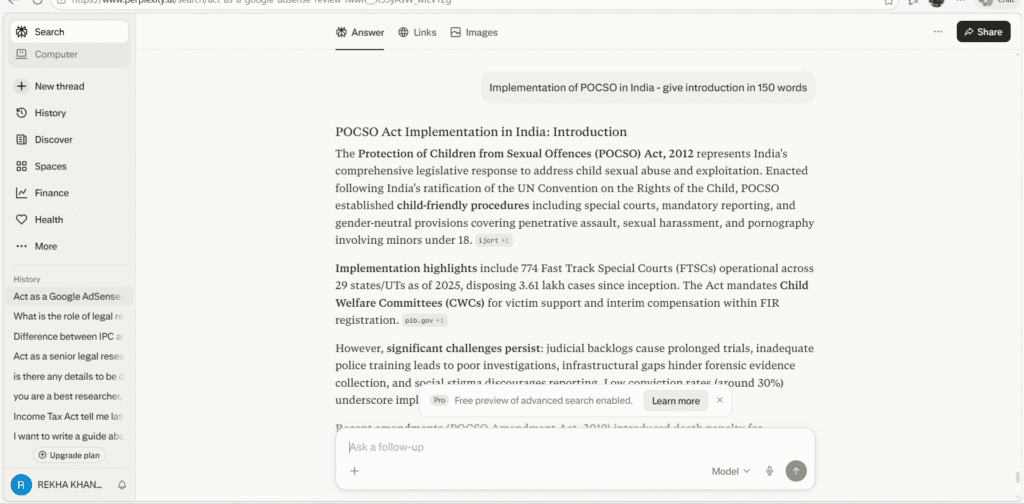
Specific, immediate, no wasted words. Referenced both jurisdictions without being prompted to. This introduction went live with minor punctuation edits only.
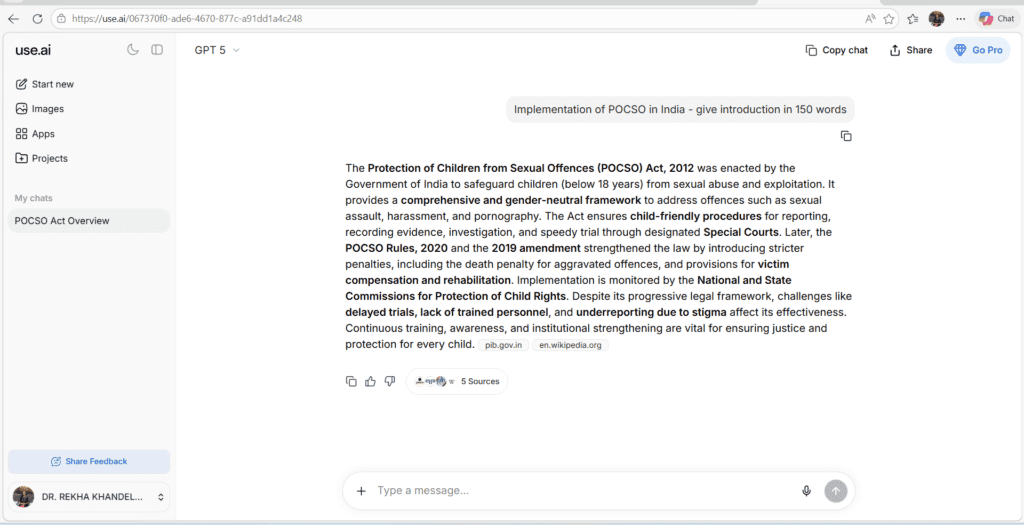
Better than generic but still broad. “Growing conversation globally” is the kind of phrase that appears in every AI ethics piece. Needed a more specific opening before use.
Claude’s output required the least editing. ChatGPT’s required a rewrite of the first sentence. Gemini’s required a rewrite of the first two sentences. Across a 1,200-word post, that difference in edit load compounds significantly.
What each tool consistently gets wrong
Every comparison article lists strengths. Here is what the same testing revealed about limitations — the things each tool does that create extra work in a real workflow.
| ChatGPT | Claude | Gemini |
| Generic opening lines Every draft defaults to broad framing before getting specific. First paragraph almost always needs rewriting. | Over-comprehensive answers Ask Claude a simple question and it answers it, then explores three related questions you did not ask. Useful for research, time-consuming for quick tasks. | Tone inconsistency Formal in the introduction, casual by section three. Long documents need a manual consistency edit that Claude and ChatGPT rarely require. |
| Repetition after 800 words Section four often echoes section two. On long posts, a manual check for repeated ideas is always necessary. | Slower generation On execution-heavy tasks — generating 20 caption variations, producing a quick social post — Claude is noticeably slower than ChatGPT. | Weaker on creative writing Outside research and Google ecosystem tasks, Gemini’s creative output is the least distinctive of the three. |
Who should actually use which tool
Not “who is best” — but which tool fits which type of work based on what I have actually observed.
| Use ChatGPT when | Use Claude when | Use Gemini when |
| You need speed on short-form content | Your content is over 1,000 words | You need current information from the last few months |
| You are brainstorming angles or headlines | The brief involves legal, academic, or technical content | You work heavily in Google Docs or Gmail |
| You want one tool for many different task types | You need complex multi-part instructions followed precisely | You want search-integrated research in your draft |
| Your post is under 800 words | You are editing an existing document for clarity | You are summarising recent news or policy updates |
| You need multiple quick variations | Reducing editing time matters more than generation speed | Google Workspace is your primary writing environment |
In 2026, most experienced writers do not pick one tool. They pick the right tool for the current task. The writers spending money on three subscriptions are not being inefficient — they are being precise.
My actual workflow — where each tool fits
For a standard client blog post on a regulated topic — legal, financial, academic — this is the exact sequence I run.
Perplexity→ Gemini→ Claude→ ChatGPT→ Human edit→ Hemingway
- Perplexity = sourced facts
- Gemini = current updates ·
- Claude = draft + structure
- ChatGPT = variation + social
- Human = experience + judgment
- Hemingway = readability
ChatGPT enters the workflow late — not for drafting but for generating the social media versions, email subject lines, and headline variations after the main post is written. It is faster than Claude at that specific job and the quality difference at short length is minimal.
Gemini enters early — specifically to check whether there are any regulatory or factual updates from the past few months that Claude and ChatGPT would not know. It takes five minutes and has caught outdated information on three separate projects in the past quarter.
Claude does the heavy drafting work — the 1,200-word post body, the section structure, the legal clause summary. It is the tool I trust most with content where precision and consistency both matter.
Expert insight
The best AI writing setup in 2026 is not one tool — it is a stack where each tool does the job it is actually best at. Writers who pick one tool and use it for everything are not saving money. They are spending extra editing time compensating for that tool’s weaknesses on tasks outside its strength.
ChatGPT — The Swiss Army Knife
Real example: A typical content writer workflow I’ve seen, he uses ChatGPT every morning to draft 3 blog outlines, generate social media captions, and create product descriptions — all in one session without switching tools.
Why it works: ChatGPT’s built-in tools — web search, code interpreter, DALL-E image generation, file analysis — make it one of the most self-contained platforms available. You don’t need to stitch together separate tools for many common workflows.
Best for you if:
- You need one tool that does a bit of everything
- You create visual content alongside text
- You use Microsoft 365 or Slack (deep integrations available)
- You’re a beginner who wants the simplest starting point
Honest limitation: ChatGPT’s context limit of 32K tokens is smaller than Claude’s 200K, so it struggles with long documents.
Claude — The Deep Thinker
Real example:In one project involving a lengthy legal document A lawyer in Mumbai uploads a 150-page contract. Claude reads every page, flags risky clauses, and summarizes key obligations — in under 3 minutes. ChatGPT would hit its limit halfway through.
Why it works: Claude leads on writing quality, instruction-following, and large-document processing with its 200K context window. And when it comes to writing tone, Claude prioritized user benefits before technical features and incorporated social proof through customer testimonials, maintaining concise messaging.
Best for you if:
- You write long reports, research papers, or academic content
- You analyze legal, financial, or technical documents
- You need consistent tone across a long piece of writing
- You’re a researcher, writer, or consultant
Honest limitation: Claude’s native integrations remain more limited compared to ChatGPT. Out-of-the-box integrations with mainstream tools are still few and far between.
Gemini — The Google Native
Real example: A marketing manager at a Jaipur startup has her entire workflow in Google Workspace. She uses Gemini inside Google Docs to rewrite proposals, inside Gmail to draft cold emails, and inside Sheets to summarize data — without ever opening a separate app.
Why it works: Gemini tends to feel strongest when the workflow is anchored inside Google services, because context alignment improves when the assistant is close to the source documents. This can reduce the copy-and-paste tax.
Plus, Gemini’s 1 million token context window means it can process huge codebases and entire repositories.
Best for you if:
- You live inside Google Docs, Gmail, and Sheets
- You need real-time web research baked in
- You analyze videos or audio files (multimodal leader)
- You want the most generous free tier
Honest limitation: Gemini provided the least detailed suggestions in enterprise content tasks, and its responses can sometimes lack the depth that ChatGPT or Claude brings to complex analysis.
Head-to-Head: 3 Real Tasks Tested
Task 1 — Write a 500-word blog intro
- ChatGPT: Good, clear, conversational. Slightly generic.
- Claude: Best. Natural flow, stronger hook, better paragraph structure.
- Gemini: Decent but slightly wordy and over-uses bullet points.
Task 2 — Summarize a 100-page PDF
- ChatGPT: Struggles — hits context limits on large files.
- Claude: Best. Reads the full document accurately and summarizes key sections.
- Gemini: Good with the right file format, but less consistent.
Task 3 — Debug a Python script
- ChatGPT: Fast, practical, works for most standard issues.
- Claude: Best. Claude gave a cleaner code solution with better TypeScript types and more thorough explanation.
- Gemini: Fastest response, but occasionally generates code that works but isn’t clean.
So Which One Should You Pick?
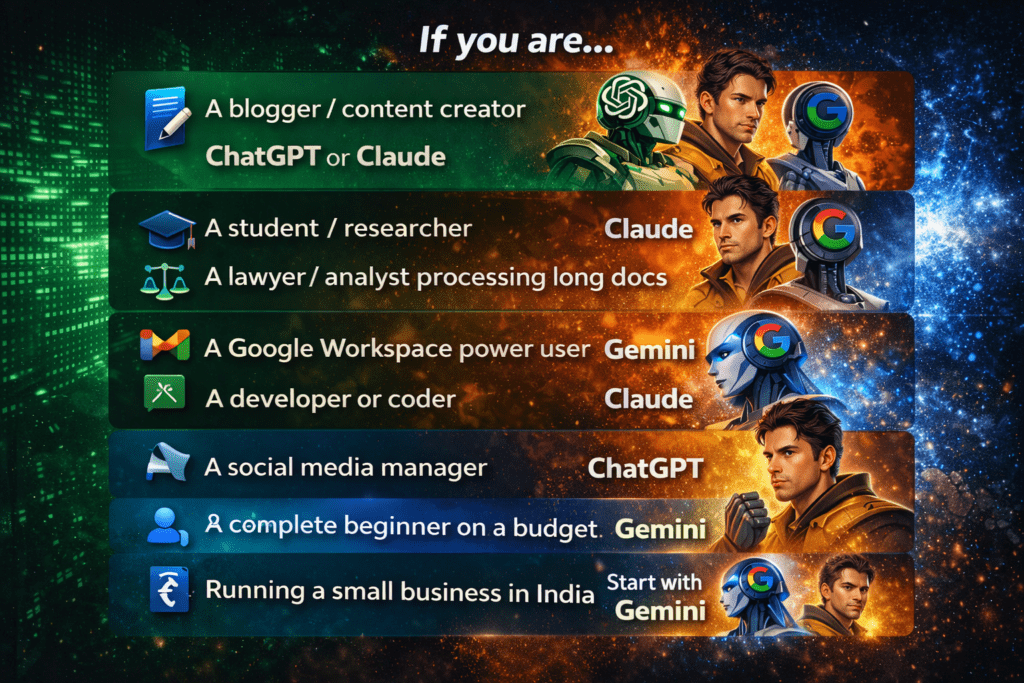
Here is the honest answer — it depends on your job, not the hype.
Frequently Asked Questions (FAQs)
Q1. Which AI tool is best for writers?
Claude for long-form, complex, or high-stakes writing. ChatGPT for speed and short-form variety. The honest answer is that most professional writers use both — Claude for the draft, ChatGPT for the social captions and headline variations that follow.
Q2. Which AI is best for coding?
Claude, consistently. It produces cleaner code, better debugging explanations, and stronger architecture decisions than ChatGPT on complex tasks. For quick code snippets and general-purpose help, ChatGPT is faster and sufficient. Gemini is improving but is not yet the first choice for coding work in my experience.
Q3. Is Gemini better than ChatGPT?
For current information and Google ecosystem integration — yes. For creative writing, long-form drafting, and general versatility — no. Gemini’s strength is specificity to its ecosystem. Outside that context, ChatGPT handles more task types more reliably in my testing.
Q4. Should I pay for more than one AI tool?
Only if you know exactly what each subscription removes as a limitation. I pay for Claude Pro because the context window on long legal documents justifies it. ChatGPT Plus for the speed on high-volume social content. Gemini’s paid features matter if you are in the Google Workspace ecosystem daily. Paying for all three without knowing why is expensive without being useful.
Q5. Can free tiers of these tools handle real client work?
Yes — with patience and planning. Claude free handles most drafting tasks within its context limit. ChatGPT free handles brainstorming and short content but not Gemini free. The free tiers break down on high-volume, time-sensitive work — not on quality.
AI Tools Reviews: Real Testing, Comparisons & Honest Insights (2026)
Best AI Tools for Business & Marketing 2026
EU AI Act 2026: A Clear, Researcher‑Friendly Guide
References
- OpenAI — ChatGPT official features and pricing: openai.com
- Anthropic — Claude official page: anthropic.com
- Google Gemini — Official features: gemini.google.com
- MindStudio — ChatGPT vs Claude vs Gemini 2026 business comparison: mindstudio.ai
- DataStudios — Full workflow comparison 2026: datatudios.org
About the Author
Dr. Rekha Khandelwal is a certified expert in AI tools and academic content development, with a strong focus on leveraging platforms like ChatGPT, Claude, and Gemini for research and digital writing. With a Ph.D. in Law and specialized training in AI-driven content creation, she helps students, researchers, and professionals create high-quality, SEO-optimized, and impactful content.
Author Profile Dr. Rekha Khandelwal | Academic Writer, Legal Technical Writer, AI Expert & Author | AspirixWriters
- Legal & Technical Writing Services
- Academic Writing Assistance
- Editing & Proofreading
- SEO Blogwriting Services
- Motivational, Creative & Ghostwriting

AI in Education in 2026: How Artificial Intelligence Is Transforming Teaching and Learning
Think about a Class 10 student in Jaipur. It is 10 pm. She is stuck…
AI Ethics and Future: Complete Guide to Responsible AI in 2026
AI Ethics and Future Why AI Ethics Matters More Than Ever Think about the last…

AI Research Revolution 2026: Complete PhD Workflow Guide
AI Research Revolution 2026 The complete AI PhD research workflow 2026 is changing how researchers…

15 Best Free AI Tools Every PhD Student Needs in 2026
15 Best Free AI Tools for PhD Students 2026 Finding the best free AI tools…
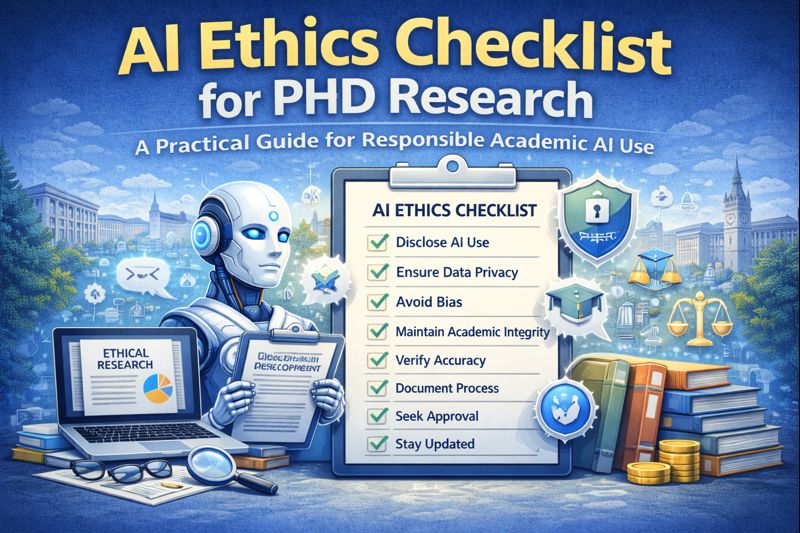
AI Ethics Checklist for PhD Research: A Practical Guide
AI Ethics Checklist for PhD Research 10-Point Compliance Checklist 2026 Everything you need to use…

How to Do a Literature Review Using AI Tools
Imagine opening your research database and seeing hundreds of papers on your topic. Instead of…