Last Updated: April 28, 2026
AI in Content Creation
A simple, beginner-friendly guide to using AI for writing, designing, and publishing content — with real tools, honest tips, and simple explanations.
“AI does not replace creative thinking — it removes the boring parts so you can focus on what really matters.
If you have ever sat in front of a blank screen, not sure what to write next — you are not alone. Every blogger, marketer, business owner, and content creator knows that feeling. Coming up with new ideas every single day, writing them clearly, designing visuals, scheduling posts — it is a lot of work for one person.
That is exactly why AI in content creation in 2026 has become one of the most talked-about topics in digital media. AI tools can now help you write blog posts, create social media captions, design graphics, write email newsletters, and even script videos — all in a fraction of the time it used to take.
But here is the important question: How do you actually use these tools well? This guide answers that — in simple, with real examples and honest advice about what AI can and cannot do.
Who This Guide Is For Bloggers, content creators, marketers, small business owners, students, and anyone who creates content regularly and wants to do it faster and better. No technical experience needed.
73%of content creators use AI tools in 2026
3×faster content production with AI assistance
10+content types AI can help create
£0starting cost — many top tools are free
What is AI Content Creation?
AI content creation simply means using artificial intelligence tools to help you create written, visual, or audio content. Instead of doing everything from scratch yourself, you give the AI a description of what you want — and it creates a first version for you in seconds.
Think of it like having a very fast, very hard-working assistant who never gets tired. You still make all the creative decisions. You still decide the topic, the tone, the message. The AI just handles the time-consuming parts — drafting, formatting, generating ideas — so you can focus on making the final result great.
Here is a simple way to think about it:
- You are the chef. You decide what dish to make, what flavours to use, and how it should taste.
- AI is your kitchen assistant. It chops the vegetables, measures the ingredients, and preps everything — so you can focus on the cooking that actually requires your skill.
Simple Definition AI content creation = using smart tools to speed up the process of writing, designing, and publishing content — while you stay in charge of quality and creativity.
How Does AI Content Creation Work?
You do not need to understand the technical details to use AI tools well — but a basic idea helps. Here is what is happening when you type a prompt into an AI writing tool:
- You give the AI a prompt. A prompt is simply your instructions. For example: “Write a 300-word blog introduction about healthy breakfast habits for busy professionals.”
- The AI reads your instructions. It uses patterns from billions of pieces of writing it has been trained on to understand what you want.
- It generates a draft. The AI writes a response based on your prompt — usually in a few seconds.
- You review and edit. You read the output, keep the good parts, fix what doesn’t sound right, and add your own ideas and personal voice.
- You publish the final version. The result is published content that is faster to produce — but still carries your creative judgment and voice.
The Key Skill: Good Prompts The better your instructions, the better the AI output. Learning to write clear, specific prompts is the single most valuable skill in AI content creation. We will cover this in the step-by-step section below.
What Types of Content Can AI Help Create?
AI tools in 2026 can help with almost every type of content you might need. Here are the most common ones:
- Blog posts and articles — full drafts, introductions, outlines, and conclusions
- Social media captions — Instagram, LinkedIn, X (Twitter), Facebook posts
- Email newsletters — subject lines, body content, calls to action
- Video scripts — YouTube, TikTok, Reels, and webinar scripts
- Product descriptions — for websites, Amazon listings, and online shops
- Ad copy — Google Ads, Facebook Ads, landing page headlines
- Images and graphics — AI-generated visuals, thumbnails, banners
- SEO content — keyword-optimised content that ranks on Google
- Podcast show notes — summaries and highlights from recorded audio
- Website copy — homepage, about page, service descriptions
Good to Know You do not need to use AI for all of these. Start with the one content type that takes you the most time right now. Master AI assistance for that one thing first — then expand from there.
Best AI Content Creation Tools in 2026
There are hundreds of AI tools available — but you do not need all of them. Here are the best ones for each content task, explained simply.
ChatGPT
chat.openai.com — Best for: writing, editing, brainstorming, planning – Free + Paid
| What Is It? ChatGPT is the most widely used AI writing tool in the world. You have a conversation with it — type your request, it replies with content. It can write blog posts, captions, emails, scripts, and much more. | What Can It Do? Write full blog posts and articles Brainstorm content ideas and headlines Edit and improve your existing writing Write social media posts in different tones Create email sequences and newsletters |
| How It Helps Content Creators If you are stuck for ideas or spending hours writing a first draft, ChatGPT gives you a solid starting point in seconds. You edit it, personalise it, and publish — saving hours every week. | Good Points Free plan is genuinely useful Works for almost any content type Easy to use — just type and talk Remembers context in long conversations |
Example You type: “Write a 5-caption Instagram carousel about morning productivity habits. Keep it friendly, motivating, and under 150 words per slide.” ChatGPT gives you all 5 captions in about 15 seconds.
AI output needs editing — it will not automatically match your personal voice or style. Always read through, rewrite in your own words, and add your unique perspective before publishing.
Claude (by Anthropic)
claude.ai — Best for: long-form writing, nuanced content, safe output – Free + Paid
| What Is It? Claude is an AI assistant known for producing longer, more thoughtful, and well-structured content. It is especially good at writing detailed articles, reports, and content that needs a careful, balanced tone. | What Can It Do? Write long-form articles and guides Summarise long documents Rewrite content in a different style or tone Answer complex research questions clearly Help plan content calendars and strategies |
| How It Helps Content Creators Claude is particularly useful when you need content that is thorough, carefully worded, and easy to read. It is a great choice for educational articles, guides, and in-depth blog posts. | Good Points Excellent for long, detailed content Thoughtful and nuanced responses Very clear writing style Strong free plan available |
Example : You paste a 2,000-word draft blog post and type: “Please rewrite this in a friendlier, conversational tone. Keep all the key facts but make it easier and more enjoyable to read.” Claude rewrites the whole piece in under a minute.
Like all AI tools, Claude produces a starting draft — not a finished article. Always add your own examples, personal experience, and unique voice before publishing.
Canva AI
canva.com — Best for: graphics, thumbnails, social visuals, presentations -Free +Paid
| What Is It? Canva is an online design tool that most people already know — but in 2026 it is packed with AI features. It can generate images from text, resize designs automatically for different platforms, and write captions for your visuals. | What Can It Do? Generate images from a text description Resize one design for all social media platforms at once Remove backgrounds from images automatically Suggest design layouts for your content Write captions and text for your graphics |
| How It Helps Content Creators If creating visuals takes you hours, Canva AI brings that down to minutes. Design a beautiful blog thumbnail, social media post, or email header — with no design experience needed at all. | Good Points No design skills needed Thousands of templates ready to use Resizes for all platforms in one click The free plan is very generous |
Example : You type: “A flat-lay photo of a coffee cup, open notebook, and autumn leaves on a wooden desk — warm morning light.” Canva AI generates 4 image options. You pick one, add your blog title text, and your thumbnail is ready in 3 minutes.
AI-generated images are not always perfect — sometimes hands, text, or complex details look strange. Always check images carefully before publishing, especially for professional or formal content.
Jasper
jasper.ai — Best for: marketing copy, ads, brand content at scale – Paid
| What Is It? Jasper is a professional AI writing tool built specifically for marketers and businesses. It learns your brand’s tone of voice and writes content that consistently sounds like you — even across a whole team of writers. | What Can It Do? Write blog posts, ad copy, and landing pages Learn and match your brand voice Create content in 30+ languages Generate SEO-optimised articles Build complete content campaigns |
| How It Helps Content Creators If you are running a business or managing content for a brand, Jasper is excellent because it keeps your writing style consistent. Every piece of content sounds like it came from the same place — even if multiple people wrote it. | Good Points Learns and maintains your brand voice Purpose-built for marketing teams Excellent for high-volume content needs Works well for e-commerce and ads |
Example : You set up your brand voice profile — friendly, professional, British English, for a fitness coaching business. Every piece of content Jasper writes automatically matches that style, without you needing to add instructions every time.
Jasper requires a paid subscription and is best suited for businesses producing a high volume of content. For individual bloggers or beginners, free tools like ChatGPT are a better starting point.
Descript
descript.com — Best for: video scripts, podcasts, repurposing audio content – Free + Paid
| What Is It? Descript is an AI tool that turns your audio and video recordings into text — and then lets you edit the video by simply editing the text. Delete a word from the transcript, and it disappears from the video too. | What Can It Do? Transcribe videos and podcasts automatically Edit video by editing text Remove “um” and “uh” filler words in one click Generate social clips from longer videos Add captions automatically |
| How It Helps Content Creators If you create video or podcast content, Descript is genuinely life-changing. Video editing used to require technical skills and hours of work. Descript makes it as simple as editing a Google Doc. | Good Points No video editing experience needed Turns one video into multiple content pieces Auto-captions improve accessibility and reach Free plan available for basic use |
Example: You record a 20-minute YouTube video. Upload it to Descript. It transcribes the whole thing in 3 minutes. You delete the rambling parts by selecting text. Then Descript auto-generates 5 short social clips from the best moments.
Transcription accuracy drops with strong accents or poor audio quality. Always listen through and correct errors in the transcript before using it for subtitles or blog content.
Surfer SEO
surferseo.com — Best for: writing blog content that ranks on Google – Paid
| What Is It? Surfer SEO is an AI tool that analyses top-ranking Google pages for your keyword and tells you exactly how to write your content so it has the best chance of ranking. It shows you which words to use, how long to write, and how to structure your article. | What Can It Do? Analyse competitor pages for any keyword Generate a full SEO content outline Score your article as you write in real time Suggest keywords and phrases to include Audit existing content for SEO improvements |
| How It Helps Content Creators If you want your blog posts to appear on the first page of Google, Surfer SEO gives you a clear roadmap. It removes the guesswork from SEO and tells you exactly what your article needs. | Good Points Takes the guesswork out of SEO writing Real-time score shows you how to improve Excellent for bloggers who want organic traffic Integrates with Google Docs and WordPress |
Example: You want to rank for “best home office setup for remote workers.” Surfer analyses the top 20 Google results and tells you: write 1,800 words, use these 12 keywords, include 6 headings, and mention these specific topics. Your article follows the guide and ranks on page one within 3 months.
Surfer SEO requires a paid plan and works best when combined with good writing — it optimises the structure and keywords, but great content still needs your ideas, expertise, and original perspective.
How to Use AI for Content Creation: Step by Step
Let’s understand this step by step — here is the exact process to follow every time you want to create content with AI.
1. Decide What You Want to Create and Why
Before opening any AI tool, be clear about: What type of content are you making? Who is it for? What do you want the reader to do after reading it? For example: “A 600-word Instagram caption for my fitness coaching page, aimed at busy parents who want to lose weight. I want them to click the link in my bio.
“No tool needed yet — this is your thinking time
2. Write a Clear, Specific Prompt
A prompt is your instruction to the AI. The more specific you are, the better the result. Include: the content type, the topic, the tone you want, the audience, and the length. Bad prompt: “Write about fitness.” Good prompt: “Write a warm, encouraging 200-word Instagram caption about how 10 minutes of morning movement can change your whole day. Target audience: busy mums aged 30–45.”
Tool: ChatGPT · Claude · Jasper
3. Generate a First Draft
Submit your prompt and read the AI’s response. Do not expect perfection — the first draft is a starting point, not a finished product. If it is not quite right, try again with slightly different instructions. Most AI tools let you say “try again” or “make it shorter / more energetic / more formal” immediately.
Tool: ChatGPT · Claude · Jasper
4. Edit, Personalise and Add Your Voice
This is the most important step. Read the AI draft carefully. Add your own personal stories, opinions, and examples. Remove anything that doesn’t sound like you. Change the phrasing to match how you naturally speak or write. Good AI-assisted content should be impossible to distinguish from content you wrote yourself — because you have made it your own.Tool: Grammarly · Hemingway Editor · Your own judgment
5. Create Your Visuals
Great written content needs great images. Use Canva AI to generate a thumbnail or header graphic that matches your content. Even a simple, clean design makes a huge difference to how professional your content looks — and how many people click on it.
Tool: Canva AI · Adobe Firefly · Midjourney
6. Check and Publish
Before publishing, run one final check: Does it sound like you? Is the information accurate? Is the grammar clean? Does it say what you actually wanted to say? Run it through Grammarly for a quick grammar check, then publish with confidence. Remember to disclose AI assistance if required by your platform’s guidelines.
Tool: Grammarly · Hemingway Editor
AI Content vs Human Content — What Is the Difference?
| What We Are Comparing | AI-Generated Content | Human-Written Content |
| Speed of creation | Very fast — seconds to minutes | Slower — hours to days for long content |
| Personal stories and experience | Cannot include your real experiences | Rich with genuine personal insight |
| Consistency and grammar | Always grammatically correct | Depends on the writer’s skills |
| Originality and creativity | Patterns from existing content — can feel generic | Truly original thinking and unique angles |
| Up-to-date information | May not know very recent events | Can include the latest news and trends |
| Cost and time investment | Low cost, minimal time once you learn the tools | High time cost, especially for long-form content |
| Emotional connection with readers | Can feel flat or formulaic without editing | Authentic human voice builds deeper trust |
The Best Approach in 2026 The most successful content creators do not choose between AI and human writing — they combine both. AI handles the speed and structure. You handle the personality, the personal stories, the original thinking, and the final polish. Together, this is faster AND better than either approach alone.
Best Practices for Using AI in Content Creation
Here are the habits and approaches that separate content creators who get great results from AI — from those who get mediocre ones.
| Always Start with a Clear Goal Know exactly what you want to achieve before you open the AI tool. A vague goal produces vague content. “I want this caption to get people to save my post and follow me” is a much better starting point than “write something about my topic.” | Always Edit Before Publishing Never copy and paste AI output directly. Always read it, rewrite in your own voice, add your own examples, and remove anything generic or inaccurate. Your edited version should be noticeably better than what the AI produced. |
| Check Every Fact the AI States AI tools can sometimes state incorrect facts with complete confidence. Any statistic, date, person’s name, or specific claim in AI output should be verified against a reliable source before you publish it. | Train the AI to Know Your Voice Give the AI examples of your previous writing. Say “here are 3 pieces I have written before — please match this style and tone in everything you create for me.” This dramatically improves consistency across your content. |
| Use AI for Content Batching Instead of creating content one piece at a time, use AI to create a full month of content in one session. Plan 20 social media posts, 4 blog posts, and 4 email newsletters all at once. This saves enormous amounts of time and stress. | Repurpose Content Across Platforms Ask AI to take one blog post and turn it into 5 social media posts, 1 email newsletter, and 3 short video scripts. One piece of content becomes 9 — with minimal extra effort. This is one of the biggest time-savers AI makes possible. |
Common Mistakes to Avoid
Not disclosing AI use when required. Some platforms, employers, and institutions now require you to declare when content was AI-assisted. Check the guidelines for wherever you are publishing before you post.
Publishing without editing. Raw AI output often sounds generic and flat. It does not have your personal voice, your real experiences, or your unique perspective. Always edit — treating AI output as a first draft, not a finished product.
Using vague prompts.“Write a blog post about marketing” will give you a generic, forgettable result. The more specific your instructions — topic, tone, audience, length, purpose — the better the output you will receive.
Trusting AI facts without checking.AI tools can confidently state wrong information. Never publish a statistic, quote, or claim from AI output without checking it against a real, reliable source first.
Over-relying on one tool.No single AI tool does everything well. ChatGPT for writing, Canva AI for visuals, Descript for video — using the right tool for each job gives you much better results than forcing one tool to do everything.
Ignoring your audience.AI can write content — but it does not know your specific audience as well as you do. Always ask yourself: “Would my readers actually find this useful, interesting, or entertaining?” If not, rewrite it.
Ethical Use of AI in Content Creation
| Correct | Incorrect |
| Using AI to generate a first draft, then heavily editing it in your own voice | Copying AI output word-for-word and presenting it as entirely your own original writing |
| Using AI to brainstorm content ideas and then developing your own original angle | Using AI to write academic work and submitting it without disclosure where this is prohibited |
| Using AI to repurpose your existing content for different platforms | Using AI to create fake reviews, misleading testimonials, or deceptive advertising content |
| Using AI image tools to create original visuals for your content | Using AI to generate images that closely mimic or copy real artists’ distinctive styles without permission |
| Disclosing AI assistance when your platform or audience expects transparency | Claiming AI-generated content was entirely human-written when transparency is expected or required |
The Golden Rule
Ask yourself: “If my readers knew exactly how I created this content, would they still trust and respect me?” If yes — you are using AI ethically. Your audience’s trust is your most valuable asset. Protect it.
Decide What You Want to Create and Why
Before opening any AI tool, be clear about: What type of content are you making? Who is it for? What do you want the reader to do after reading it? For example: “A 600-word Instagram caption for my fitness coaching page, aimed at busy parents who want to lose weight. I want them to click the link in my bio.”No tool needed yet — this is your thinking time
2
Write a Clear, Specific Prompt
A prompt is your instruction to the AI. The more specific you are, the better the result. Include: the content type, the topic, the tone you want, the audience, and the length. Bad prompt: “Write about fitness.” Good prompt: “Write a warm, encouraging 200-word Instagram caption about how 10 minutes of morning movement can change your whole day. Target audience: busy mums aged 30–45.”Tool: ChatGPT · Claude · Jasper
3
Generate a First Draft
Submit your prompt and read the AI’s response. Do not expect perfection — the first draft is a starting point, not a finished product. If it is not quite right, try again with slightly different instructions. Most AI tools let you say “try again” or “make it shorter / more energetic / more formal” immediately.Tool: ChatGPT · Claude · Jasper
4
Edit, Personalise and Add Your Voice
This is the most important step. Read the AI draft carefully. Add your own personal stories, opinions, and examples. Remove anything that doesn’t sound like you. Change the phrasing to match how you naturally speak or write. Good AI-assisted content should be impossible to distinguish from content you wrote yourself — because you have made it your own.Tool: Grammarly · Hemingway Editor · Your own judgment
5
Create Your Visuals
Great written content needs great images. Use Canva AI to generate a thumbnail or header graphic that matches your content. Even a simple, clean design makes a huge difference to how professional your content looks — and how many people click on it.Tool: Canva AI · Adobe Firefly · Midjourney
6
Check and Publish
Before publishing, run one final check: Does it sound like you? Is the information accurate? Is the grammar clean? Does it say what you actually wanted to say? Run it through Grammarly for a quick grammar check, then publish with confidence. Remember to disclose AI assistance if required by your platform’s guidelines.Tool: Grammarly · Hemingway Editor
⚖️ AI Content vs Human Content — What Is the Difference?
| What We Are Comparing | AI-Generated Content | Human-Written Content |
|---|---|---|
| Speed of creation | Very fast — seconds to minutes | Slower — hours to days for long content |
| Personal stories and experience | Cannot include your real experiences | Rich with genuine personal insight |
| Consistency and grammar | Always grammatically correct | Depends on the writer’s skills |
| Originality and creativity | Patterns from existing content — can feel generic | Truly original thinking and unique angles |
| Up-to-date information | May not know very recent events | Can include the latest news and trends |
| Cost and time investment | Low cost, minimal time once you learn the tools | High time cost, especially for long-form content |
| Emotional connection with readers | Can feel flat or formulaic without editing | Authentic human voice builds deeper trust |
🤝
The Best Approach in 2026 The most successful content creators do not choose between AI and human writing — they combine both. AI handles the speed and structure. You handle the personality, the personal stories, the original thinking, and the final polish. Together, this is faster AND better than either approach alone.
⭐ Best Practices for Using AI in Content Creation
Here are the habits and approaches that separate content creators who get great results from AI — from those who get mediocre ones.
🎯
Always Start with a Clear Goal
Know exactly what you want to achieve before you open the AI tool. A vague goal produces vague content. “I want this caption to get people to save my post and follow me” is a much better starting point than “write something about my topic.”
✍️
Always Edit Before Publishing
Never copy and paste AI output directly. Always read it, rewrite in your own voice, add your own examples, and remove anything generic or inaccurate. Your edited version should be noticeably better than what the AI produced.
🔍
Check Every Fact the AI States
AI tools can sometimes state incorrect facts with complete confidence. Any statistic, date, person’s name, or specific claim in AI output should be verified against a reliable source before you publish it.
🗣️
Train the AI to Know Your Voice
Give the AI examples of your previous writing. Say “here are 3 pieces I have written before — please match this style and tone in everything you create for me.” This dramatically improves consistency across your content.
📅
Use AI for Content Batching
Instead of creating content one piece at a time, use AI to create a full month of content in one session. Plan 20 social media posts, 4 blog posts, and 4 email newsletters all at once. This saves enormous amounts of time and stress.
🔄
Repurpose Content Across Platforms
Ask AI to take one blog post and turn it into 5 social media posts, 1 email newsletter, and 3 short video scripts. One piece of content becomes 9 — with minimal extra effort. This is one of the biggest time-savers AI makes possible.
🚫 Common Mistakes to Avoid
- Publishing without editing. Raw AI output often sounds generic and flat. It does not have your personal voice, your real experiences, or your unique perspective. Always edit — treating AI output as a first draft, not a finished product.
- Using vague prompts. “Write a blog post about marketing” will give you a generic, forgettable result. The more specific your instructions — topic, tone, audience, length, purpose — the better the output you will receive.
- Trusting AI facts without checking. AI tools can confidently state wrong information. Never publish a statistic, quote, or claim from AI output without checking it against a real, reliable source first.
- Over-relying on one tool. No single AI tool does everything well. ChatGPT for writing, Canva AI for visuals, Descript for video — using the right tool for each job gives you much better results than forcing one tool to do everything.
- Ignoring your audience. AI can write content — but it does not know your specific audience as well as you do. Always ask yourself: “Would my readers actually find this useful, interesting, or entertaining?” If not, rewrite it.
- Not disclosing AI use when required. Some platforms, employers, and institutions now require you to declare when content was AI-assisted. Check the guidelines for wherever you are publishing before you post.
⚖️ Ethical Use of AI in Content Creation
Using AI for content creation is completely acceptable — but like any powerful tool, it comes with responsibilities. Here is a simple guide to what is okay and what is not.
| ✅ This Is Okay | ❌ This Is Not Okay |
|---|---|
| Using AI to generate a first draft, then heavily editing it in your own voice | Copying AI output word-for-word and presenting it as entirely your own original writing |
| Using AI to brainstorm content ideas and then developing your own original angle | Using AI to write academic work and submitting it without disclosure where this is prohibited |
| Using AI to repurpose your existing content for different platforms | Using AI to create fake reviews, misleading testimonials, or deceptive advertising content |
| Using AI image tools to create original visuals for your content | Using AI to generate images that closely mimic or copy real artists’ distinctive styles without permission |
| Disclosing AI assistance when your platform or audience expects transparency | Claiming AI-generated content was entirely human-written when transparency is expected or required |
🌟
The Golden Rule Ask yourself: “If my readers knew exactly how I created this content, would they still trust and respect me?” If yes — you are using AI ethically. Your audience’s trust is your most valuable asset. Protect it.
📸 Screenshot Suggestions for This Blog Post
Add these visuals when you publish this post. They make the content easier to understand, more engaging, and stronger for AdSense quality signals.
AI output
→
Your edited version
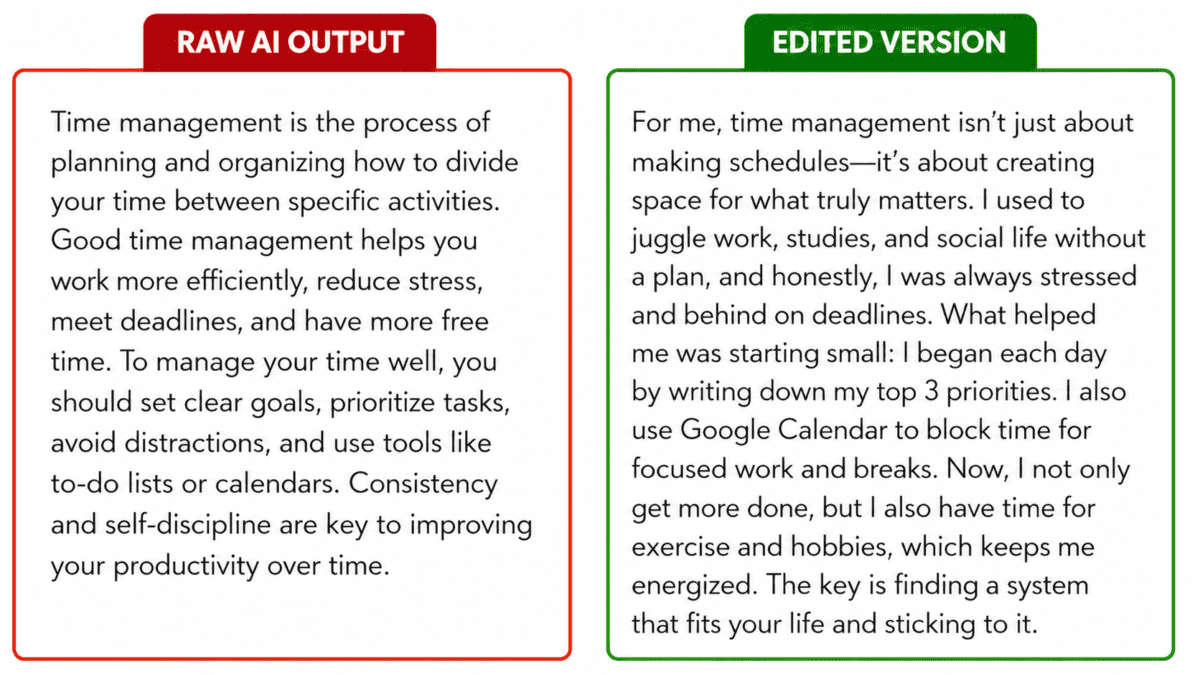
Screenshot 1
Before and After: Raw AI Output vs Edited Version
Take a paragraph of raw ChatGPT output (generic, a little flat) and place it next to your edited version (personalised, conversational, with your own example added). Use a red border for the AI version and a green border for the edited version. Label them clearly.
📍 Place: After Step 4 (Edit and Personalise) — shows readers exactly what “editing AI content” looks like in practice
Vague Prompt
“Write about healthy eating”
Result: Generic, boring content
Specific Prompt
“Write 5 quick lunch ideas for busy teachers…”
Result: Specific, useful, engaging
Screenshot 2
Vague Prompt vs Specific Prompt — Side by Side
Create a two-column Canva graphic: left side shows a vague prompt and its generic AI output in red; right side shows a detailed prompt and its much better AI output in green. Title it: “Better Prompts = Better Content.” This is one of the most shareable educational graphics for content creators.
📍 Place: In Step 2 (Write a Clear Prompt) — makes the most important skill in AI content creation immediately visual and understandable
ChatGPT
Writing & Ideas
Canva AI
Visuals & Design
Surfer SEO
Google Rankings
Descript
Video & Podcast
Screenshot 3
AI Tools Overview Infographic
Create a clean Canva card showing all 6 tools in coloured boxes, each with the tool name, an emoji, and a 3-word description of what it does. Title: “The Complete AI Content Creator Toolkit 2026.” Add your website at the bottom. Ideal for Pinterest, Instagram saves, and LinkedIn posts.
📍 Place: After the Tools section — highly shareable and drives return visitors to your site
1
Plan
2
Prompt
3
Generate → Edit → Publish
Screenshot 4
6-Step Process Flow Infographic
Create a vertical Canva flow diagram showing the 6 steps: Plan → Prompt → Generate → Edit → Visualise → Publish. Each step on a coloured rounded card with a step number, an emoji, and a one-sentence description. Title: “How to Create Content with AI — 6 Easy Steps.” Brand with aspirixwriters.com.
📍 Place: At the start of the Step-by-Step section — makes the process instantly scannable and saves-worthy
✅ Use AI draft as a starting point
❌ Copy AI output word for word
✅ Verify all facts before publishing
❌ Trust AI statistics without checking
✅ Add your personal voice and stories
❌ Publish without reading the output
Screenshot 5
Ethical AI Use: Do’s and Don’ts Card
Create a two-column Canva graphic: left column green with ✅ Do’s; right column red with ❌ Don’ts. Keep it to 5–6 rows, clean and simple. Title: “Using AI in Content Creation — The Right Way.” This is one of the most shareable content creator ethics graphics available.
📍 Place: After the Ethics section — builds trust with readers and works well as a standalone social media post
1 blog post (800 words)
↓ AI Repurposing
5 social posts
1 newsletter
3 video scripts
2 email drafts
Screenshot 6
Content Repurposing Flowchart
Create a Canva diagram showing one blog post at the top, an arrow down labelled “AI Repurposing,” then branching out to: 5 social media posts, 1 email newsletter, 3 short video scripts, and 2 quote graphics. Title: “One Blog Post → 11 Pieces of Content with AI.” This is the most motivating visual in the entire post for time-pressed content creators.
📍 Place: After the Best Practices section — this single image often drives the most saves, shares, and profile visits
❓ Frequently Asked Questions
What is the best AI tool for content creation in 2026?
ChatGPT is the best all-round starting point — it is free, easy to use, and handles writing, brainstorming, editing, and social media captions. For visuals, use Canva AI. For video content, use Descript. For SEO blog posts, add Surfer SEO. You do not need all of them — start with ChatGPT and Canva AI and add others as you grow.
Can AI completely replace human content creators?
No — and it is not going to anytime soon. AI cannot replace your personal stories, your real opinions, your relationship with your audience, or your creative judgment. What it can do is handle the time-consuming first draft so you can focus on the parts that only you can do. Think of AI as a very fast assistant, not a replacement for your voice.
Is AI-generated content allowed on Google, Instagram, and other platforms?
Generally yes — as long as the content is genuinely helpful, accurate, and not misleading. Google does not penalise AI-assisted content that is useful and high quality. Some platforms ask you to disclose AI use for certain content types like ads. Always check the specific guidelines for the platform you are publishing on before posting.
How do I make AI content sound more like me?
Give the AI examples of your own previous writing and ask it to match your style. Then always edit the AI output — remove generic phrases, add your personal stories and opinions, and change the wording to match how you naturally speak or write. After editing, the content should sound unmistakably like you, even if AI helped create the first draft.
Do I need to pay for AI content creation tools?
No — not to start. ChatGPT’s free plan, Canva’s free plan, and Claude’s free plan are all genuinely useful for content creators just getting started. You only need to consider paid plans when you are producing very high volumes of content and consistently hitting the free tier limits. Start free and upgrade only when the limits actually affect your work.
R
Dr. Rekha Khandelwal
Academic Writer · AI Content Strategist · Content Creation Mentor
Dr. Rekha Khandelwal has spent over 12 years helping researchers, educators, and content creators communicate their ideas more clearly and effectively. She specialises in making complex topics — including AI tools and digital content strategy — genuinely accessible for beginners and experienced creators alike.
Her practical, no-jargon approach comes from years of working directly with people who need real answers, not theory. When she writes about AI tools, she tests them herself first — so every recommendation in her guides is based on actual experience, not speculation.View Full Profile → © 2026 Aspirix Writers · All content original and human-written · aspirixwriters.com
Explore AI in content creation for 2026 — tools, workflows, benefits, real use cases, and ethical best practices that help writers and marketers create better content faster.
Why Content Creation Needs a Smarter Approach
Content creators today face a smart, data-driven audience that expects relevance, clarity, and speed. Publishing more doesn’t guarantee better engagement — quality and insight do. That’s where AI in content creation comes in, helping writers, marketers, and businesses craft thoughtful content more efficiently without sacrificing originality.
Across AspirixWriters — where idea transformation meets meaningful expression — having a clear understanding of tools and workflows can make content creation not just faster but truly impactful.
What Is AI in Content Creation?
AI in content creation refers to using advanced machine learning and language models to assist in generating, editing, optimizing, or enhancing written and visual content. These tools analyze patterns in data, help brainstorm topics, draft text, refine language, and support strategy — always as an assistant, not a replacement for human insight.
Why AI in Content Creation Matters in 2026
Content isn’t just text — it’s strategy. Businesses, creators, and educators produce blogs, videos, scripts, social posts, and newsletters daily. AI tools help by:
- Saving time on drafting and editing
- Providing SEO-friendly suggestions and keyword insights
- Generating data-informed content ideas
- Supporting consistency across formats
Instead of writing more, creators can write better, focusing on connection, not chore.
How AI in Content Creation Works (Workflow Overview)
AI content tools typically follow these integrated steps:
- Input & Data Sources — topic keywords, audience signals, analytics data
- Pattern Recognition — language models identify likely structures, trends
- Draft Generation — creates initial text outlines or full drafts
- Optimization Suggestions — improves readability, SEO, tone
- Human Review & Refinement — editor reshapes AI output for voice and accuracy
This human-plus-AI process ensures quality, clarity, and ethical use.
Top Tools for AI in Content Creation (Tools Table)
| Tool Name | Primary Use | Best For | Official Website |
|---|---|---|---|
| ChatGPT (OpenAI) | Writing, research, ideation | Blogs, scripts, emails | https://openai.com |
| Claude (Anthropic) | Long-form writing, analysis | Research, academic & reports | https://www.anthropic.com/claude |
| Perplexity AI | AI search & research | Fact-checking, citations | https://www.perplexity.ai |
| Jasper AI | Marketing copy | Ads, landing pages | https://www.jasper.ai |
| Writesonic | Automated content | Blogs, social posts | https://writesonic.com |
| Grammarly | Editing & tone | Proofreading | https://www.grammarly.com |
| Canva AI | Visual + captions | Social graphics | https://www.canva.com |
| Surfer SEO | SEO optimization | Blog ranking | https://surferseo.com |
| Notion AI | Research management | Content planning | https://www.notion.so |
| Copy.ai | Creative copy | Captions, ads | https://www.copy.ai |
Real-World Use Cases
Across industries, creators use AI content tools to:
- Plan content calendars using trend analysis
- Create SEO-optimized blogs with topic suggestions
- Generate product descriptions at scale
- Produce scripts or email sequences for campaigns
- Edit and polish drafts for clarity and tone
For example, writers using AI can go from topic idea to structured first draft in a fraction of the usual time — then apply human judgment to refine meaning and accuracy.
Benefits of Using AI in Content Creation
- Productivity Boost: Spend less time typing and more on ideas
- Scalability: Produce more formats (blogs, videos, images, scripts)
- Consistency: Maintain brand voice with style guides
- SEO Support: Tools suggest keywords and structure
- Learning Aid: Helps less experienced writers improve faster
Challenges & Limitations (Balanced View)
To keep content trustworthy:
- AI relies on the input quality — poor prompts yield weak drafts
- Nuance and empathy aren’t automatic — human editorial input is essential
- Over-automation can feel repetitive — tailor for freshness
- Ethical concerns exist — user privacy and confirmation bias require care
Ethics guidelines like those from UNESCO emphasize transparency and fairness when deploying AI — principles that should guide content teams too.
Best Practices for Responsible AI in Content Creation
To get the best results:
- Combine AI with human insight — AI supports, humans shape
- Validate facts and sources before publishing
- Use reproducible workflows (prompt library + templates)
- Regularly audit outputs for bias and tone
- Maintain a clear editorial voice and brand identity
These practices help creators stay effective and trustworthy.
FREQUENTLY ASKED QUESTIONS (FAQs)
What is AI in content creation?
AI in content creation refers to software tools that analyze data and language patterns to help writers generate, optimize, and refine content more efficiently. It assists with brainstorming, drafting, and editing, allowing humans to focus on meaning and strategy.
Can AI replace human writers?
No. AI assists with tasks like drafting and idea generation, but human creativity, judgment, and ethical oversight remain essential for producing original, trustworthy content.
Which AI tools are best for blog writing?
Tools like ChatGPT, Jasper AI, and Surfer SEO help with blogging workflows — from topic research to SEO optimization and draft refinement — when combined with human editing.
Is AI in content creation safe for privacy?
Responsible use requires respecting user data and privacy. Tools should comply with privacy standards, and writers should avoid sharing sensitive data in prompts.
How do AI tools help SEO?
AI tools often offer keyword suggestions, readability checks, and topic structuring guidance. When paired with SEO strategy, they help content align with searcher intent and ranking factors.
Can AI tools improve quality writing?
Yes, they can enhance grammar, clarity, tone, and structure faster than manual editing alone — but should be paired with editorial review to ensure nuance and accuracy.
Conclusion: AI as a Creative Partner, Not a Substitute
AI in content creation is shaping how writers and teams work in 2026 — not by replacing the craft of writing, but by helping creators work more strategically and efficiently. When used with clear goals, ethical practices, and human oversight, AI tools enable content that’s thoughtful, relevant, and impactful.
As you explore tools and workflows, prioritize clarity, usefulness, and original thinking — the elements that make any content truly valuable.
- AI For Social Media Content: How To Create 30 Days Of Posts In 2 Hours (2026 Guide)
- AI Content Writing Vs Human Writing: What Google Actually Prefers In 2026
- How To Use AI To Write Blog Posts Faster In 2026 (Step-by-Step Workflow)
References (Trusted & Verified)
- UNESCO – Ethics of Artificial Intelligence
https://www.unesco.org/en/artificial-intelligence - Google Search Central – Search Essentials
https://developers.google.com/search/docs/essentials - AspirixWriters – YouTube
About Author
Dr. Rekha Khandelwal is a certified expert in AI tools and academic content development, with a strong focus on leveraging platforms like ChatGPT, Claude, and Gemini for research and digital writing. With a Ph.D. in Law and specialized training in AI-driven content creation, she helps students, researchers, and professionals create high-quality, SEO-optimized, and impactful content.
Author Profile Dr. Rekha Khandelwal | Academic Writer, Legal Technical Writer, AI Expert & Author | AspirixWriters
- Motivational, Creative & Ghostwriting
- Legal & Technical Writing Services
- Academic Writing Assistance
- Editing & Proofreading
- SEO Blogwriting Services
Salient Features of the Constitution of India
Salient Features of the Indian Constitution Subject: Constitutional Law | Module: Constitutional Foundations | 1….

Paid Summer Research Fellowship in AI Law & Policy 2027 | Legal Frontiers
Paid Summer Research Fellowship in AI Law & Policy 2027 A valuable research opportunity for…

Private Defence in Tort Law: Self-Defence and Defence of Property
Private Defence in Tort Law — General Defence Law of Torts Notes 1. Meaning of…

10 Structural Mistakes That Get Research Papers Rejected — And How to Fix Every One
10 Structural Mistakes That Get Research Papers Rejected Module 1: Understanding the Structure of Research…
Conference Strategy: Choosing, Presenting, and Networking Effectively
Cluster Post 2 | Module 9: Academic Career Development From Concept to Submission Series | …
The Ethics Committee Application: Writing a Submission That Gets Approved
The Ethics Committee Application – Module 10: Research Ethics and the IRB Process From Concept…

Alternative and Hybrid Careers for Indian Research Scholars
Cluster Post 5 | Module 9: Academic Career Development From Concept to Submission Series | …

How to Create an SEO Content Strategy for Your Website (Step-by-Step Guide)
Why Most Blogs Never Get Traffic (And What’s Actually Missing) Here’s something I’ve noticed about…
Peer Review and Publication: Complete Guide from Submission to Acceptance (2026)
Module 6 – Complete Guide for Peer Review and Publication Peer Review and Publication Academic…
The Academic Writing Process: Complete Guide from First Draft to Submission (2026)
Module 2, Complete Guide: The Academic Writing Process – from First Draft to Submission From…
Ethical Issues in AI: A Complete 2026 Guide
AI Ethics and Future: Complete Guide to Responsible AI in 2026 🔍 ON-PAGE SEO PACKAGE…

NALSA Recruitment 2026: Department of Justice Consultant Jobs, Eligibility, Salary & Apply
NALSA Recruitment 2026: The National Legal Services Authority (NALSA) recruitment page is currently carrying a…
Qualitative Research Design: Choosing the Right Approach
Qualitative Research Design Module 3: Research Methodologies From Concept to Submission Series | 2026 Academic…
Evergreen vs Trending Content Strategy: What Actually Works Better for SEO?
Evergreen vs Trending Content Strategy Topic Cluster Strategy: How to Build Topical Authority — Complete…
Cockroach Janta Party Protest: Timeline & Legal Analysis
Cockroach Janta Party Protest: The Full Story, Timeline and Legal Analysis Dr. Rekha Khandelwal Legal…
Preparing a Submission Ready Document: The Complete Pre-Submission Checklist
Preparing a Submission Ready Document Module 2: The Academic Writing Process From Concept to Submission…
Research Methodologies: Complete Guide to Quantitative, Qualitative & Mixed Methods (2026)
(Module 3) – Complete Guide Research Methodologies From Concept to Submission: A Complete Guide to…

Employer Not Paying Your Salary in India? Here’s How to Get It
Employer Not Paying Your Salary in India? Legal Specialist, Consultant & Researcher, AspirixWriters Unpaid or…

Remote Work Opportunities & Freelance Opportunities Across Multiple Domains
Remote Work Opportunities & Freelance Opportunities Across Multiple Domains Looking for flexible remote, freelance, project-based,…
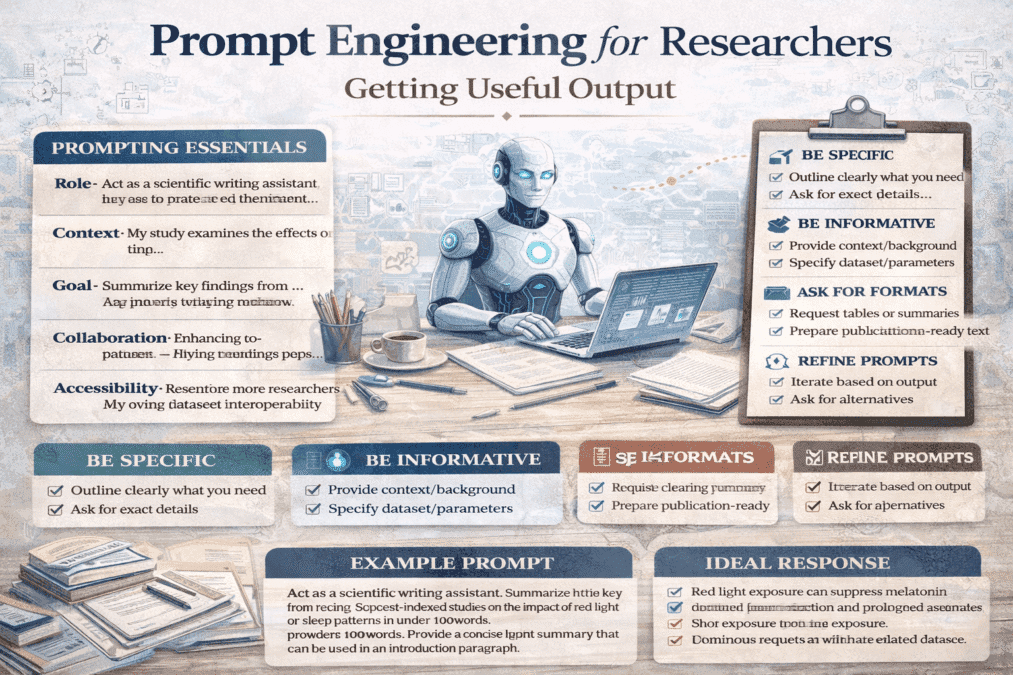
Prompt Engineering for Researchers: Getting Useful Output
Cluster Post 3 | Module 7: AI Tools in Academic Research — Opportunities, Ethics, and…
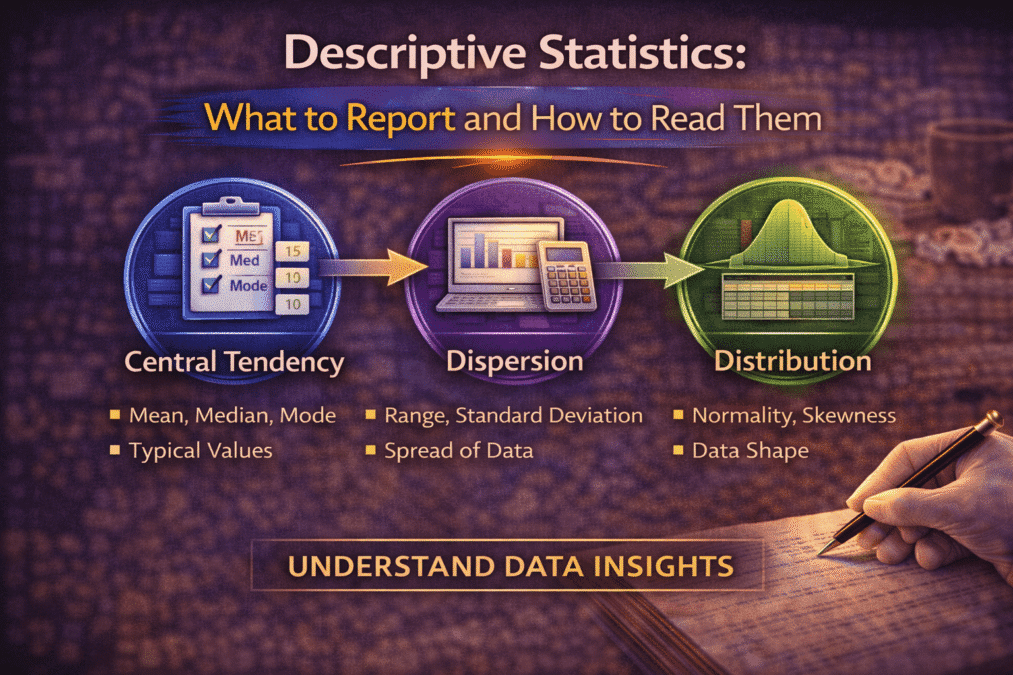
Descriptive Statistics: What to Report and How to Read Them
Cluster Post 2 | Module 4: Data Analysis and Presenting Results From Concept to Submission…
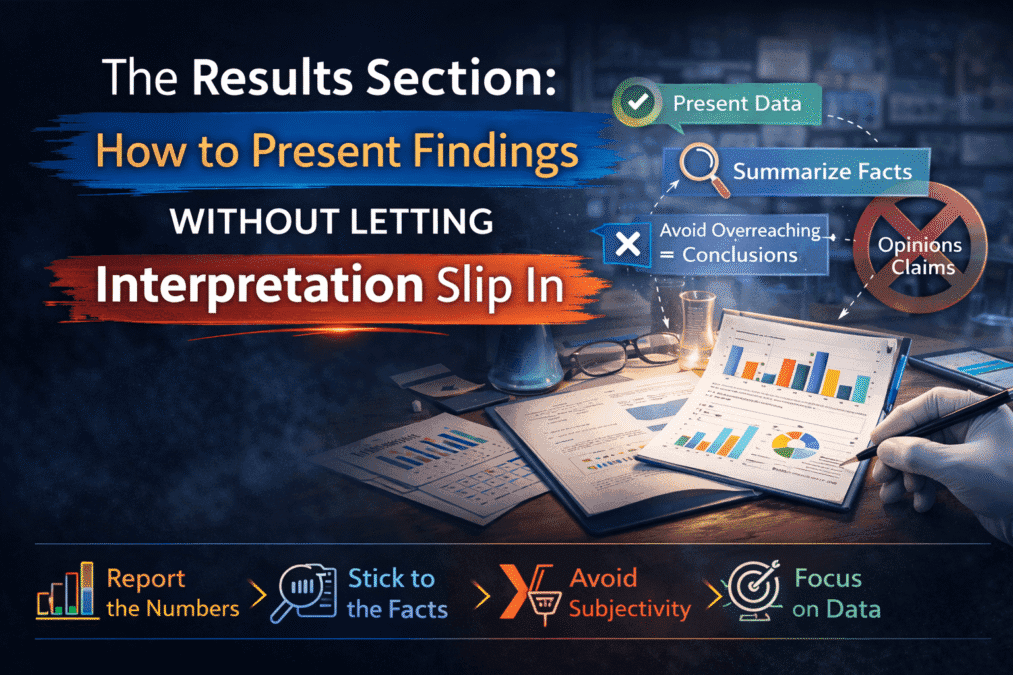
The Results Section: How to Present Findings Without Letting Interpretation Slip In
The Results Section Module 1: Understanding the Structure of Research Papers and Theses From Concept…
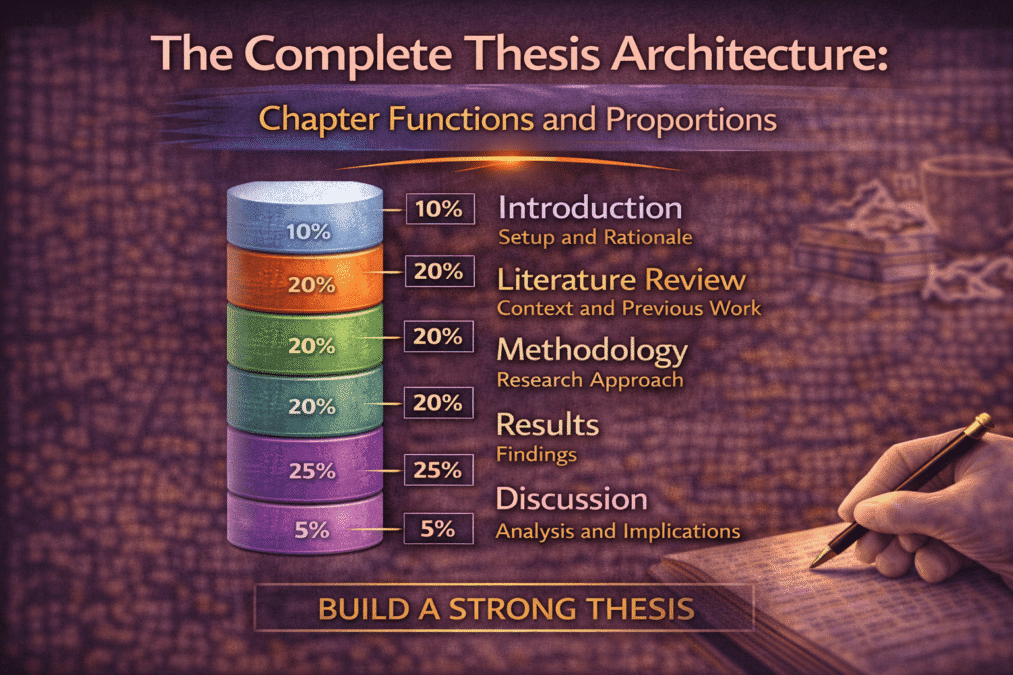
The Complete Thesis Architecture: Chapter Functions and Proportions
Cluster Post 1 | Module 5: Organising Chapters, Maintaining Academic Tone, and Preparing Submission-Ready Documents…

NEET Paper Leak 2026: Impact on Students, and Future of India’s Medical Entrance Exams
For over 22 lakh students across India, NEET UG 2026 was supposed to be the…
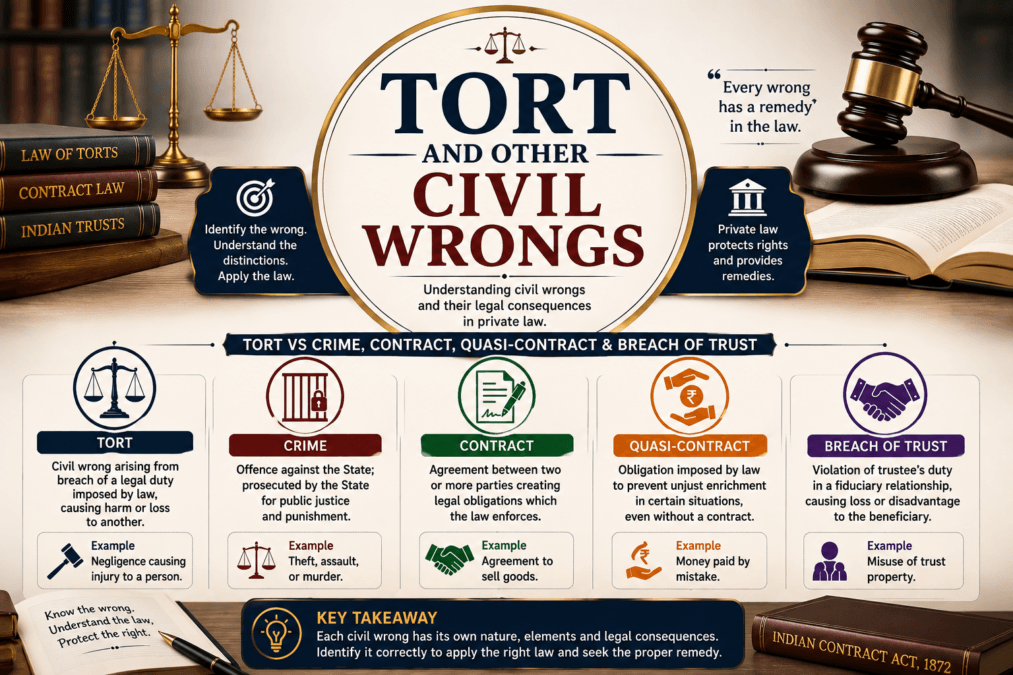
Tort and Other Civil Wrongs — LL.B. Notes
Tort and Other Civil Wrongs Law of Torts — Meaning and Definition of Tort LLB…