
Last Updated: April 15, 2026
AI Research Revolution 2026
The complete AI PhD research workflow 2026 is changing how researchers like you approach everything — from finding a research gap to submitting your final thesis. And honestly? It’s about time.
If you are a PhD student, you know the struggle. You open Google Scholar at 11 PM, stare at 4,000 search results, and wonder where to even begin. Your literature review takes weeks. Your data analysis feels endless. And writing? That blank page doesn’t help.
Here’s the good news — with the right AI research workflow, you can cut down months of work into weeks. This guide walks you through the entire process, step by step, in plain English. No complex jargon, just practical advice you can use today.
Who this is for: PhD scholars, research students, and anyone starting their academic research journey who wants to work smarter, not harder.
What is an AI Research Workflow?
Let’s understand this step by step. A research workflow is simply the sequence of steps you follow to complete your research — from selecting a topic to publishing your findings.
A traditional research workflow relies heavily on manual searching, reading hundreds of papers by hand, and organizing notes on paper or spreadsheets. It works, but it’s slow and exhausting.
An AI research workflow, on the other hand, uses smart digital tools to automate and speed up each step. You still do the thinking. The AI handles the heavy lifting — searching, summarizing, organizing, and even drafting.
| Aspect | Traditional Workflow | AI-Powered Workflow |
|---|---|---|
| Literature Search | Manual, 2–4 weeks | AI-assisted, 3–5 days |
| Paper Summarization | Read each paper fully | AI summarizes in seconds |
| Data Analysis | Manual coding / Excel | AI tools with visualization |
| First Draft | Weeks of writing | AI-assisted drafting in days |
| Citation Management | Manual formatting | Auto-generated citations |
Why AI is Important for Research in 2026
If you are a PhD student in 2026, ignoring AI tools is like ignoring the internet in 2005. The academic world has shifted, and the researchers who adapt are the ones finishing stronger and faster.
- Saves enormous time: Tasks that used to take weeks now take days. AI tools can scan thousands of research papers and return the most relevant ones in minutes.
- Improves accuracy: AI reduces human errors in citations, data entry, and literature screening — helping you produce cleaner, more reliable work.
- Manages large data effortlessly: Whether you’re analyzing survey responses, qualitative interviews, or large datasets, AI tools make the process manageable.
- Reduces research anxiety: Having a clear, structured workflow — with AI at each step — removes the overwhelm that kills motivation.
Quick Stat: Researchers using AI-powered tools in 2026 report completing their literature reviews up to 60% faster than those using traditional methods alone.
Complete AI PhD Research Workflow — Step by Step
This is the heart of this guide. Let’s walk through the full end-to-end AI research workflow tutorial that you can actually use in your PhD journey.
Step 01 – Topic Selection & Research Gap Identification
What to do: Start by identifying a broad research area. Then use AI tools to explore what has already been studied and — more importantly — what gap still exists.
Example: You’re interested in “mental health in medical students.” Ask an AI tool: “What are the under-researched areas in medical student mental health post-COVID?” You’ll get a focused starting point in minutes.
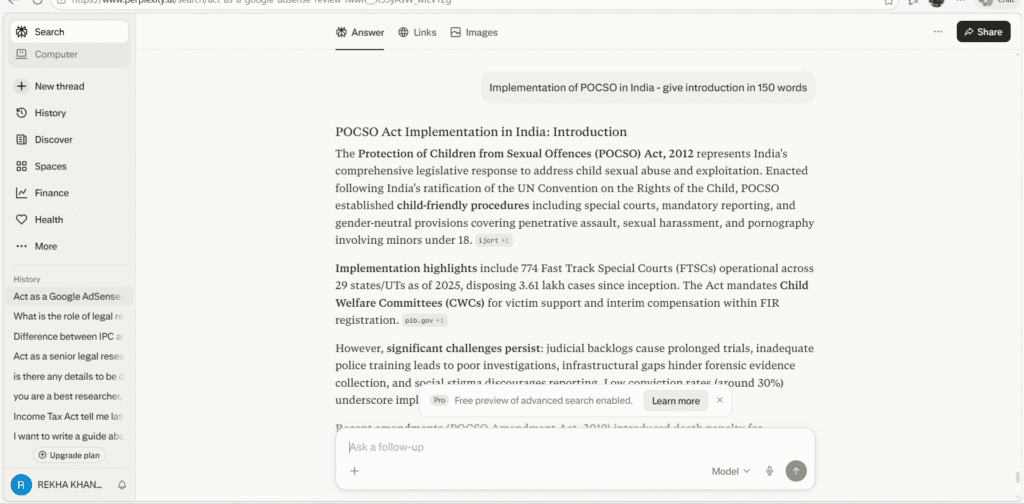
- Perplexity AI
- Elicit
- Research Rabbit
Use Perplexity AI to search within recent peer-reviewed literature only. It cites sources directly.
Step 02 Literature Review
What to do: Collect, read, and synthesize existing research on your topic. This is traditionally the most time-consuming step — but AI makes it dramatically faster.
Example: Enter your research question into Elicit. It surfaces the most relevant studies, extracts key findings, and presents them in a table — so you’re not reading 50 full papers to find 10 useful ones.
- Elicit
- Semantic Scholar
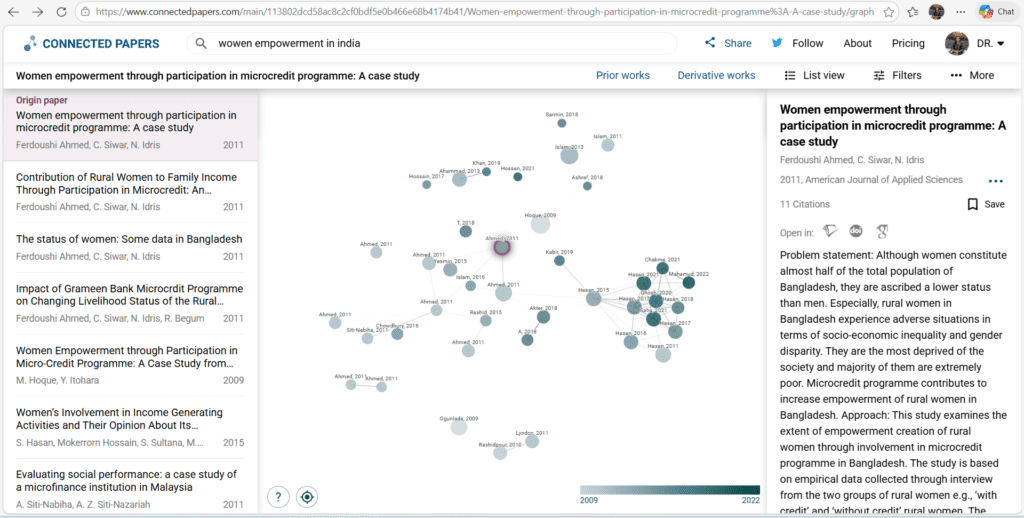
- Connected Papers
Use Connected Papers to create a visual map of how papers relate to each other. It’s one of the best tools for finding foundational and recent work in any field.
Step 03 Paper Search & Screening
What to do: After identifying your core topic, cast a wider net to find all relevant literature. Then screen papers by title, abstract, and relevance.
Example: Search for “cognitive load theory + online learning” in Semantic Scholar. Filter by year and citation count to prioritize high-impact papers first.
- Semantic Scholar
- Consensus
- Rayyan
Rayyan is purpose-built for systematic reviews. It lets you screen abstracts quickly and collaborate with your supervisor in one place.
Step 04 Data Collection & Analysis
What to do: Collect your primary data (surveys, experiments, interviews) and use AI to analyze it faster and more accurately than manual methods.
Example: Upload your survey data (CSV) to Julius AI and ask: “Show me the correlation between study hours and GPA in this dataset.” You’ll get charts and insights instantly — no coding needed.
- Julius AI
- ATLAS.ti
- Qualtrics AI
For qualitative research (interviews, open-ended responses), try ATLAS.ti’s AI coding assistant. It dramatically speeds up thematic analysis.
Step 05 Academic Writing & Drafting
What to do: Use AI writing tools to help structure your chapters, improve your academic tone, and overcome writer’s block — while keeping your own voice and ideas.
Example: Paste a rough paragraph into Paperpal and ask it to improve clarity and academic tone. It suggests edits that maintain your argument while polishing your language.
- Paperpal
- Writefull
- Grammarly Academic
Paperpal is trained specifically on academic writing. Unlike generic tools, it understands journal-style phrasing and discipline-specific terminology.
Step 06 Citation Management
What to do: Organize all your references and auto-format them in APA, MLA, Vancouver, or any required style — without spending hours on manual formatting.
Example: Import your saved papers into Zotero. As you write in Word, citations are inserted with one click and your reference list builds itself automatically.
- Zotero
- Mendeley
- EndNote
Zotero’s browser extension captures paper metadata with one click. You’ll never manually type a reference again.
Step 07 Editing, Proofreading & Plagiarism Check
What to do: Before submission, run a full grammar check, improve readability, and verify your work for unintentional plagiarism.
Example: Submit your chapter to Turnitin and also run it through Writefull for language polish. This two-step approach covers both integrity and quality.
- Writefull
- iThenticate
- ProWritingAid
Always check for plagiarism before your supervisor does. iThenticate is the gold standard used by most universities and journals.
AI Tools Summary for Each Step
Here’s a quick-reference guide to the best AI tools organized by your research phase:
- Topic Exploration: Perplexity AI, Elicit — great for finding research gaps fast
- Literature Discovery: Semantic Scholar, ResearchRabbit, Connected Papers — find and map relevant papers
- Systematic Screening: Rayyan, Consensus — built for reviewing and filtering abstracts at scale
- Data Analysis: Julius AI, ATLAS.ti — handles both quantitative and qualitative data
- Academic Writing: Paperpal, Writefull — discipline-aware writing assistants
- Citations: Zotero, Mendeley — auto-format references in any style
- Editing & Integrity: iThenticate, ProWritingAid — final polish before submission
AI vs. Traditional Research: Time & Effort
| Research Phase | Traditional Time | With AI Workflow | Time Saved |
|---|---|---|---|
| Topic & Gap Identification | 1–2 weeks | 2–3 days | ~70% |
| Literature Review | 4–8 weeks | 1–2 weeks | ~65% |
| Data Analysis | 3–6 weeks | 1–2 weeks | ~60% |
| Writing First Draft | 8–12 weeks | 3–5 weeks | ~55% |
| Citation Formatting | 5–10 hours/chapter | Minutes (automated) | ~95% |
Simplified Research Timeline: AI vs Traditional
Estimated duration per phase
| Topic Selection | Traditional: 2 wks | AI: 3d |
| Lit. Review | Traditional: 6 wks | AI: 10d |
| Data Analysis | Traditional: 5 wks | AI: 8d |
| Writing | Traditional: 10 wks | AI: 4 wks |
| Editing & Submit | Traditional: 3 wks | AI: 5d |
AI Research Checklist 2026
Use this checklist to make sure you are following the complete AI PhD research workflow at every stage.
- Defined a clear research question and identified the gap
- Used AI tools to scan and summarize existing literature
- Screened papers using inclusion/exclusion criteria with AI assistance
- Collected primary data using structured, reproducible methods
- Analyzed data with an AI tool and documented your process
- Written your first draft with AI writing support (not AI generation)
- Verified all citations are accurate and properly formatted
- Proofread for grammar, clarity, and academic tone
- Run a plagiarism check before submitting to supervisor
- Disclosed AI tool usage as per your institution’s guidelines
Common Mistakes PhD Students Make with AI Workflows
- Over-relying on AI-generated content: AI should assist your thinking, not replace it. Your arguments, interpretations, and conclusions must be yours.
- Not verifying AI-sourced information: AI tools can occasionally surface outdated or inaccurate papers. Always cross-check key claims with the original source.
- Skipping the manual reading phase entirely: Even with AI summaries, read the 15–20 most critical papers in full. Nuance matters in academic research.
- Using AI tools without disclosing them: Many universities now require you to declare AI tool usage. Know your institution’s policy before you start.
- Jumping tools without a clear workflow: Using 10 different tools randomly is worse than mastering 3–4 tools in a structured sequence.
Ethical Use of AI in Research
Important: AI tools are research assistants, not co-authors. Using AI to fabricate data, generate fake citations, or write entire thesis chapters without disclosure is academic misconduct — regardless of the tool used.
Here are the core principles to follow for ethical AI use in your PhD research:
- Transparency: Disclose which AI tools you used and for which tasks in your thesis methodology section.
- Verification: Always verify AI-generated summaries, insights, and citations against the original source.
- Your voice matters: Your analysis, interpretation, and argument must reflect your own intellectual work — not AI output pasted in.
- Data privacy: Do not upload sensitive participant data (interview recordings, identifiable survey data) into third-party AI tools without ethics clearance.
- Follow institutional guidelines: Check your university’s AI usage policy — they are updated regularly in 2026 and vary widely.
Frequently Asked Questions
How to use AI in a PhD research workflow?
Use AI at each stage: Perplexity or Elicit for topic exploration, Semantic Scholar for literature search, Julius AI for data analysis, Paperpal for writing, and Zotero for citations. Follow a structured sequence — one tool per task — for the best results without confusion.\
Can AI replace a literature review in PhD research?
No — AI speeds up your literature review but cannot replace it. Tools like Elicit summarize and surface relevant papers, but the critical reading, synthesis, and gap analysis must be your own intellectual work. Think of AI as a very fast research assistant, not a replacement for your expertise.
Which AI tools are best for PhD research in 2026?
The best tools depend on your stage. For literature: Elicit and Semantic Scholar. For data analysis: Julius AI. For writing: Paperpal and Writefull. For citations: Zotero. Start with these five — they cover the full research pipeline and are widely accepted in academic settings.
Is AI-assisted research accepted by universities in 2026?
Most universities in 2026 accept AI-assisted research — but with conditions. You must disclose which tools you used and for which tasks. Data fabrication and undisclosed AI-generated writing remain prohibited. Always check your institution’s specific AI usage policy before starting.
How does an AI PhD workflow reduce the thesis timeline?
AI tools automate the most time-consuming tasks — literature screening, data sorting, citation formatting, and proofreading. A traditional 18-month PhD workflow can often be compressed to 10–12 months without sacrificing quality, simply by using the right AI tools at the right stages.
About the Author
Dr. Rekha Khandelwal
Academic Writer · PhD Research Mentor · AI Content Strategist
Dr. Rekha Khandelwal is an academic writer and PhD research mentor who simplifies complex research into clear, practical steps. She also works as an AI content strategist, helping researchers and educators use AI tools ethically and effectively. Her writing is known for being clear, supportive, and genuinely helpful.
References:
ResearchRabbit: AI Tool for Smarter, Faster Literature Reviews
Top 10 Free AI Tools for PhD Students in 2026
Best 10 AI Literature Review Tools For 2026: Save Hours…
7 Ways AI Is Revolutionizing Data Analysis in Academic Research
AI Ethics Checklist for PhD Research: A Practical Guide
Best AI Tools Every Researcher Must Know In 2026
Found this eye-opening? Share it with a colleague who’s still doing everything manually.
15 Best Free AI Tools Every PhD Student Needs in 2026
15 Best Free AI Tools for PhD Students 2026 Finding the best free AI tools…
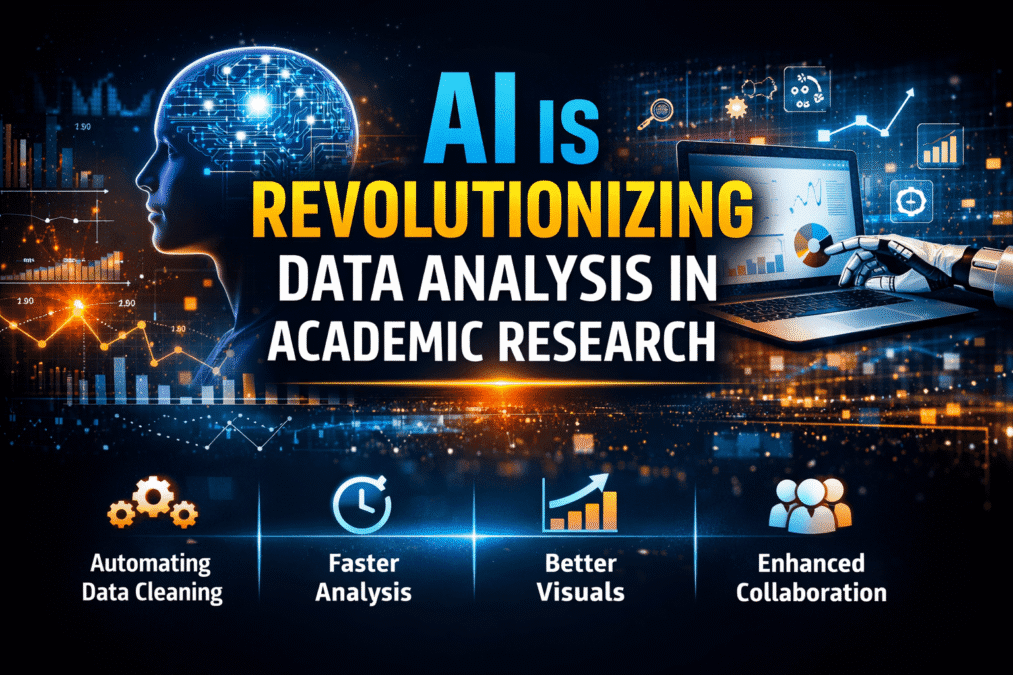
7 AI Data Analysis Tools for PhD in 2026
AI Data Analysis Tools AI Research Revolution 2026: Complete PhD Workflow Guide A simple guide…
AI Ethics and Future: Complete Guide to Responsible AI in 2026
AI Ethics and Future Why AI Ethics Matters More Than Ever Think about the last…
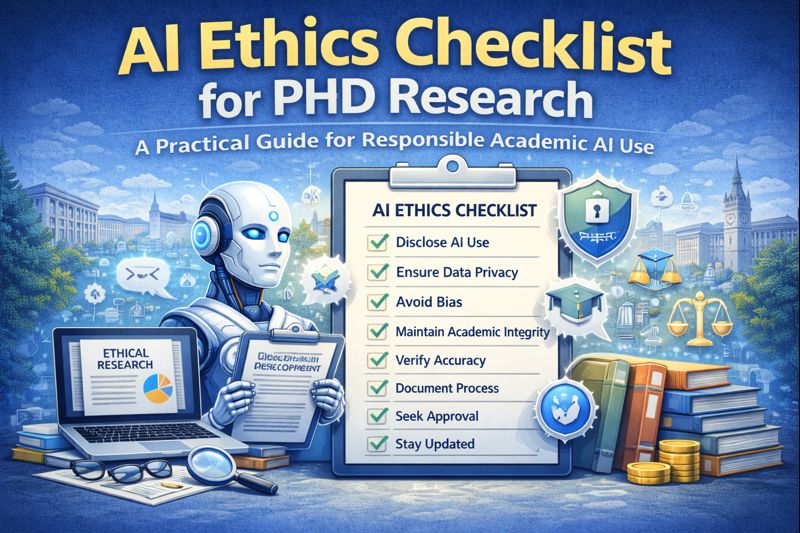
AI Ethics Checklist for PhD Research: A Practical Guide
AI Ethics Checklist for PhD Research 10-Point Compliance Checklist 2026 Everything you need to use…

AI in Education in 2026: How Artificial Intelligence Is Transforming Teaching and Learning
Think about a Class 10 student in Jaipur. It is 10 pm. She is stuck…

AI Research Revolution 2026: Complete PhD Workflow Guide
AI Research Revolution 2026 The complete AI PhD research workflow 2026 is changing how researchers…
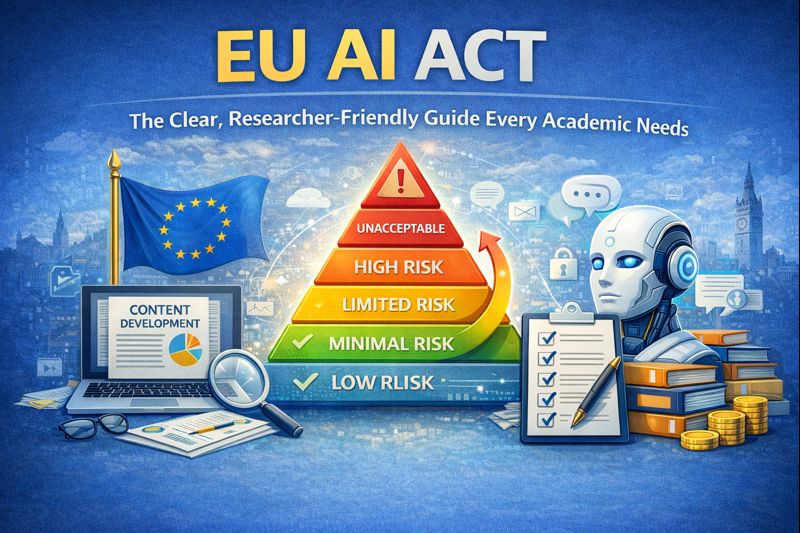
EU AI Act: Complete Researcher-Friendly Guide (Compliance Timeline to 2026)
What Is the EU AI Act? (In Simple) Imagine you build a robot that helps…
How to Do a Literature Review Using AI Tools
Literature Review Using AI Tools: Step-by-Step Guide for Researchers 2026 A complete AI literature review…